 Bumbi
Comparison
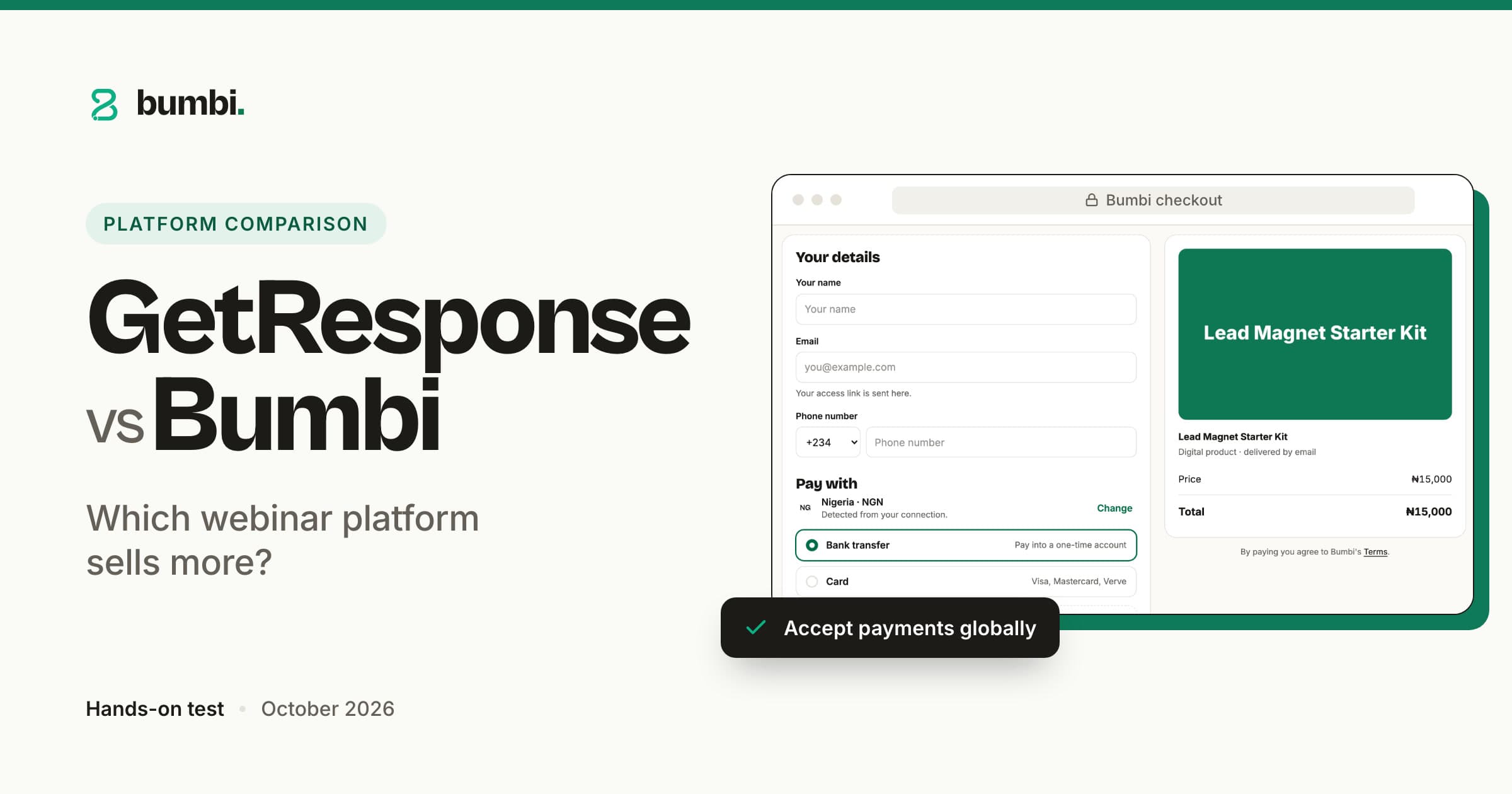
GetResponse vs Bumbi: which webinar platform actually sells your digital product?
On this page
Bumbi is a platform for creators who sell digital products: ebooks, courses, templates and presets. You record once, and it turns that recording into a webinar funnel that sells every day, then takes the payment, delivers the file and follows up. New here? Read what Bumbi is and how it works.
Automated webinars
Automated and evergreen webinars that sell while you sleep
The painYou ran one great live class, sold well, and have not had the energy to run it again since.
Bumbi takes that recording and runs it as scheduled live sessions on whatever schedule you set: fixed dates, a weekly rota, or just-in-time sessions that start a few minutes after someone registers. Attendees get a room with chat and your timed moments; nobody has to be on camera. GetResponse treats a webinar as something you present; Bumbi treats it as a page that converts. See how to set your webinar schedule and live vs automated webinars.
Record once, sell every day.
Registration and reminders
Registration pages plus email and WhatsApp reminders
The painHalf the people who register forget. For many buyers the reminder they read is on WhatsApp, not in their inbox.
Bumbi gives every webinar a registration page you edit in place, with a countdown, custom questions and a form you can embed on any site. Reminder emails go out 24 hours, 1 hour and 15 minutes before the session, and WhatsApp reminders go out from your own connected number on the same timings. Set it up once in how to set up your webinar reminder emails and how to customize your registration page.
Reminders where people actually read them.
Offers and replays
Countdown offers in the room, and a replay for latecomers
The painThe pitch lands at minute 40, the buy link is in a chat message, and the sale is lost in the scroll.
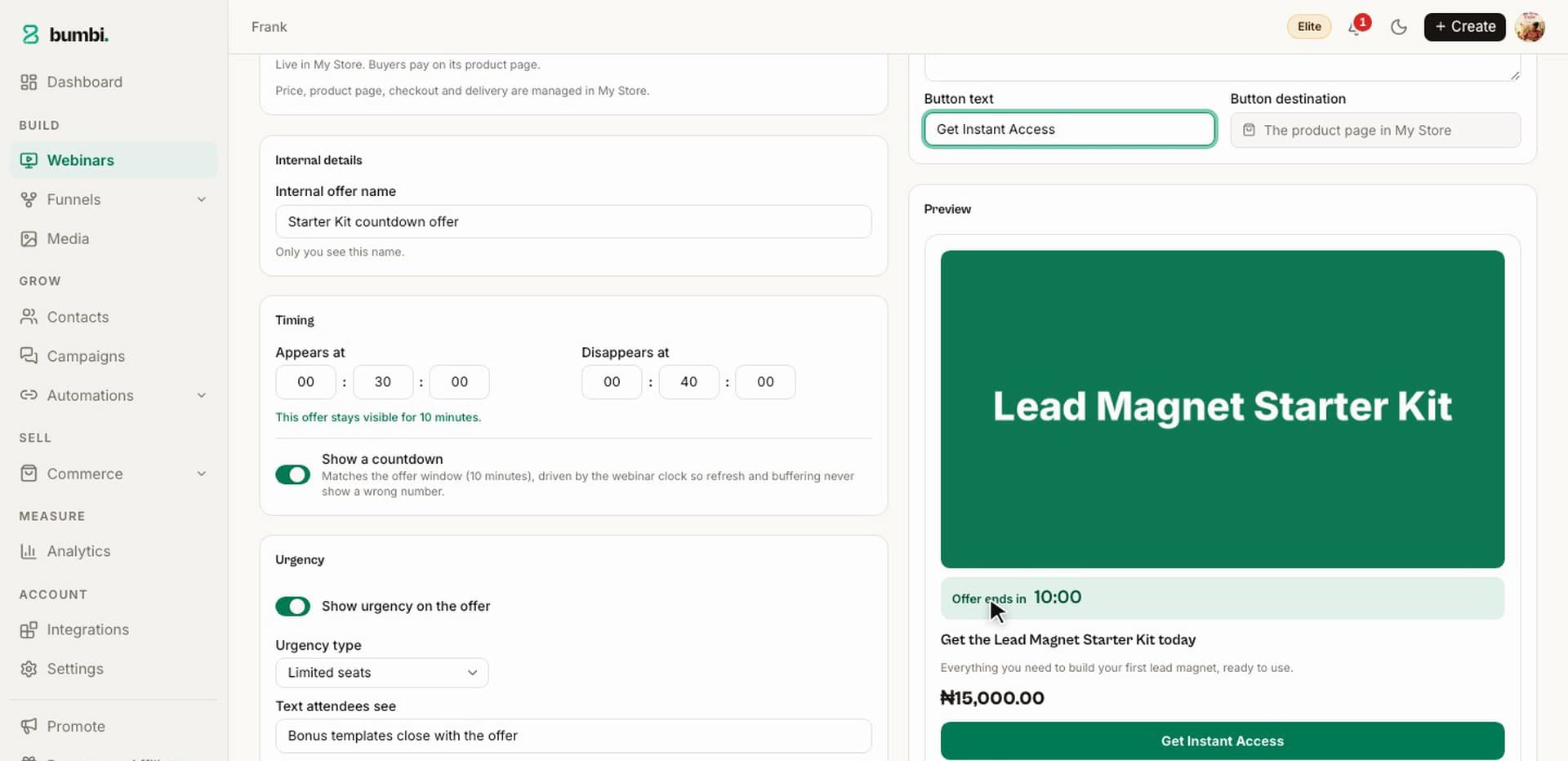
Bumbi puts your product in the room at the minute you choose, as an offer card with a countdown and a button that opens your checkout; after the session, viewers can be redirected to the product page. Miss the live slot? The replay keeps the same offer. Setup: how to add an offer to your webinar room and how to turn on your webinar replay. Webinars: Growth 1, Elite 7. A VSL offer, a sales video over the offer on one page, starts on Starter.
The offer appears when the room is warmest.
Is Bumbi an email marketing tool like GetResponse?
The painYou want honest scope, not a feature list that reads like every other one.
Bumbi is not a full email marketing suite, and this page will not pretend otherwise: there is no newsletter designer and no big template gallery. What Bumbi has is the email that sells. Every webinar carries its own sequence (confirmation, reminders, follow-ups), and every list runs automations: a welcome, a nudge the next day, a last call, each with a delay or a set time of day. Drop in {{first_name}}, {{last_name}}, {{full_name}} or {{email}} and the message reads as if you wrote it. Guides: webinar email variables explained and how to set up a webinar follow-up sequence.
Not every email; the ones that make the sale.
WhatsApp follow-up from your own number
The painA webinar fills your list with people who never open email. They do open WhatsApp.
Bumbi connects your own WhatsApp number and sends follow-ups from it: a welcome when someone joins a list, a nudge after the webinar, a message when they buy, with the first name filled in. One join link can also fill a WhatsApp group and roll to a fresh one when it is full. WhatsApp is on Starter and up; Free includes 300 messages. The WhatsApp automations release note shows the setup.
Follow up where the reply actually comes from.
Checkout and payouts
A store and checkout in your buyer's currency
The painThe webinar converts, then the buyer meets a price in a currency she does not use and closes the tab.
Bumbi sells the product the webinar pitched from its own store, so there is no second tool to wire up. Buyers in other countries see and pay in their own currency where supported, and checkout is built for 99.9% payment uptime. Every sale lands in your Wallet, and each withdrawal is confirmed by a code sent to your email. Checkout and the Wallet are on the Free plan, free forever.
The buyer's own currency in, coded withdrawals out, nothing bolted on.
Delivery and courses
Delivery, a buyer library, and courses the webinar can sell
The painA buyer pays at 11 pm and messages you at 11:05 for the file.
Bumbi delivers the moment payment is verified: the file on the thank-you page and an access link by email, with everything kept in the buyer's library at bumbi.io/access. The same library holds courses: sections and lessons with video, text, quizzes, drip and a certificate. Memberships renew monthly or yearly, and coaching adds a booking page, so the product your webinar sells can be a PDF, a course or a call.
Deliver once, correctly, forever.
Bumps and recovery
Order bumps and abandoned checkout emails
The painMost people who start checkout never pay; the rest buy one thing.
Bumbi adds more to each order without a second funnel: an order bump is a tick box above the pay button, paid in the same payment. The people who started checkout and did not pay get three reminder emails under your name, timed around 15 minutes, an hour and the next morning, and they stop the moment the buyer pays. On every plan.
Interview Prep Guide, $15
Same buyer, same moment, bigger order.
Affiliates and reviews
Affiliates who promote your webinar, and verified reviews
The painYou are the only person sending traffic to the registration page.
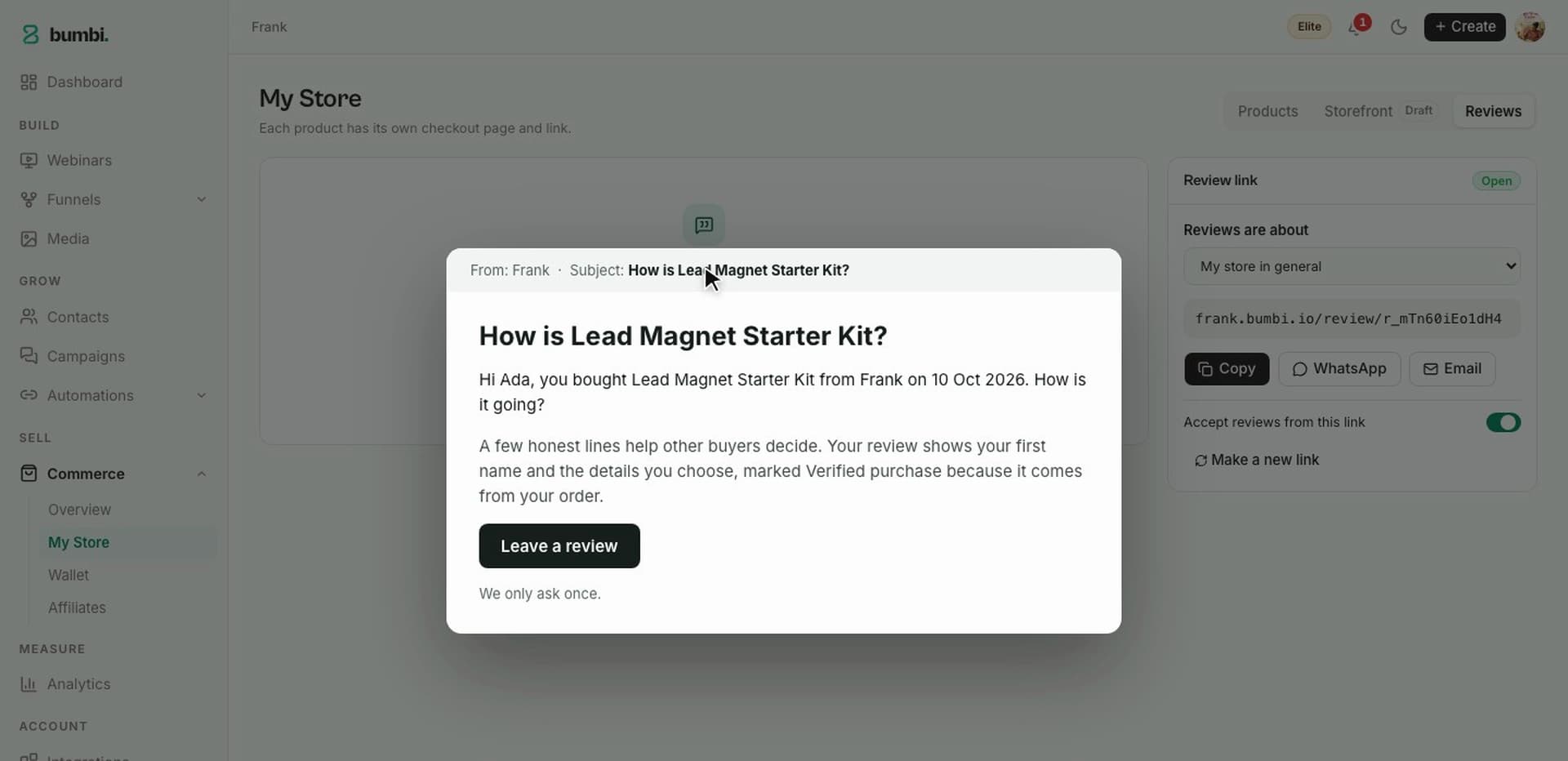
Bumbi lets other people sell for a share of each sale: switch Affiliates on for a product or a webinar, set what each affiliate earns, and they get their own tracked registration and checkout links. Buyers are asked for a review after purchase, shown on your product page as a Verified purchase. Read how webinar affiliate marketing works.
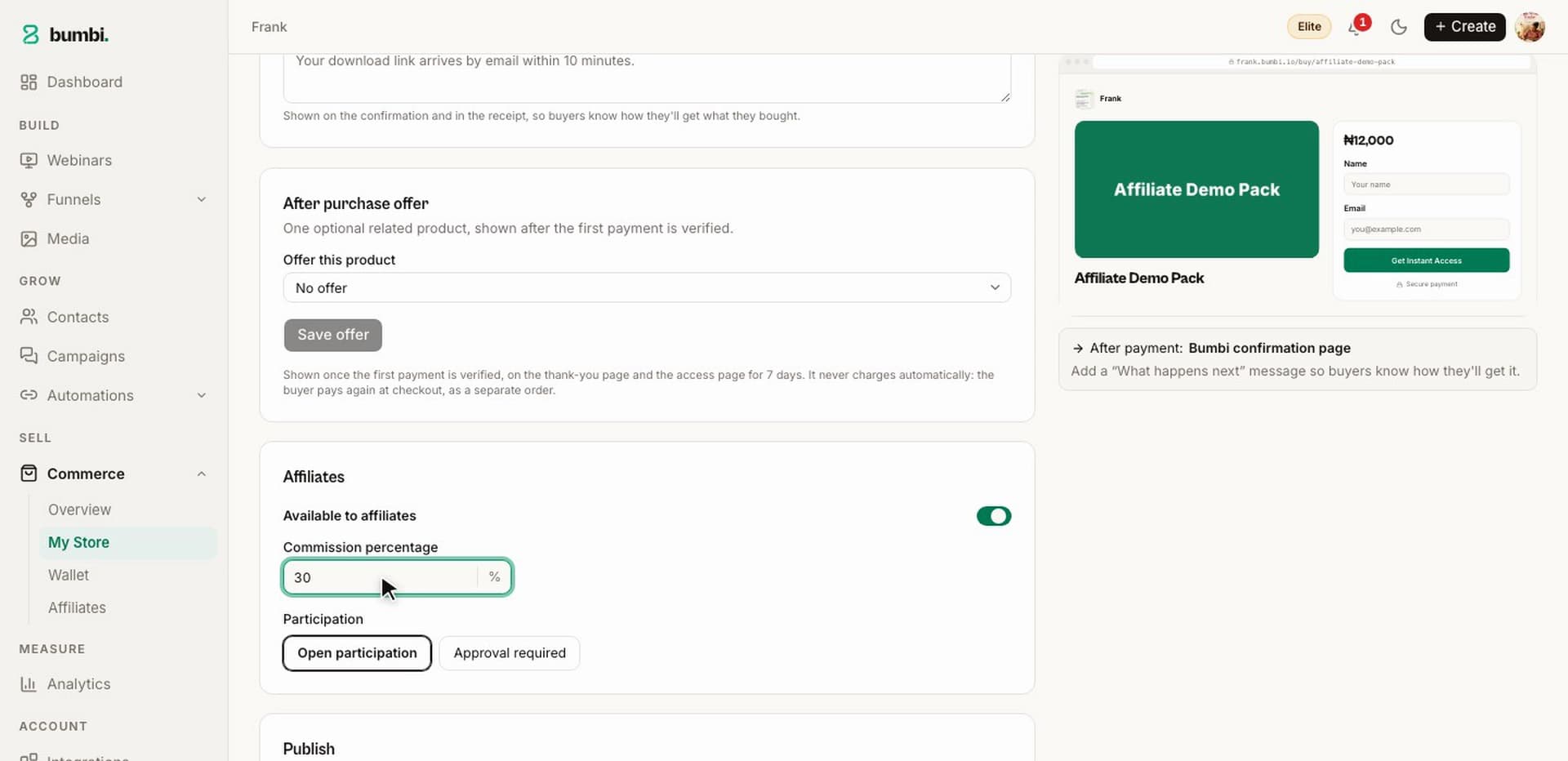
Other people's audiences, with proof attached.
Ad tracking
Ad tracking from registration to purchase
The painYou run ads to a webinar and cannot tell which ad brought the people who bought.
Bumbi adds your Meta Pixel to your registration pages, checkout and pages once you paste its ID in Integrations, no code. Every registration records where it came from, and any link can become a tracked link. Setup: how to add retargeting pixels to your funnel and how to create a short link. Plan limits are on the pricing page.
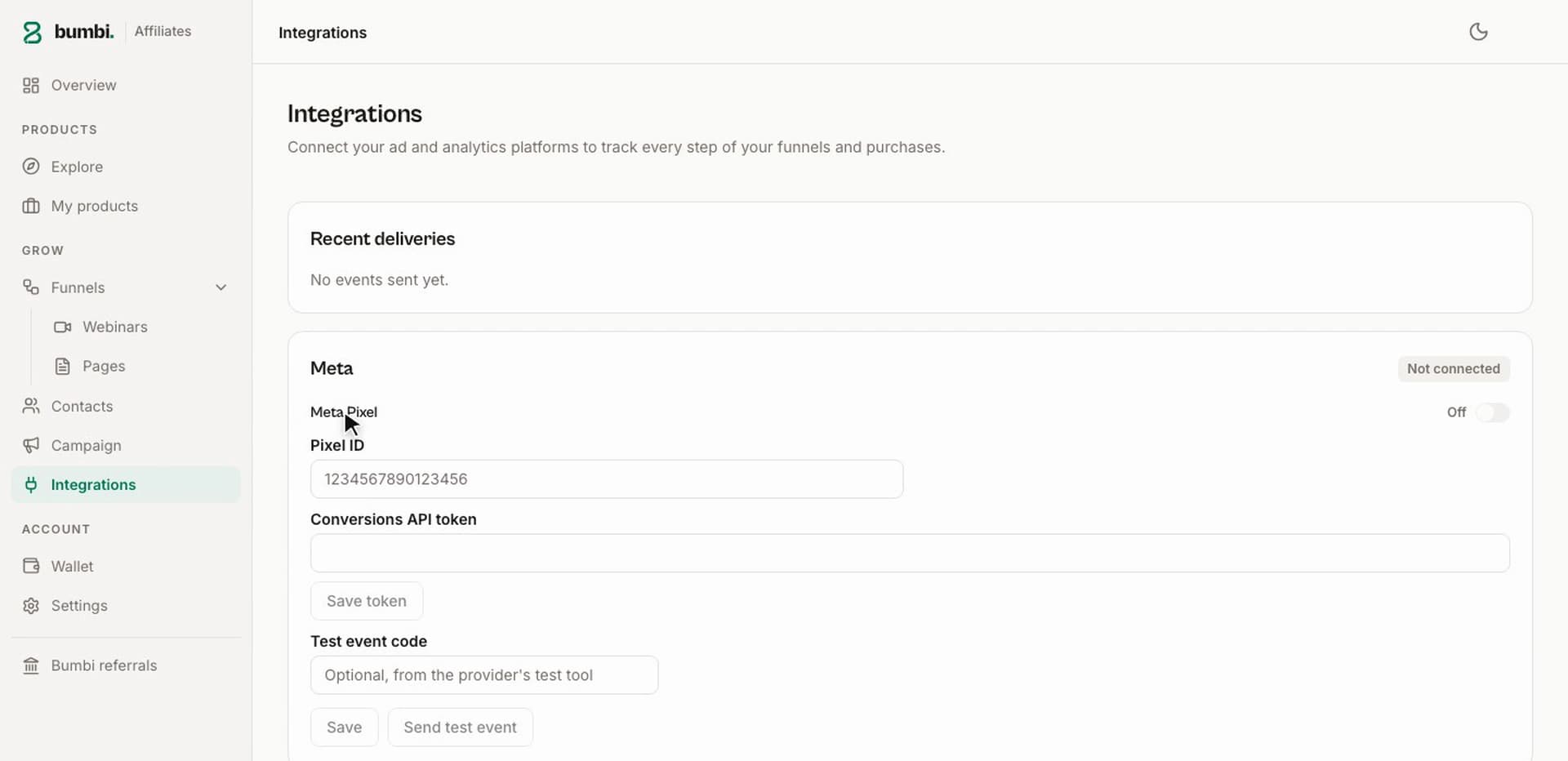
Know which ad brought the buyer, not just the sign-up.
Who should pick which
GetResponse or Bumbi: which one fits you?
Pick Bumbi if
- You sell a digital product, course or coaching and want a recording to sell it on a schedule.
- Your buyers live in many countries and should pay in their own currency where supported.
- You want reminders and follow-up on WhatsApp as well as email, from your own number.
Pick GetResponse if
- Your main job is newsletters to a large list and the webinar is an occasional extra.
- You already have a checkout you like and only need the webinar room.
- Either way, run one real webinar to your real audience on each before you decide.
How to switch
How to switch from GetResponse to Bumbi
Create your account
Sign up at bumbi.io/signup; no card needed.
Add your product and your recording
Open Commerce, add the product with its price, then create a webinar and add the video link.
Set the schedule and the offer
Pick fixed dates, a weekly rota or just-in-time sessions, then place the offer card at the minute your pitch starts.
Bring your list
Export your contacts from GetResponse, import them into a Bumbi list, and write the welcome and reminder automations.
Swap the links
Put the new registration link in your profiles, pinned posts and signature, and keep the old pages live for a month.
Verdict
Bumbi team scorecard: our hands-on test, October 2026
Our verdict: Bumbi 9.1 out of 10, GetResponse 5.6. We ran the same recorded class as a webinar on both, pitched the same template pack, and sold to buyers in several countries. GetResponse is the stronger newsletter tool; Bumbi is the one where the webinar, the reminders, the checkout and the follow-up are one funnel.
5.6/10 overall
9.1/10 overall
| Category | GetResponse | Bumbi |
|---|---|---|
| Automated and evergreen webinarsFixed, weekly and just-in-time sessions from one recording. | 5/10 | 9.5/10 |
| Registration pages and remindersEmail on three timings, WhatsApp from your own number. | 6/10 | 9/10 |
| Countdown offers and replaysAn offer card in the room, a replay with the same offer. | 4/10 | 9.5/10 |
| Email automationsGetResponse is genuinely strong here; Bumbi covers the emails that sell. | 7/10 | 7.5/10 |
| WhatsApp follow-upSequences, reminders and group automation. | 3/10 | 9.5/10 |
| Local checkout and payoutsThe buyer's own currency where supported, coded withdrawals. | 5/10 | 9.5/10 |
| Delivery, courses and membershipsA buyer library, lessons, quizzes, recurring access. | 6/10 | 9/10 |
| Order bumps and abandoned checkout recoveryA bump at checkout, three reminder emails. | 5/10 | 9/10 |
| Affiliates and reviewsAffiliates on products and webinars, verified reviews. | 6/10 | 9/10 |
| Ad trackingMeta Pixel connected without code, plus tracked links. | 6/10 | 9/10 |
Scores are the Bumbi team's opinion from hands-on testing in October 2026. Features change, so check each platform's site for their latest.
FAQ
GetResponse vs Bumbi: questions people ask
Is Bumbi a good GetResponse alternative for webinars?
Yes, if the webinar is there to sell something. You record once and Bumbi runs it as scheduled live sessions with registration, email and WhatsApp reminders, a countdown offer in the room, a replay and a checkout in the buyer's own currency where supported. In our October 2026 test Bumbi scored 9.1 and GetResponse 5.6.
Can I run an evergreen webinar on Bumbi without being live?
Yes. Record once, paste your video link (YouTube, Vimeo, Bunny or HLS), then choose fixed dates, a weekly schedule or just-in-time sessions that start minutes after someone registers. Bumbi runs it as scheduled live sessions: attendees see a room with chat and your timed offer, and latecomers get the replay with the same offer.
Does Bumbi replace GetResponse for email marketing?
Not fully. Bumbi has no newsletter designer or template gallery. It has webinar email sequences (confirmation, reminders, follow-ups) and list automations with delays, send times and variables like first name. If your main job is a regular newsletter, keep a dedicated email tool.
Can Bumbi send webinar reminders on WhatsApp?
Yes. Connect your own WhatsApp number in Bumbi and the reminders go out from it 24 hours, 1 hour and 15 minutes before the session, alongside the emails. The same number runs your list follow-ups. WhatsApp is on Starter and up; Free includes 300 messages.
How do buyers pay after a Bumbi webinar, and how do I get the money?
The offer card opens a Bumbi checkout, and buyers in other countries see and pay in their own currency where supported. Sales land in your Wallet, and you withdraw to your saved bank account, confirmed with an emailed code.
How do I move my list from GetResponse to Bumbi?
Export your contacts as a CSV from GetResponse, import them into a Bumbi list, and write your welcome and reminder automations. There is no importer for webinars or pages, so you add the recording, set the schedule and place the offer yourself, which takes under an hour.
Turn one recording into a webinar that sells every day
Registration, reminders on email and WhatsApp, a countdown offer and a local checkout, in one place. Free to start.
Create your free Bumbi accountWatch
How to Set Up an Automated Webinar That Sells (Full Tutorial 2027)
How to Set Up an Automated Webinar That Sells (Full Tutorial 2027)
Video coming soon
Keep reading
- Selar vs Bumbi: which sells more for creators?
- What is Bumbi? The all-in-one webinar funnel platform
- How to sell with webinars in 2026
- What is a webinar funnel? How to build one that sells
- How to follow up after a webinar to close more sales
- Webinar platforms: how to choose webinar software that sells
- Bumbi's Free plan: what you get free, forever
- Bumbi pricing and plan limits