 Bumbi
Comparison
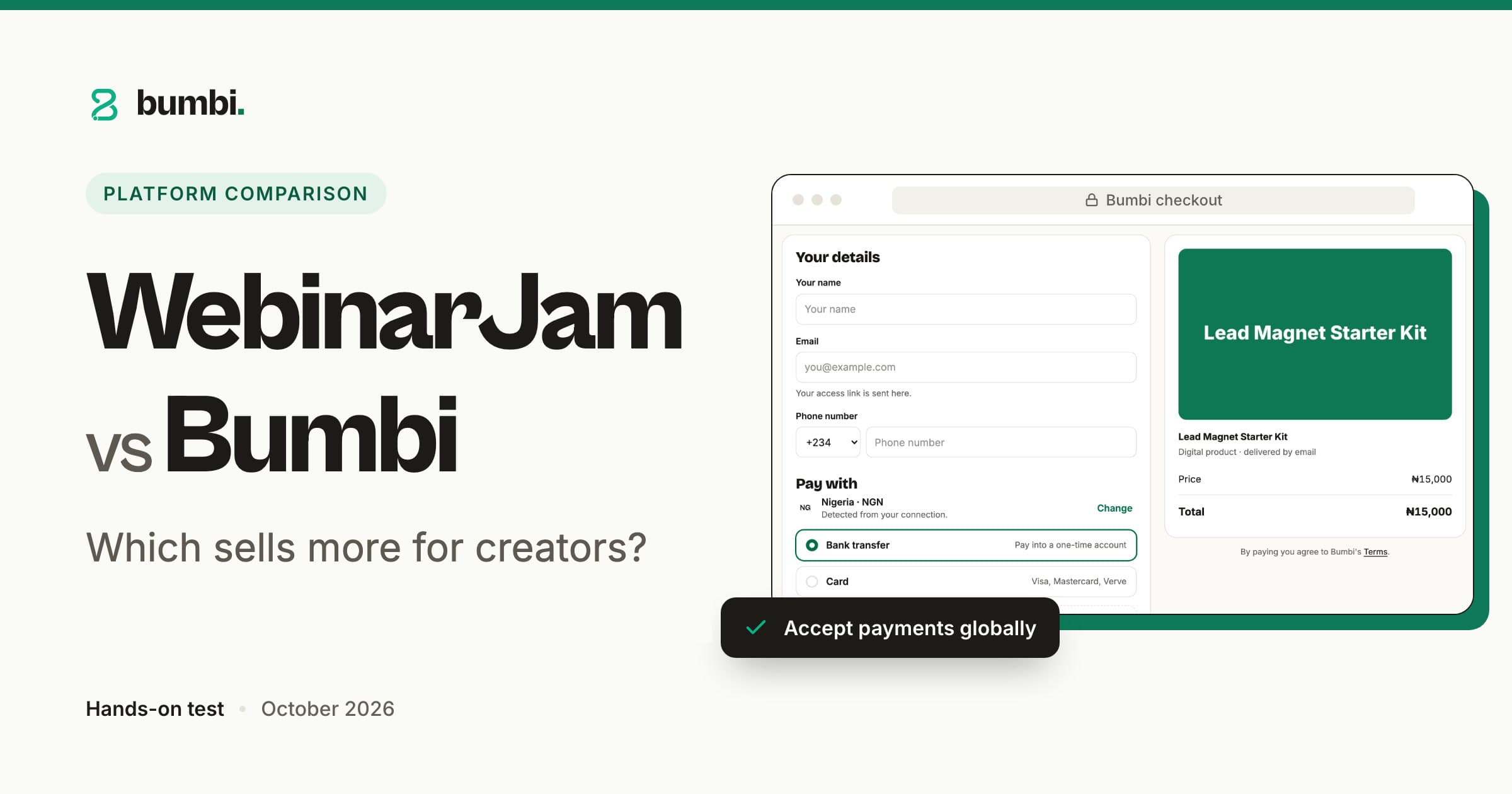
WebinarJam vs Bumbi: which webinar tool actually sells your digital product?
On this page
Bumbi is a platform for creators who sell digital products: ebooks, courses, templates and presets. You record once, and it turns that recording into a webinar funnel that sells every day, then takes the payment, delivers the product and follows up, without a second tool for any of it. New here? Read what Bumbi is and how it works.
Automated webinars
Automated and evergreen webinars that sell while you sleep
The painYou taught one great class live, sold well, and have been promising yourself a rerun ever since.
Bumbi takes that recording and runs it as scheduled live sessions on whatever schedule you set: fixed dates, a weekly rota, or just-in-time sessions that start a few minutes after someone registers. Nobody has to be on camera again, and the room still fills, chats and buys. WebinarJam is a strong tool for presenting live; in Bumbi the live class and the automated one are the same thing with a schedule attached. See how to set your webinar schedule and our take on live vs automated webinars.
Record once, sell every day.
Registration pages
Registration pages you can edit in place, or paste from anywhere
The painThe registration page is the first thing people see, and it still looks like a form on a grey background.
Bumbi gives every webinar a registration page you edit right on the page: headline, image, countdown, button. For something bigger, build a landing page from a template, or paste a full HTML page that Claude or ChatGPT wrote and drop the registration form into it. The form can also be embedded on a site you already own. Start with how to customize your registration page and how to build a landing page in Bumbi. Pages: Free 3, Growth 10, Elite unlimited.
The page people register on is yours to shape.
Reminders
Email and WhatsApp reminders from your own number
The painHalf the people who register forget. The reminder most of them would actually read is on WhatsApp, not in their inbox.
Bumbi sends reminder emails 24 hours, 1 hour and 15 minutes before each session, and sends the same reminders on WhatsApp from your own connected number, with the person's first name filled in. WhatsApp is on Starter and up; Free includes 300 messages as a lifetime allowance. Setup: how to set up your webinar reminder emails.
Reminders where people actually read them.
Room and offers
A webinar room with chat, and a countdown offer at the right minute
The painYour pitch lands at minute 40, the buy link is a chat message, and the sale gets lost in the scroll.
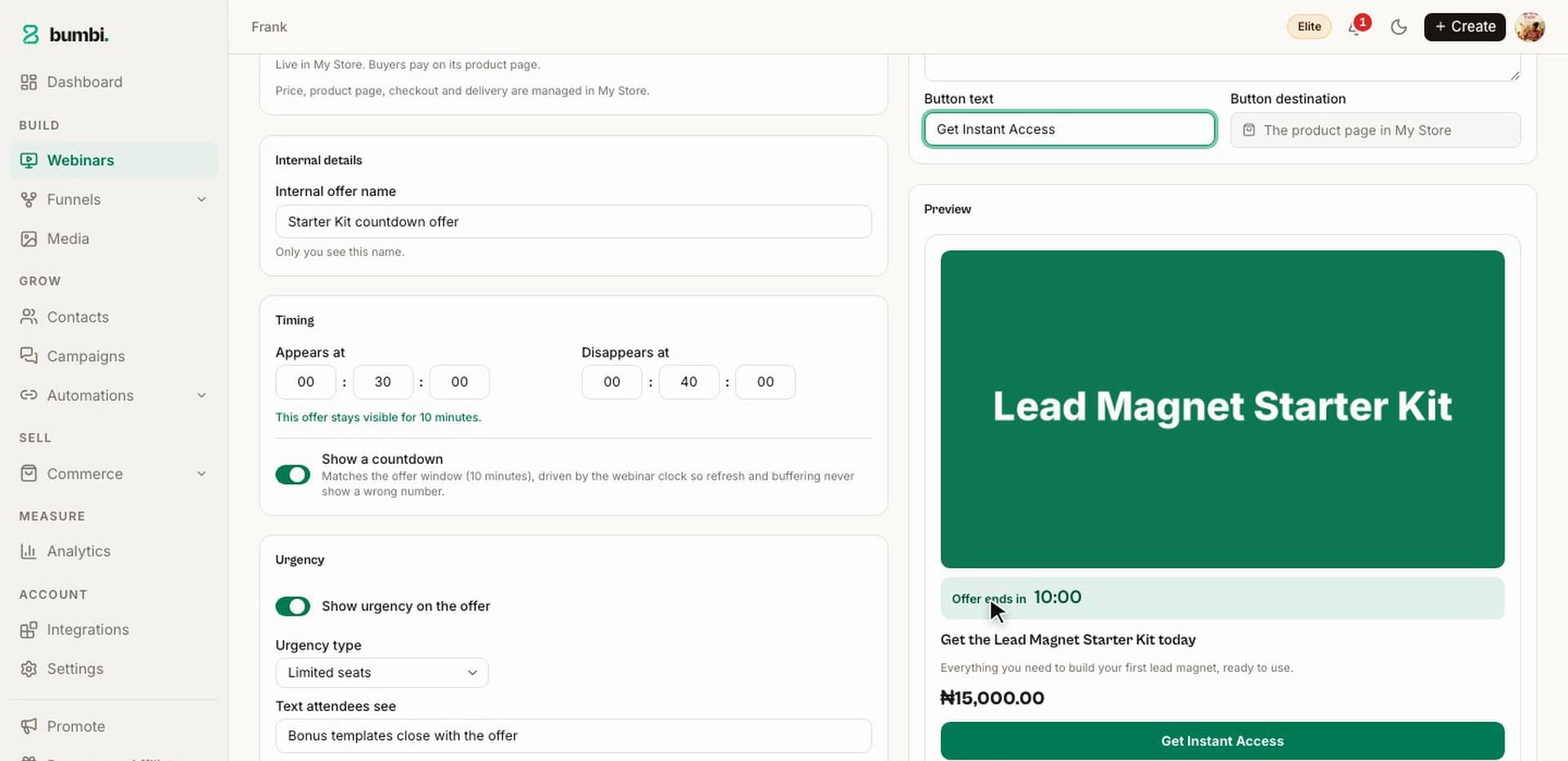
Bumbi plays your recording in a room with chat, attendee count and the moments you scheduled, so each scheduled session runs as a real session rather than a video page. At the minute you choose, your product appears as an offer card with a countdown and a button that opens your checkout, right there in the room. See how to add an offer to your webinar room. Webinars: Growth 1, Elite 7. A VSL offer, a sales video over the offer on one page, starts on Starter.
The offer appears when the room is warmest.
Replays and follow-up
Replays for latecomers, and the emails that close the sale
The painMost of your sales happen the day after, from people who missed the live slot.
Bumbi keeps the replay live with the same offer card and the same countdown logic, so a latecomer gets the same experience, and the link can go out by email or WhatsApp the moment the session ends. After that, a follow-up sequence runs on its own: the replay, a nudge to those who did not buy, a last call, each under your name. Guides: how to turn on your webinar replay and how to set up a webinar follow-up sequence.
The day-after sale happens without you.
Checkout and payouts
A checkout in your buyer's currency, and the money in your own bank
The painThe webinar converts, then the buyer meets a price in a currency they do not use and closes the tab.
Bumbi sells the product the webinar pitched from its own store, so the offer card opens a Bumbi checkout. Buyers in other countries see and pay in their own currency where supported, and checkout is built for 99.9% payment uptime. Every sale lands in your Wallet, and each withdrawal to your own bank is confirmed by a code sent to your email. Checkout and the Wallet are on the Free plan, free forever.
Buyers see a price they understand; you get paid at home.
Delivery and courses
Delivery, a buyer library, and courses the webinar can sell
The painA buyer pays at 11 pm and messages you at 11:05 asking where the file is.
Bumbi delivers the moment payment is verified: the file on the thank-you page and an access link by email, with everything kept in the buyer's library at bumbi.io/access. The same library holds courses, with lessons, quizzes, drip schedules and a certificate at the end. Memberships that renew and coaching bookings live there too. Published courses: Free 1, Starter 3, Growth and Elite unlimited.
Deliver once, correctly, forever.
Bumps and recovery
Order bumps and abandoned checkout emails
The painMost people who start checkout never pay; the rest buy one thing and leave.
Bumbi adds more to each order without a second funnel: an order bump is a tick box above the pay button, paid in the same payment. The people who started checkout and did not pay get three reminder emails under your name, timed around 15 minutes, an hour and the next morning, and they stop the moment the buyer pays. On every plan, including Free.
Interview Prep Guide, $15
Same buyer, same moment, bigger order.
Affiliates and reviews
Affiliates who promote your webinar, and verified reviews
The painYou are the only person sending traffic to the registration page.
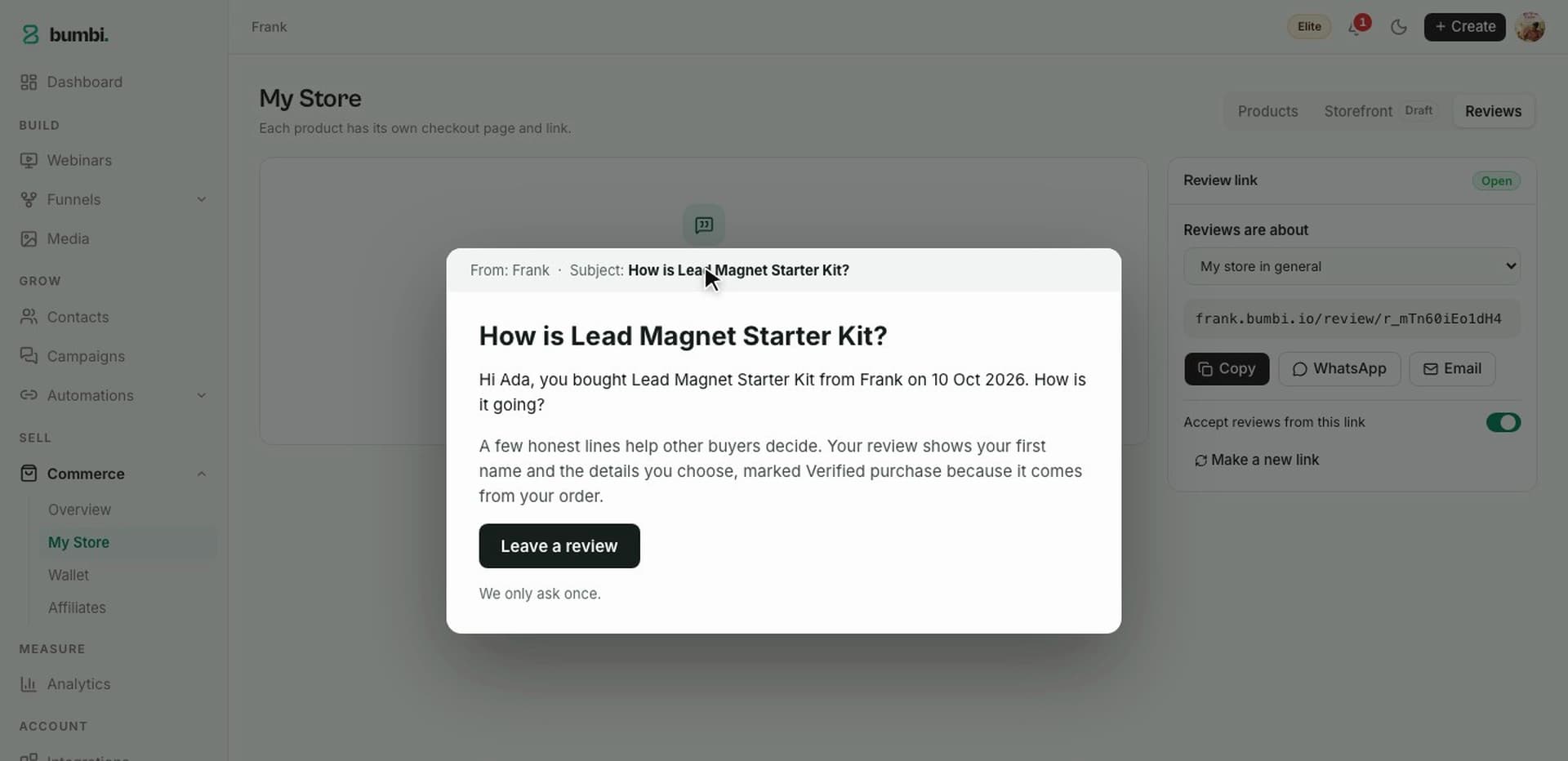
Bumbi lets other people sell for a share of each sale: switch Affiliates on for a product, set what each affiliate earns, and they get a portal with tracked checkout links. On Elite, affiliates can promote your webinar too, with their own registration links. After each purchase, Bumbi asks the buyer for a review and shows it on your product page as a Verified purchase. Read how webinar affiliate marketing works.
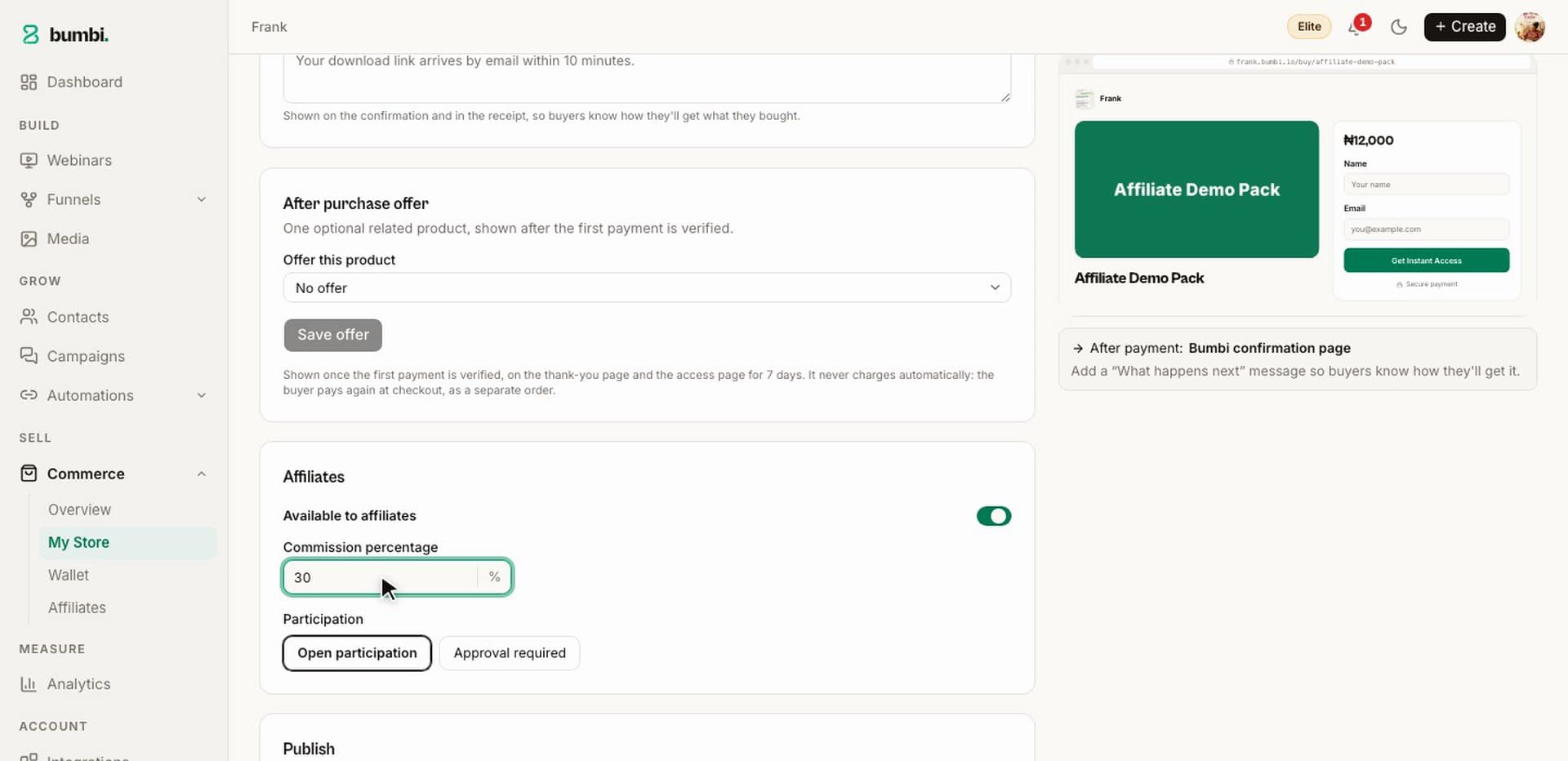
Other people's audiences, with proof attached.
Ad tracking and analytics
Ad tracking from registration to purchase
The painYou run ads to a webinar and cannot tell which ad brought the people who bought.
Bumbi adds your Meta Pixel to your registration pages, checkout and pages once you paste its ID in Integrations, no code. The webinar analytics show registrations, attendance and sales on one page. Setup: how to add retargeting pixels to your funnel and how to read your webinar analytics. Plan limits are on the pricing page.
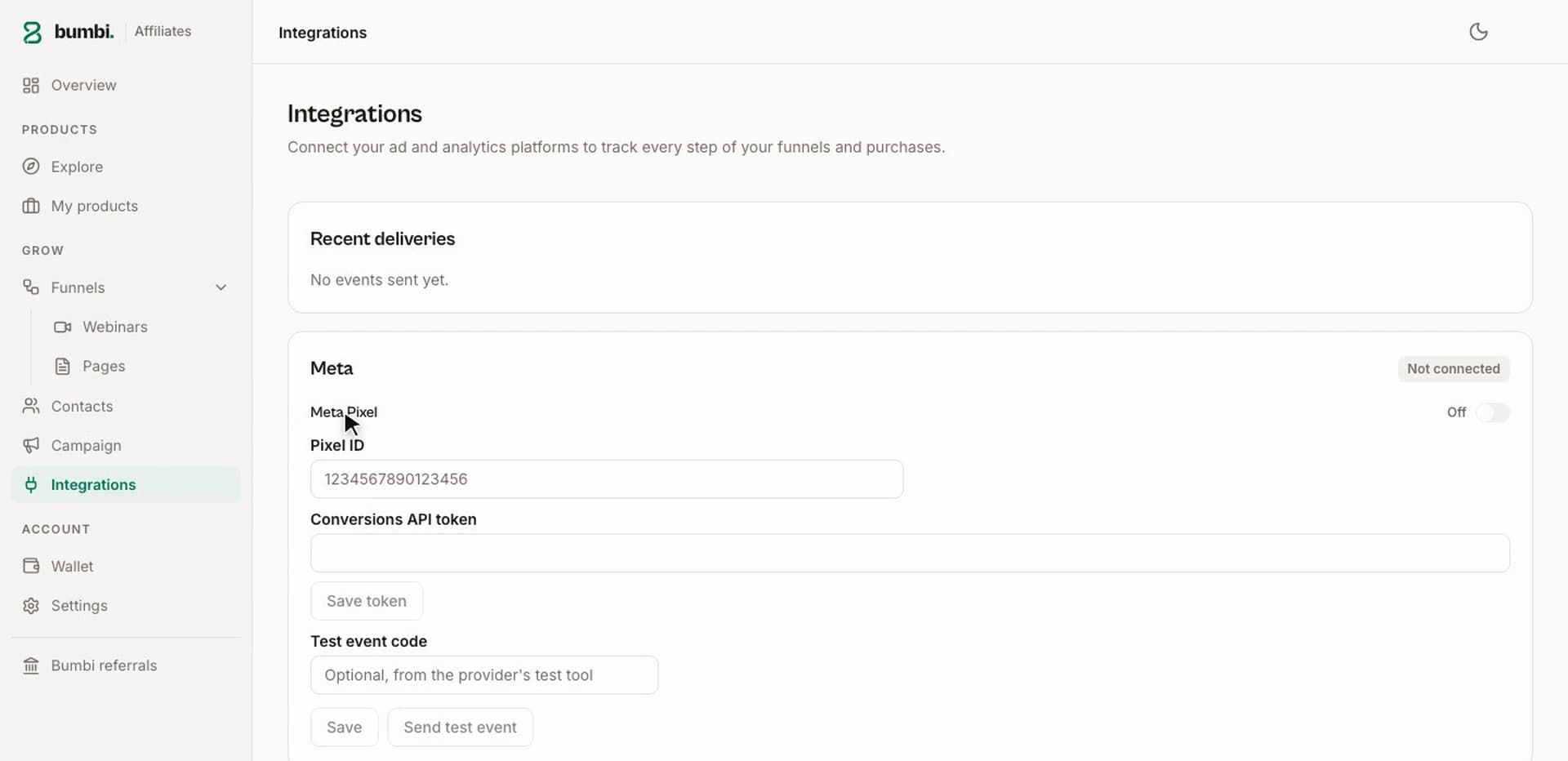
Know which ad brought the buyer, not just the sign-up.
Who should pick which
WebinarJam or Bumbi: which one fits you?
Pick Bumbi if
- You sell a digital product, course or coaching and want a recording to sell it on a schedule.
- You want reminders on WhatsApp as well as email, from your own number, and buyers who pay in their own currency.
- You want to start free and pay only when you need more webinars, pages or seats.
Pick WebinarJam if
- You present live to large rooms every week and the product you sell is handled somewhere else.
- You already have a checkout, an email tool and a delivery setup you like, and only need the webinar room.
- Either way, run one real webinar to your real audience on each before you decide.
How to switch
How to switch from WebinarJam to Bumbi
Create your account
Sign up at bumbi.io/signup; no card needed, and the Free plan is free forever.
Add your product and your recording
Open Commerce, add the product with its price and attach the file, then create a webinar and add the video link.
Set the schedule and the offer
Pick fixed dates, a weekly rota or just-in-time sessions, then place the offer card at the minute your pitch starts and switch on the replay.
Bring your registrants
Export your contacts from WebinarJam as a CSV and import them into a Bumbi list. There is no importer for webinars or pages.
Swap the links
Put the new registration link in your profiles, pinned posts and signature, and keep the old pages live for a month.
Verdict
Bumbi team scorecard: our hands-on test, October 2026
Our verdict: Bumbi 9.2 out of 10, WebinarJam 5.5. We ran the same recorded class as a webinar on both, pitched the same template pack, and sold to buyers at home and abroad. WebinarJam is a capable room for presenting live; Bumbi is the one where the webinar, the reminders, the checkout and the follow-up are one funnel.
5.5/10 overall
9.2/10 overall
| Category | WebinarJam | Bumbi |
|---|---|---|
| Automated and evergreen webinarsFixed, weekly and just-in-time sessions from one recording. | 7/10 | 9.5/10 |
| Registration pages and formsEdit in place, a template, or pasted HTML, with an embeddable form. | 7/10 | 9/10 |
| Email and WhatsApp remindersThree timings on email, the same on WhatsApp from your own number. | 5/10 | 9.5/10 |
| Webinar room with chatChat, attendee count and timed moments around one recording. | 7.5/10 | 9/10 |
| Countdown offers and replaysAn offer card wired to your checkout, a replay with the same offer. | 6/10 | 9.5/10 |
| Local checkout and payoutsThe buyer's own currency where supported, coded withdrawals. | 4/10 | 9.5/10 |
| Delivery, courses and membershipsA buyer library, lessons, quizzes, certificates, renewals. | 3.5/10 | 9/10 |
| Order bumps and abandoned checkout recoveryA bump at checkout, three reminder emails. | 4/10 | 9/10 |
| Affiliates and verified reviewsAffiliates on products and webinars, reviews marked as verified. | 5/10 | 9/10 |
| Ad tracking and analyticsMeta Pixel without code, one analytics page. | 6/10 | 9/10 |
Scores are the Bumbi team's opinion from hands-on testing in October 2026. Features change, so check each platform's site for their latest.
FAQ
WebinarJam vs Bumbi: questions people ask
Is Bumbi a good WebinarJam alternative for selling digital products?
Yes, if the webinar is there to sell something. You record once and Bumbi runs it as scheduled live sessions with registration, email and WhatsApp reminders, a countdown offer in the room, a replay, and a checkout and delivery built in. In our October 2026 test Bumbi scored 9.2 and WebinarJam 5.5.
Can I run an evergreen webinar on Bumbi without being live?
Yes. Record once, add the video link to Bumbi, then choose fixed dates, a weekly schedule or just-in-time sessions that start minutes after someone registers. Bumbi runs it as scheduled live sessions: attendees see a room with chat and your timed offer, and latecomers get the replay. Webinars are on Growth and Elite.
Does Bumbi send webinar reminders on WhatsApp?
Yes. Connect your own WhatsApp number in Bumbi and reminders go out from it 24 hours, 1 hour and 15 minutes before the session, alongside the emails, with the first name filled in. WhatsApp is on Starter and up; Free includes 300 messages as a lifetime allowance.
How do buyers pay after a Bumbi webinar, and how do I get the money?
The offer card opens a Bumbi checkout, and buyers in other countries see and pay in their own currency where supported. Sales land in your Wallet, and you withdraw to your saved bank account with a code sent to your email.
Can I sell a course or a membership from a Bumbi webinar?
Yes. The offer in the room can be any Bumbi product: a file, a course with lessons, quizzes and a certificate, a membership that renews, or a coaching call with a booking page. The buyer gets access in the library at bumbi.io/access the moment payment is verified.
How do I move from WebinarJam to Bumbi?
Export your registrants as a CSV from WebinarJam and import them into a Bumbi list. There is no importer for webinars or pages, so you add the recording, set the schedule, edit the registration page and place the offer yourself, which took us under an hour for one webinar.
Turn one recording into a webinar that sells every day
Registration, reminders on email and WhatsApp, a countdown offer, a local checkout and delivery, in one place. Free to start.
Create your free Bumbi accountWatch
How to Set Up an Automated Webinar That Sells (Full Tutorial 2027)
How to Set Up an Automated Webinar That Sells (Full Tutorial 2027)
Video coming soon
Keep reading
- GetResponse vs Bumbi: which webinar platform sells more?
- Bumbi vs WebinarJam: which one actually sells more?
- What is Bumbi? The all-in-one webinar funnel platform
- How to sell with webinars in 2026
- What is a webinar funnel? How to build one that sells
- How to follow up after a webinar to close more sales
- Webinar platforms: how to choose webinar software that sells
- Bumbi pricing and plan limits