 Bumbi
Abandoned Checkout: Why Buyers Don't Pay and How to Recover Them
Buyers click Buy, type their email, then vanish. Here is why abandoned checkouts happen and how to bring those buyers back to pay.
Quick answer: An abandoned checkout is when someone opens your checkout, enters their details, and leaves without paying. You recover abandoned checkouts with short, well-timed reminders that link straight back to the payment, plus a few fixes to the reasons people stop. On Bumbi, abandoned checkout reminders go out automatically: about 15 minutes later, about an hour later, and the next morning at 8:30 in the buyer's time zone.
You do not switch anything on. It runs for every product in your store.
Watching someone get all the way to the checkout and then disappear is one of the most frustrating parts of selling online. The good news: most of those people were not saying no. They got interrupted. This guide explains why it happens, what abandoned cart recovery actually looks like for digital products, and the small changes that stop it happening in the first place.
What is an abandoned checkout?
An abandoned checkout happens when a buyer starts paying (they open the checkout and type their email, for example) and then leaves before the payment goes through. Because they left an email, you can reach them again. That is what makes an abandoned checkout recoverable.
It is very common. Baymard Institute's research puts the average documented online shopping cart abandonment rate at about 70%, across 50 studies. Digital products have fewer surprises than physical ones (no shipping costs), but buyers still get pulled away.
Cart abandonment vs checkout abandonment
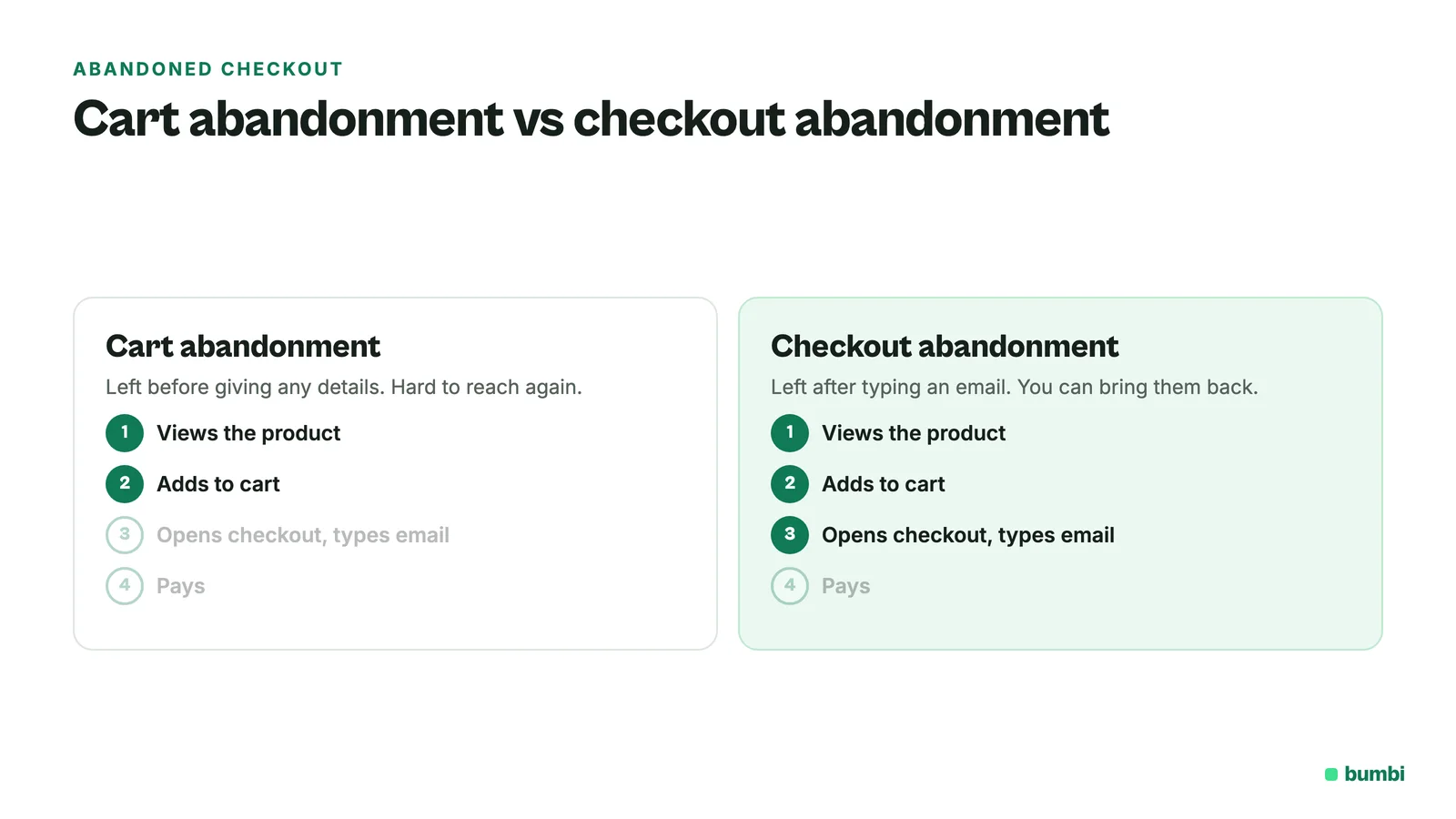
People use the terms loosely, but there is a difference. Cart abandonment means someone added items to a cart and left, often without giving any details. Checkout abandonment means they went further, into the payment step, and usually left an email or phone number. For digital products sold with a single checkout link, there often is no cart at all: the buyer goes straight to checkout. So for you, checkout abandonment is the one that matters, and it is the one you can act on.
Why people start checkout and don't pay
With a digital product, the reasons are small and human:
- The bank app asked for a code and the text message never arrived.
- The transfer timed out, or the card was declined.
- They wanted to check with a partner before spending the money.
- The connection dropped.
- They were comparing options and meant to come back.
- Something on the page surprised them, like a price that looked different from your post.
Baymard's list of top reasons includes extra costs, not trusting the site with card details, a checkout that is too long, site errors and declined cards. Several of those you can fix on your side.
Example: a buyer opens your course checkout at lunch, enters her email, gets called into a meeting and forgets. She is not a lost sale. She is a sale that needs one reminder.
Abandoned cart recovery: what Bumbi does automatically
As soon as a checkout attempt has an email and no payment, Bumbi lines up three reminder emails:
- About 15 minutes after the attempt went quiet: a short "your checkout is still open" note.
- About an hour later: a second nudge.
- The next morning at 8:30 in the buyer's time zone: the last one.
Each email goes out in your name and links straight back to the checkout. Replies go to your buyer-facing email, so a buyer with a question can just answer. If the buyer pays at any point, the remaining reminders are cancelled. If they unsubscribe from reminders, that is respected. If your checkout is paused, nothing is sent until it is live again. On the Free plan, reminders count toward your included emails.
The buyer is also saved in your Contacts, marked as an abandoned checkout. That is a record for you, not a marketing subscription: no marketing goes to them unless they opt in somewhere else.
Where can I see abandoned checkouts?
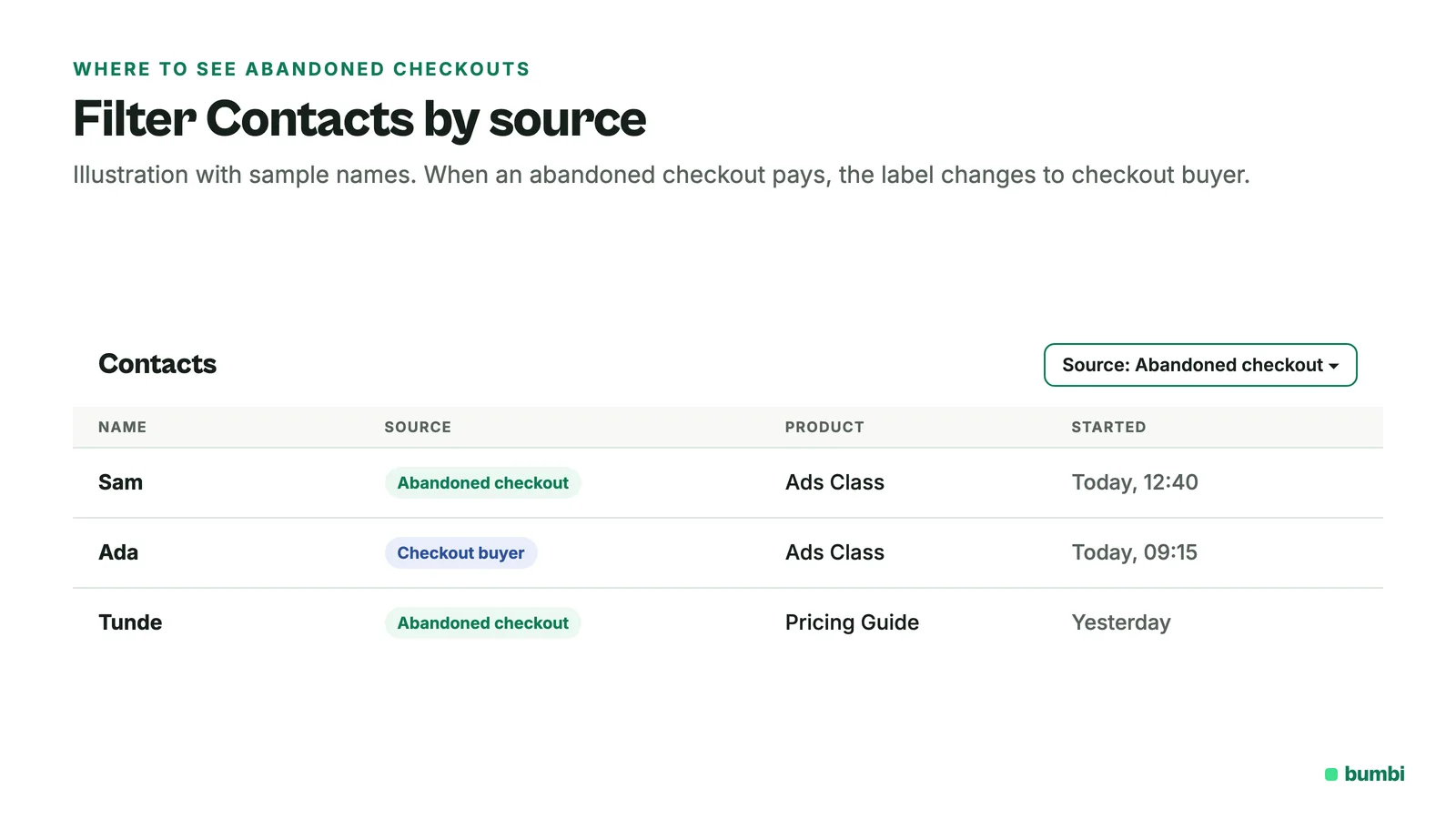
Open Contacts and filter by source. Abandoned checkout contacts carry their own label, and when one of them pays, the label changes to a checkout buyer. Your Commerce overview shows paid orders. Comparing the two tells you roughly how many people start and do not finish.
Cart recovery tips: reduce abandonment in the first place
Reminders recover some buyers. Fixing the causes recovers more.
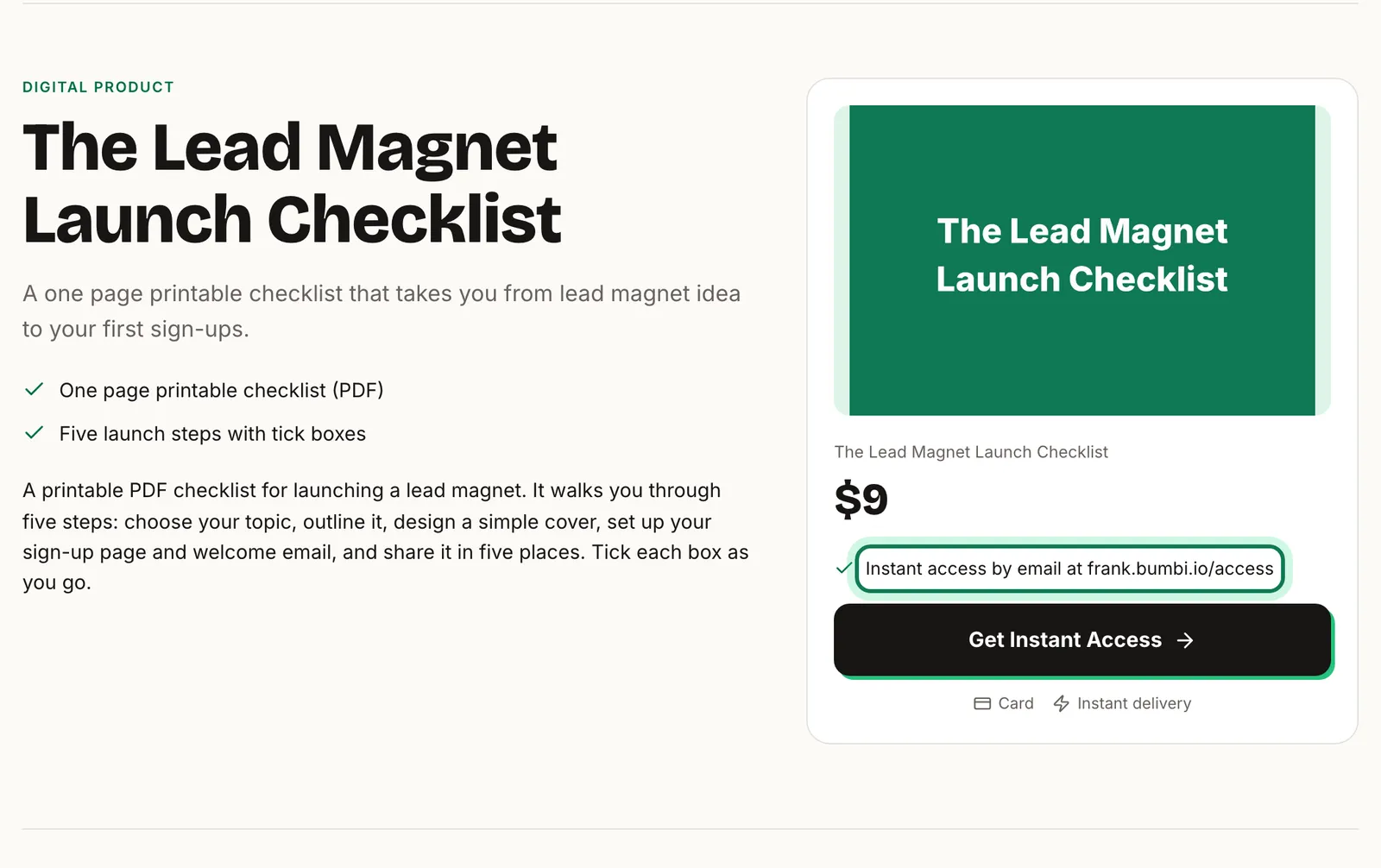
- Say how people can pay, right on the sales page. "Pay by card, bank transfer or mobile money" removes the worry that only one way works.
- Say what happens after payment. "The files come to your email the moment you pay" is the sentence that stops people hesitating.
- Keep the price consistent. The number in your post, on your page and on the checkout should match.
- Ask for as little as possible. Email is required. Only ask for a phone number if you will use it to support them.
- Show proof. Verified reviews on the product page reassure a nervous buyer at exactly the right moment.
- Let buyers abroad pay in their currency. A price they understand is a price they are more likely to pay. Here is how.
How to build a sales page covers the page itself.
What to do personally
Automatic reminders cover the first day. After that, a human message often works better than another email.
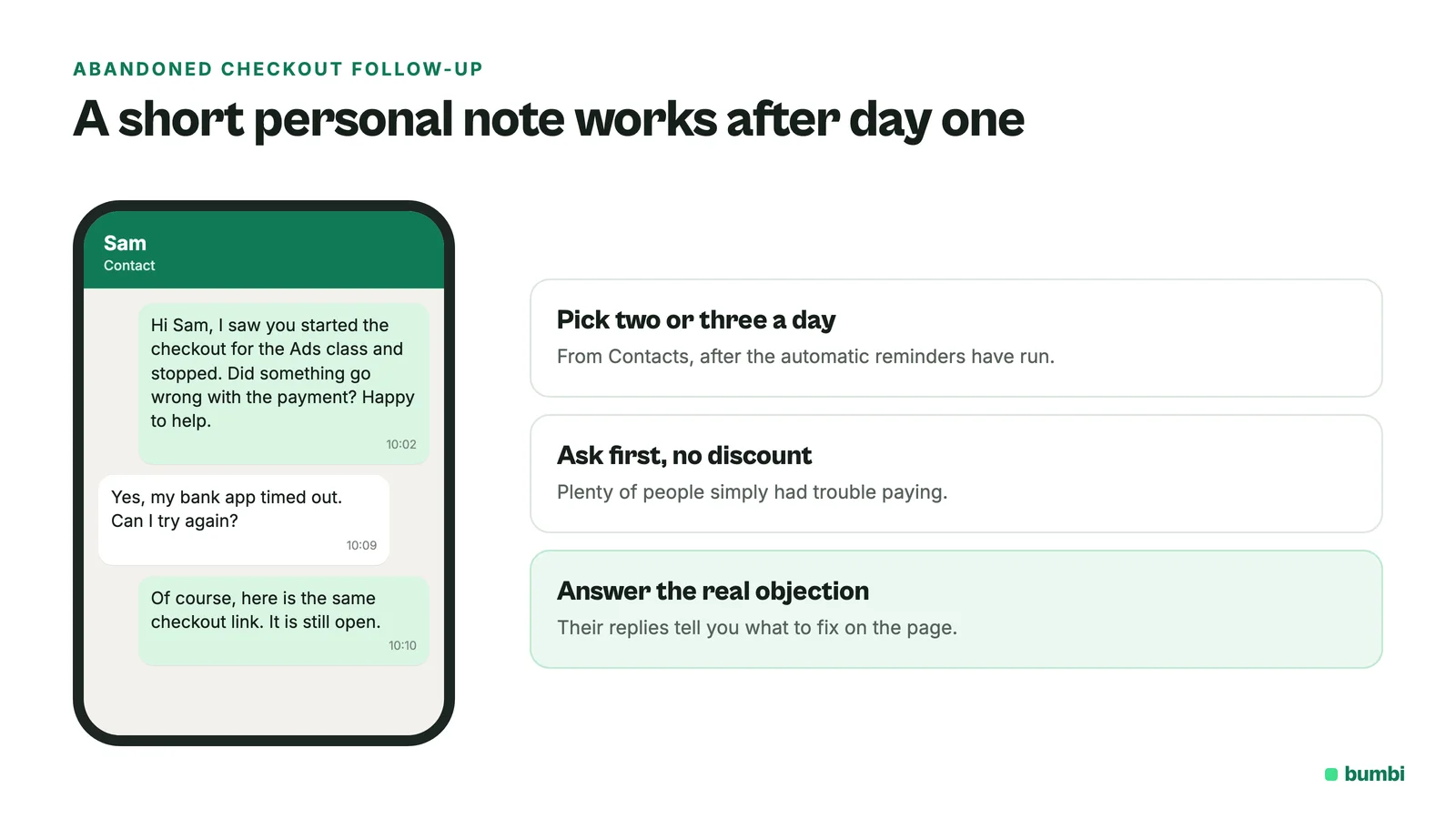
- Pick two or three abandoned checkouts a day from Contacts and send a short personal note: "Hi Sam, I saw you started the checkout for the Ads class and stopped. Did something go wrong with the payment? Happy to help."
- Do not offer a discount in the first message. Plenty of people simply had trouble paying. Ask first.
- If they reply with a real objection (price, timing, "is it for beginners?"), answer it. Those replies also tell you what to fix on the page.
Does this work with webinar follow-up too?
Yes, they stack. If the buyer came from a webinar, your post-webinar emails and WhatsApp messages keep going as planned, and the checkout reminders run on their own path. How to follow up after a webinar has the wording for those messages.
What not to do
- Do not send a reminder every day for a week. Three in a day, then a personal message, is enough.
- Do not add abandoned checkout contacts to a marketing list. They did not opt in to marketing.
- Do not promise a discount "only for people who abandoned". It teaches buyers to abandon on purpose.
Want each recovered sale to be worth a little more? Add an order bump to the checkout they come back to.
Losing sales at the last step? Start selling on Bumbi and let the checkout reminders do the chasing.
Frequently asked questions
- What is an abandoned checkout?
- An abandoned checkout is when a buyer starts paying, for example by entering their email on the checkout, and leaves before the payment goes through. Because they left an email, you can remind them.
- What is the difference between cart abandonment and checkout abandonment?
- Cart abandonment means someone added items to a cart and left. Checkout abandonment means they reached the payment step, usually leaving an email, then left. Checkout abandonment is the one you can follow up on.
- Do I need to switch abandoned checkout reminders on in Bumbi?
- No. They run automatically for every product in your store. On the Free plan, each reminder counts toward your included emails.
- Can I change the timing or the words?
- The schedule and the message are set by Bumbi so they stay short and safe. Replies come to you, so you can take over the conversation personally.
- Will a buyer who already paid get a reminder?
- No. Payment cancels the remaining reminders, and a buyer who pays through the reminder link is recorded as a normal order.
- Does this apply to bank transfer and mobile money payments too?
- Yes. A buyer who was given a transfer account or a mobile money prompt and did not complete it is treated the same way as a card buyer who stopped.
- What is Bumbi?
- Bumbi is a platform for creators who sell digital products: ebooks, courses, templates and presets. It sends abandoned checkout reminders automatically, so buyers who stopped get a link back to pay.

Written by
Ava Milestone
Ava writes the Bumbi guides on selling digital products.
Start Doing More With Bumbi Funnels
Now you can simply build better pages, create better funnels and make more sales online
Related
How to Sell Templates Online: Canva, Presets and Websites
Canva templates, Lightroom presets and website templates: how to package each, deliver it automatically and get paid by buyers anywhere.
How to Run a Paid WhatsApp Group or Class That Fills Itself
Sell the seat with a checkout link, let paid members join through a stable link, and schedule the lessons so the group runs on time without you.
How to Sell an Ebook on WhatsApp and Deliver It Automatically
To sell an ebook on WhatsApp, create it as a product in Bumbi, upload the PDF once, and share the checkout link in your chats, groups and status. The buyer pays with whatever is normal where they live, and the file lands in their inbox and on their access page the same minute. You never send a PDF b