 Bumbi
How to Run a Paid WhatsApp Group or Class That Fills Itself
Sell the seat with a checkout link, let paid members join through a stable link, and schedule the lessons so the group runs on time without you.
Quick answer: To run a paid WhatsApp group, sell the seat as a product with a checkout link, then send every paid member to a page that holds your group join link. In Bumbi that join link is a stable link that opens a fresh group when the current one is full, and your lessons or posts can be scheduled ahead of time.
A paid WhatsApp group is one of the simplest things you can sell: a class, a challenge, a mentorship circle or a premium tips group, run where your members already spend their day. The hard part is not the teaching. It is the admin around it: checking payment screenshots, adding people one at a time, and typing the same lesson at 8pm every night.
This guide shows you how to set up a paid WhatsApp group or class so payment, joining and posting run without you.
Why paid WhatsApp groups get messy
The usual flow goes like this. You announce the group, share your account details, wait for screenshots, add each person by hand, and then run the group live. It works for twenty people. At two hundred, you are doing data entry instead of teaching. People who paid wait hours to be added. Someone sends a doctored screenshot. And when the group hits WhatsApp's member limit, you create "Group 2" and start posting everything twice.
Each of those has a fix, and none of them needs a developer.
What you can sell as a paid WhatsApp group
- A paid class: a 5 day course taught in the group, with daily lessons and tasks.
- A challenge: 21 days of workouts, savings goals or writing prompts.
- A mentorship or mastermind group with weekly voice notes and Q&A.
- A premium tips or deals group for a niche you know well.
- A cohort: the same programme, run again every month for a new group of people.
How do I collect payment for the group?
- Open Commerce, then My Store, and click Add a product.
- Name it clearly. Example: "Instagram Ads for Small Shops: 5 Day WhatsApp Class, starts 3 November".
- In the description, say what happens each day, when the group goes live, and what members need (a phone and a notebook is enough).
- Set the price in your currency. Buyers in other countries see and pay in their own currency where supported.
- Under Buyer details, keep the phone number field on. You want the number the member will use in the group.
- Click Save draft, then Publish, then Share to copy your checkout link.
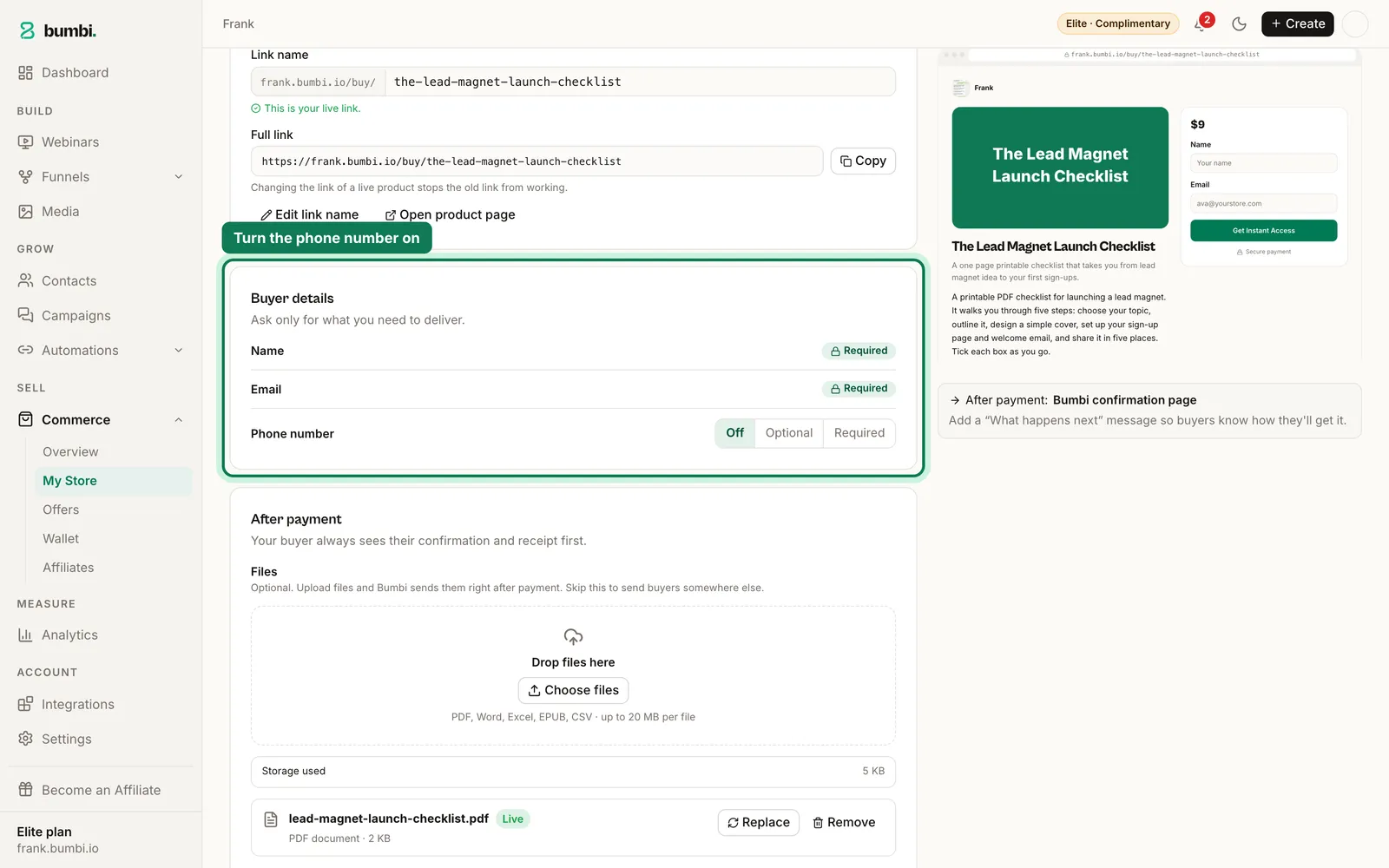
Payment is confirmed on its own. No screenshots, no "I have sent it, please check".
How do paid members get into the group?
This is where the automation earns its keep. The WhatsApp group automation works like this:
- Open Automations, then WhatsApp Groups, and connect the number you use for the group. That number must be an admin in the group.
- In the Groups tab, click Refresh from WhatsApp and add your group to Bumbi.
- In Groups & Rotation, create a group funnel and set the capacity threshold. When the group reaches that size, the join link starts pointing at the next group.
- Copy the stable join link.
- Build a simple Bumbi page for paid members: one heading, a short welcome, and a button with the stable join link.
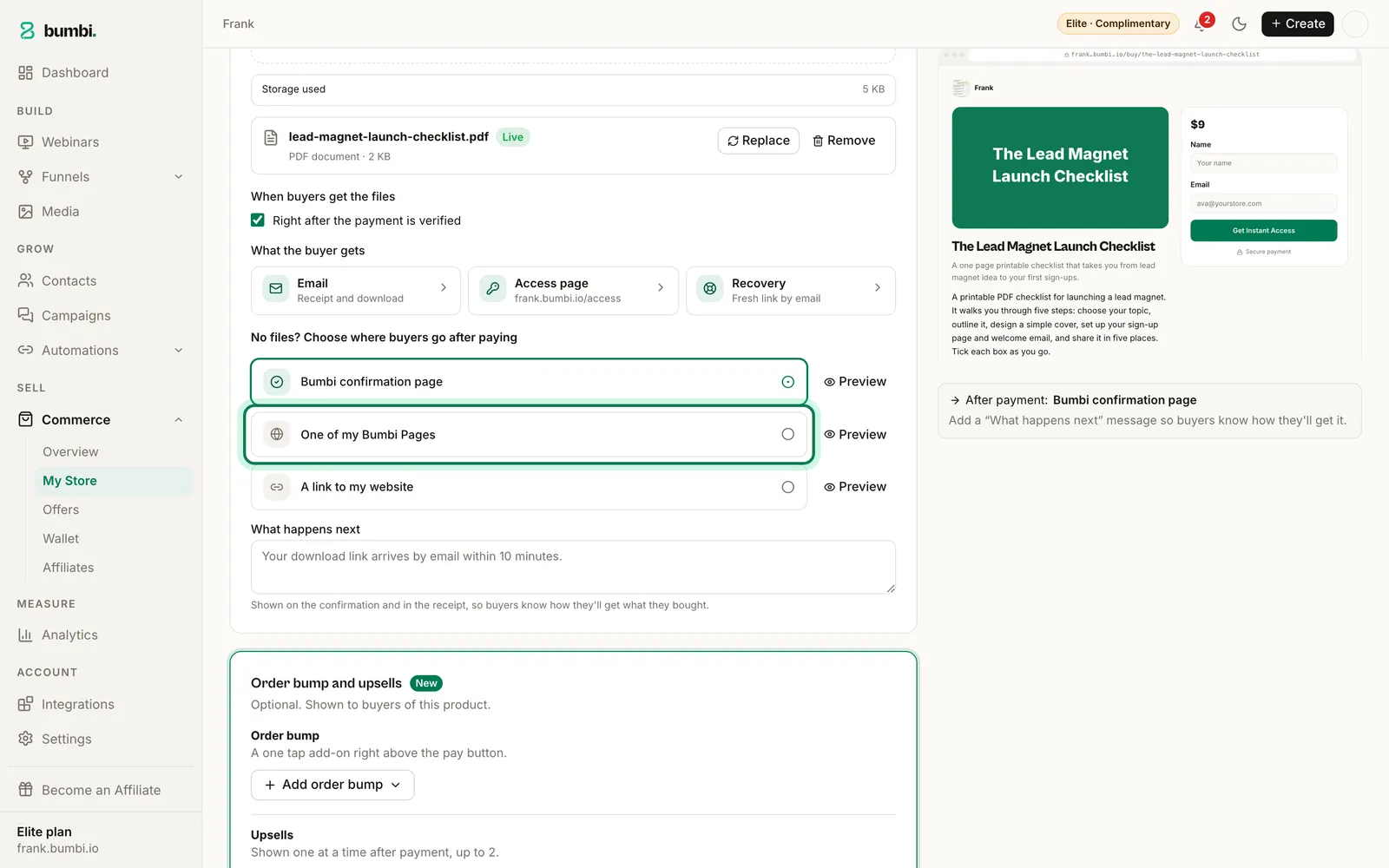
- Back in your product, open After payment and choose One of my Bumbi Pages. Pick that welcome page.
Now the flow is: member pays, sees the confirmation and receipt, lands on the welcome page, taps the button, joins the group. You did nothing.
Group automation is part of the paid plans, and plans differ in how many groups they include. See pricing for the details.
What happens when the group is full?
Nothing you have to do. The stable join link watches the group's size and, once the threshold is reached, sends new members into a fresh group. Your checkout and welcome page do not change. You can also click Rotate now to move early, or Retire group when a cohort ends.
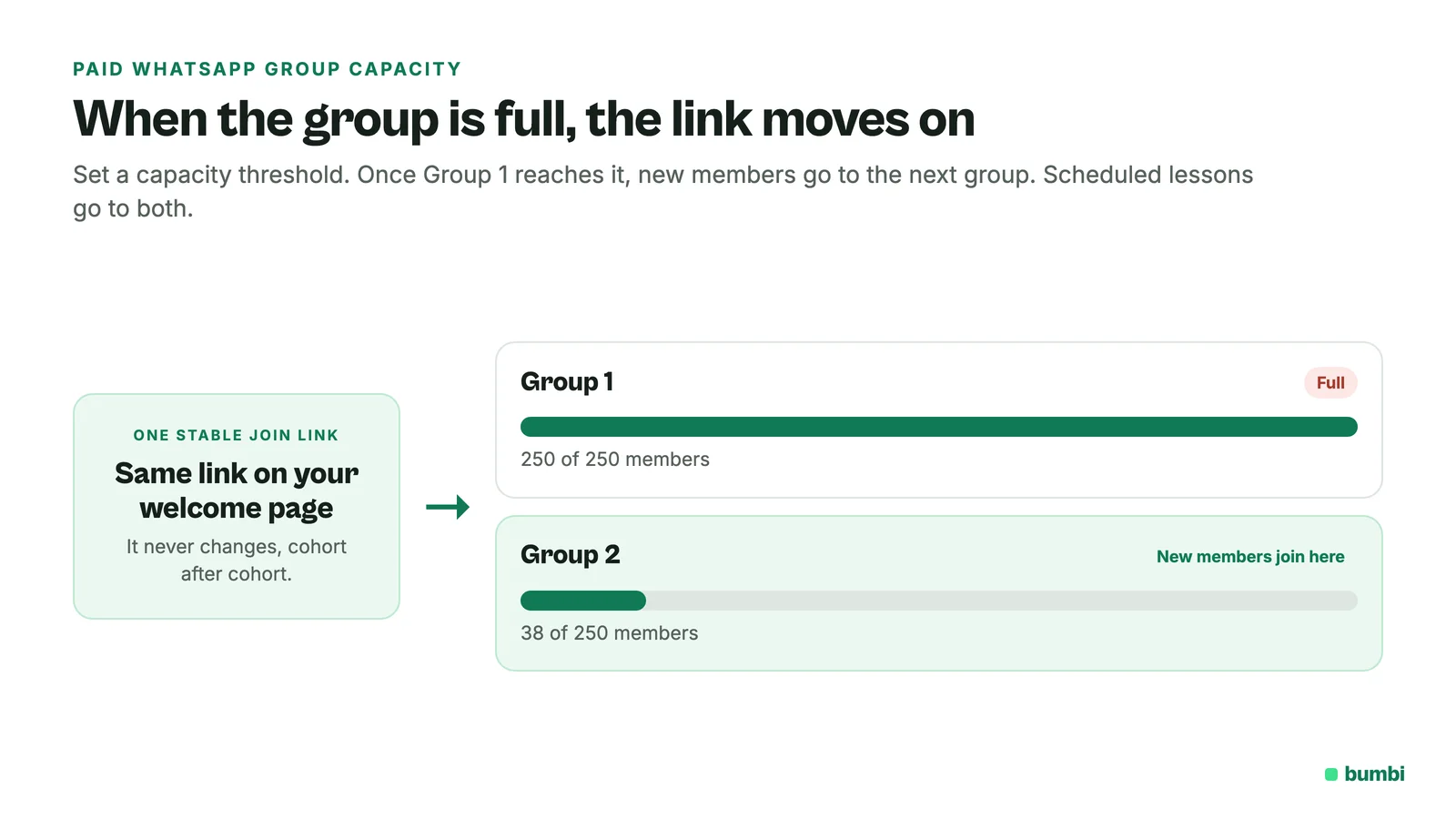
Scheduled messages and sequences go to every group you pick, so Group 1 and Group 2 get the same lesson at the same moment.
How do I schedule the content?
In WhatsApp Groups, open the Messages tab. Click New message, pick the groups, and choose Send now or Schedule. For a whole class, use the Sequences tab: New sequence, one message per day, with Open posting and Close posting times so the group is open for questions during the day and quiet at night.
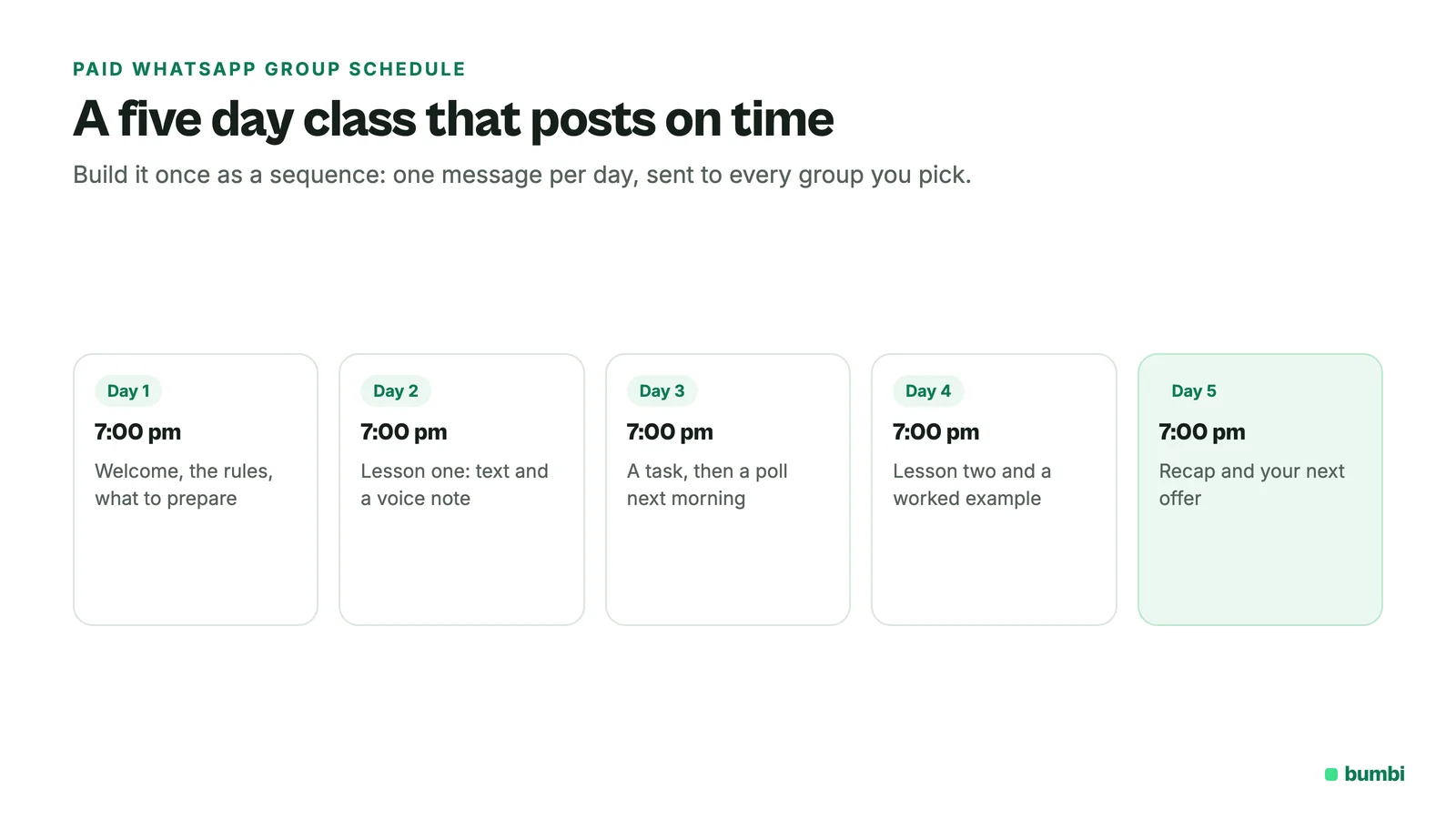
A simple five day shape that works:
- Day 1, 7pm: welcome, the rules, and what to prepare.
- Day 2, 7pm: lesson one as text plus a short voice note you recorded earlier.
- Day 3, 7pm: a task, then a poll the next morning.
- Day 4, 7pm: lesson two and a worked example.
- Day 5, 7pm: recap, and your offer for the next step with a checkout link.
You still show up to answer questions. The posting happens on time without you.
How do I keep non-payers out?
Two layers. First, the join link only appears after payment, so nobody sees it without paying. Second, where your WhatsApp version offers it, switch on the group setting that makes admins approve new members. If a link gets forwarded, you can check the name against your buyers in Commerce before approving.
How do I fill a paid WhatsApp group?
- Put the checkout link in your WhatsApp status every day of the week before the start, with a different reason each day.
- Use a short link so you can see which post brought the most clicks.
- Message your past buyers. People who paid for your last class are the easiest to sell the next one to.
- Run a free automated webinar first and sell the seat at the end. See how to send WhatsApp reminders for your webinar.
- Let people who opt in on your form get a short series from your own number with WhatsApp marketing automations.
What should I do when the group or class ends?
Retire the group in Bumbi or leave it open as an alumni group. Ask members for a review so the next cohort has proof. Then add a product for the next cohort with the new dates and point it at the same welcome page. The group funnel, the welcome page and the sequence are already built.
Ready to run a paid WhatsApp group that fills itself? Start on Bumbi, publish the seat, and connect your group.
Frequently asked questions
- How do I start a paid WhatsApp group?
- Sell the seat as a product with a checkout link, then show the group join link only after payment. With Bumbi, a paid WhatsApp group uses a stable join link that opens a fresh group when the current one is full.
- Do members need to be in my contacts?
- No. They join through the link on the welcome page. Your number needs to be an admin in the group so Bumbi can post and read the member count.
- Can I use one link for several groups?
- Yes. That is the point of the stable join link. It always points at the group with space.
- What if someone pays but does not join?
- They can reopen the welcome page from their receipt email at any time. You can also see every buyer in Commerce and message them directly.
- How do I stop non-payers joining?
- Only show the join link after payment, and where WhatsApp offers it, turn on admin approval for new members so you can check names against your buyers.
- Can I schedule lessons in the group?
- Yes. Use Messages for one-off posts with Send now or Schedule, and Sequences for daily lessons with open and close posting times.
- What is Bumbi?
- Bumbi is a platform for creators who sell digital products: ebooks, courses, templates and presets. It also sells seats for paid WhatsApp classes and runs the group joining and posting for you.

Written by
Ava Milestone
Ava writes the Bumbi guides on selling digital products.
Start Doing More With Bumbi Funnels
Now you can simply build better pages, create better funnels and make more sales online
Related
How to Sell Templates Online: Canva, Presets and Websites
Canva templates, Lightroom presets and website templates: how to package each, deliver it automatically and get paid by buyers anywhere.
How to Sell an Ebook on WhatsApp and Deliver It Automatically
To sell an ebook on WhatsApp, create it as a product in Bumbi, upload the PDF once, and share the checkout link in your chats, groups and status. The buyer pays with whatever is normal where they live, and the file lands in their inbox and on their access page the same minute. You never send a PDF b
Abandoned Checkout: Why Buyers Don't Pay and How to Recover Them
Buyers click Buy, type their email, then vanish. Here is why abandoned checkouts happen and how to bring those buyers back to pay.