 Bumbi
How to Sell Templates Online: Canva, Presets and Websites
Canva templates, Lightroom presets and website templates: how to package each, deliver it automatically and get paid by buyers anywhere.
Quick answer: To sell templates online, create each pack as a product with its own checkout link, deliver it automatically after payment (a Canva template link, a preset download, or a website template file), and share that link where your buyers already scroll. On Bumbi, buyers in other countries pay in their own currency and get the pack the moment they pay.
Templates and presets are some of the easiest digital products to make. You already built the Canva post set for your own page and the preset that gives your photos their look. The buyer saves hours and does not need to hire a designer. That is the whole pitch.
This guide covers how to sell templates online, whatever kind you make: Canva templates, Lightroom presets, website templates and other digital products templates such as planners and spreadsheets. It includes how to package each one, how to deliver it, and how to sell more packs.
What sells when you sell templates online?
- Canva templates: Instagram carousel sets, price lists, menus, event flyers, CVs, pitch decks.
- Lightroom presets themed by look or by use: warm skin tones, clean whites for product photos, moody street, food.
- Website templates: landing pages, portfolio sites, or themes for a site builder you know well.
- Planners and spreadsheets: budget trackers, content calendars, Notion dashboards.
- Brand kits: logo files, colour palettes and fonts for a new business.
- Invitation templates for weddings, birthdays and events.
The common thread: the buyer can see the result before they pay, and using it saves them time or money. A designer in Lisbon selling menu templates to cafes and a photographer in Manila selling a "golden hour" preset pack to phone photographers are doing the same thing.
How to sell Canva templates
With Canva, you deliver a template link, not a file. The buyer opens the link and gets their own editable copy, while your original stays untouched.
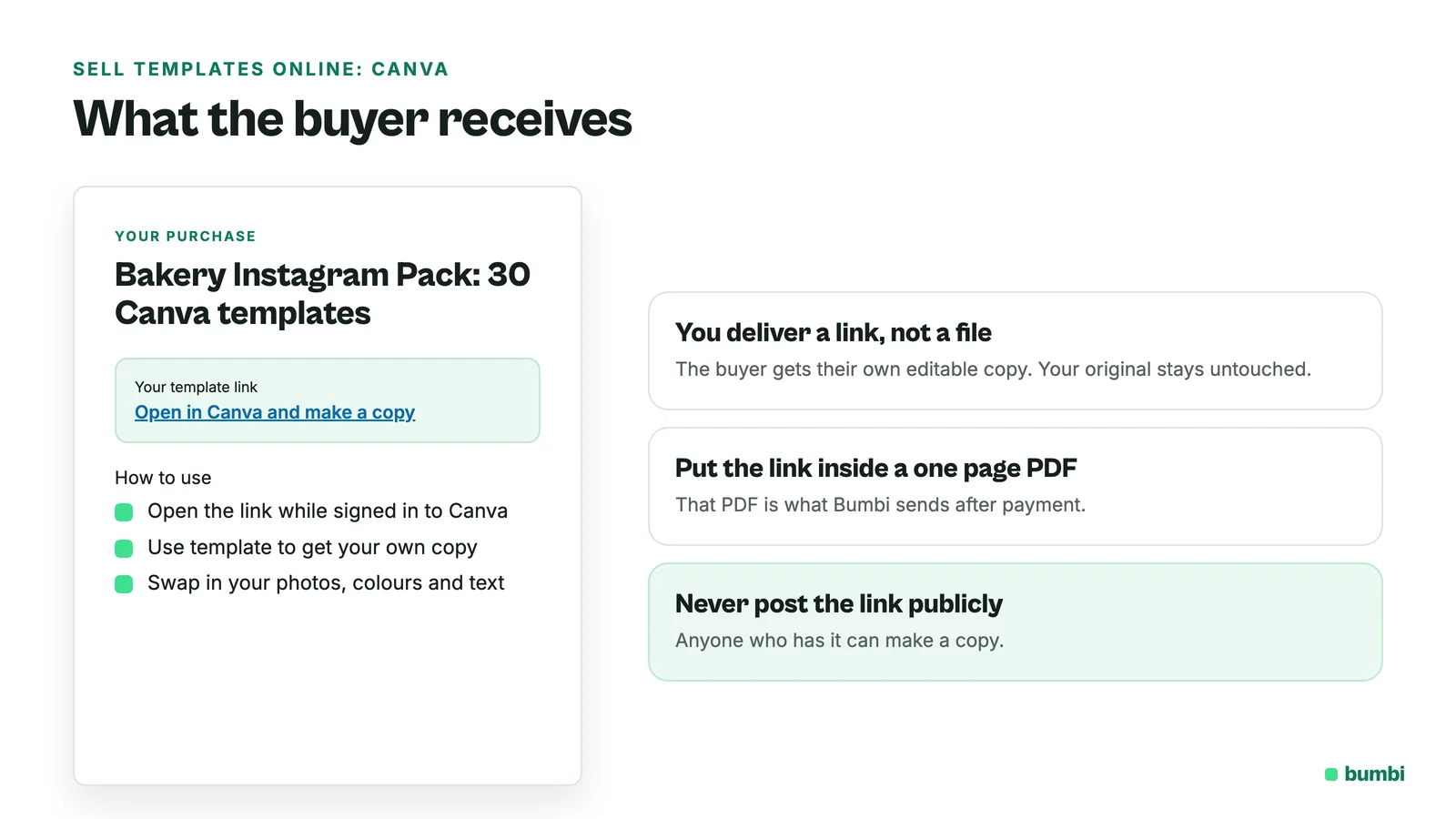
- Open your design in Canva, choose Share, then Template link, and create and copy the link. Canva says creating template links needs a paid Canva plan (such as Canva Pro or Teams), so check your plan first.
- Make a one page PDF with the template link (or links, for a bundle) and a short "how to use" guide.
- That PDF is what the buyer receives after payment.
Never post the template link publicly. Anyone who has it can make a copy.
How to sell Lightroom presets
Presets are small files, usually XMP (and DNG for some phone workflows). Package them like this:
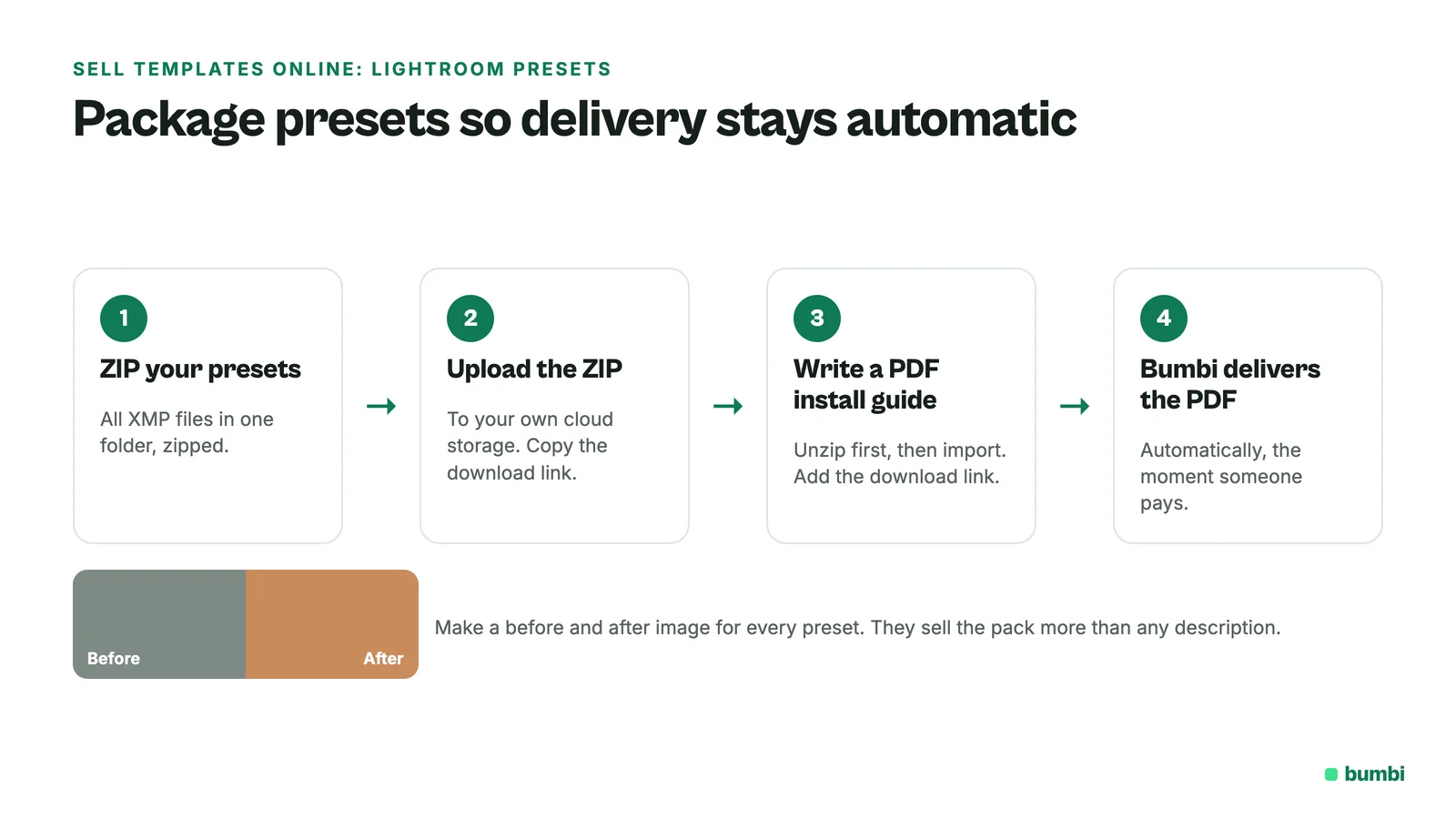
- Put all presets in one folder and zip it.
- Write a short install guide. Adobe's own help says Lightroom mobile imports individual XMP, DNG or LRTEMPLATE files, and that you extract a ZIP before importing, so tell buyers to unzip first.
- Make before and after images for every preset. They sell the pack more than any description.
Upload the ZIP to your own cloud storage, then put the download link inside a one page PDF install guide. That PDF is what Bumbi delivers, so delivery stays automatic.
How to sell website templates
Website templates (HTML themes, page layouts, builder templates) usually ship as a ZIP or as a share or duplicate link from the builder you designed them in.
- Say clearly which tool or version the template works with.
- Include a "start here" guide: how to install, where to change colours and text, how to publish.
- Show a live demo or a screen recording. Buyers want to see it working.
- State the licence: one site, or several sites, personal or client work.
How to create the product in Bumbi
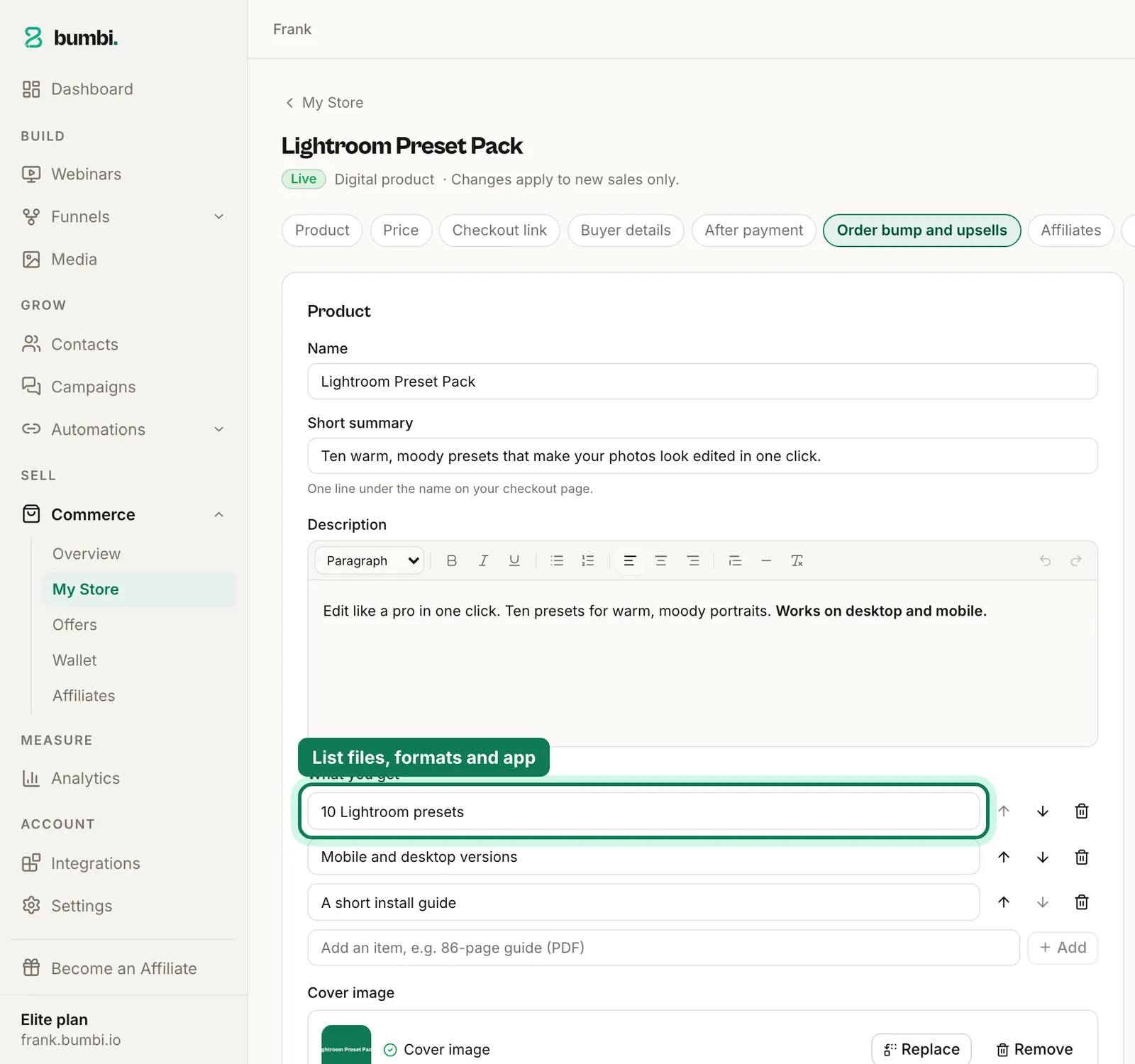
- Open Commerce, then My Store, and add a product. Choose Digital product as the type.
- Name it the way buyers search. "10 Lightroom Mobile Presets for Warm Skin Tones" says more than "Preset Pack Vol 2".
- List what they get: how many files, which formats, which app or version, and what support you offer.
- Add a cover and gallery images: before and after shots for presets, screenshots of each template for Canva packs, a demo screenshot for website templates.
- Set the price once in your currency. Buyers in other countries see and pay in their own currency where supported.
- Set up delivery. Upload the delivery PDF (with your template links or download link inside) or, for spreadsheets and decks, upload the Excel or PowerPoint file itself. Bumbi delivers files up to 20 MB. Or choose to send buyers to a page with the links after payment.
- Publish and copy your checkout link.
The moment someone pays, Bumbi emails them their purchase and adds it to their library at bumbi.io/access. Nobody waits for you to be online.
Where to share your checkout link
- Instagram and TikTok: before and after posts for presets, "watch me edit this template" clips for Canva packs.
- Pinterest: template previews do well here.
- WhatsApp status and groups if your buyers are small business owners.
- Your storefront, where every pack sits together with verified reviews.
How to sell more packs
- Bundle. Sell packs on their own and a bundle of three at a better price. The bundle often becomes the best seller.
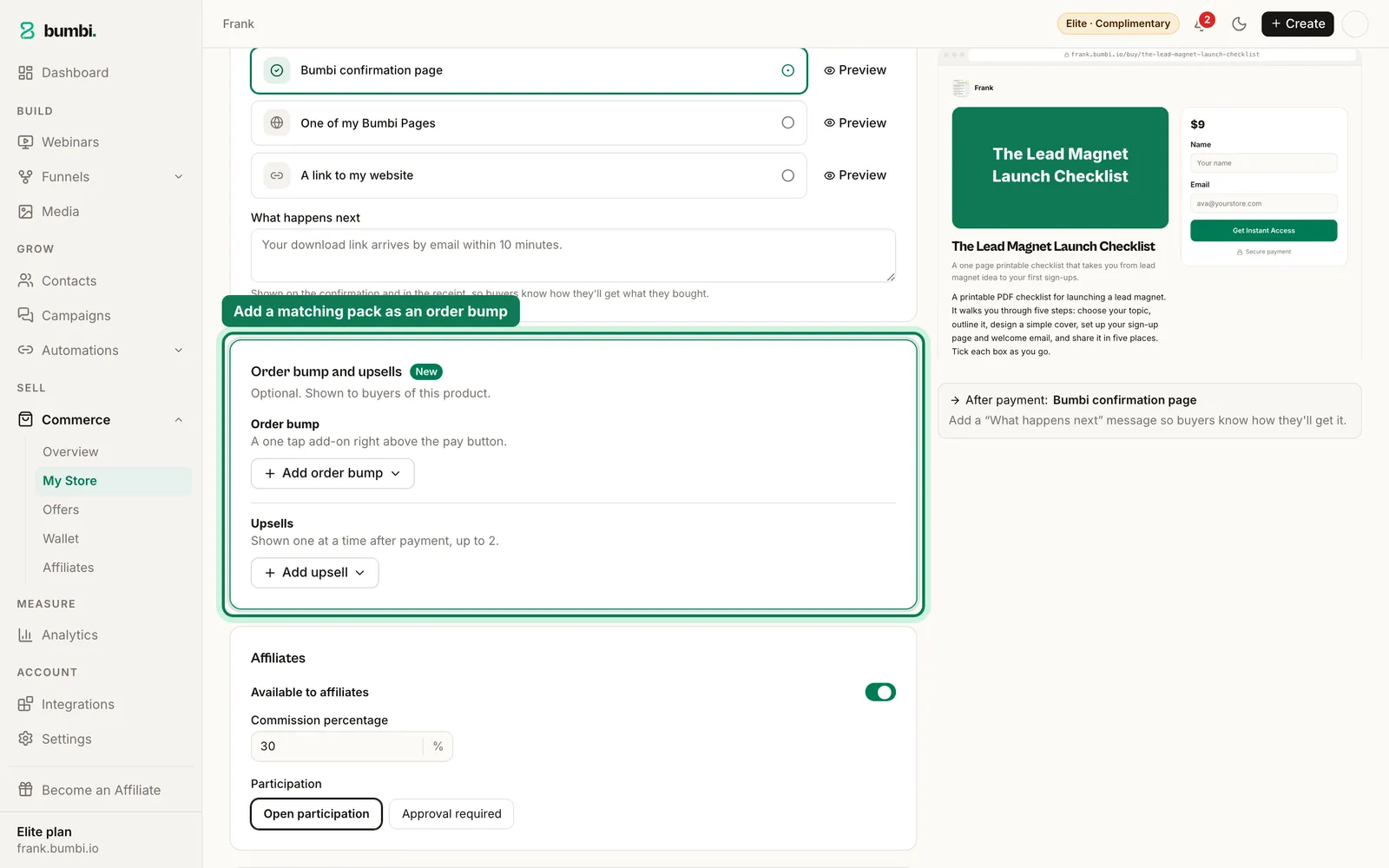
- Add an order bump. When someone buys the preset pack, let them tick the matching story templates at checkout.
- Collect reviews. Ask buyers for their own before and after. Real results sell the next pack.
- Let affiliates share your packs. Other photographers and creators can promote your link, with each sale tracked to them.
- Follow up. Checkout reminders go out automatically to people who started paying and left, and WhatsApp automation messages people who opted in from your own number.
- Give your best pack its own page once you have proof. See how to build a sales page.
What about people copying my templates?
You cannot fully stop a file or link from being forwarded once someone has it. What you can do is make buying easier than copying: a fair price, instant delivery, updates for buyers, and a storefront with real reviews. Keep template and download links private, inside the delivery PDF, not in public posts. Then spend your energy on the next pack rather than policing the last one.
Have a pack sitting on your phone? Start selling on Bumbi and share the link in your next post.
Frequently asked questions
- How do I sell templates online?
- Create each pack as a product with its own checkout link, deliver it automatically after payment, and share the link where your buyers scroll. On Bumbi you can sell templates online and buyers abroad pay in their own currency.
- How do I deliver a Canva template to buyers?
- Create a Canva template link, put it in a one page PDF with short instructions, and deliver that PDF after payment. Canva says template links need a paid Canva plan, so check yours.
- How do I sell Lightroom presets?
- Zip the preset files, write a short install guide telling buyers to unzip before importing, add before and after images, and deliver the download link inside a PDF that is sent automatically after payment.
- Can I sell on the Free plan?
- Yes. You can sell products on Bumbi's Free plan. See the pricing page for what each plan includes.
- What file types can Bumbi deliver?
- Bumbi delivers PDF, EPUB, Word, Excel, PowerPoint, CSV and text files up to 20 MB. For ZIP packs, presets or website templates, deliver a PDF with your download link, or send buyers to a page after payment.
- Do I need a website to sell templates?
- No. A checkout link and your storefront are enough. Add a sales page later if you want one.
- What is Bumbi?
- Bumbi is a platform for creators who sell digital products: ebooks, courses, templates and presets. Template sellers use it for one checkout link per pack, automatic delivery and a storefront with verified reviews.

Written by
Ava Milestone
Ava writes the Bumbi guides on selling digital products.
Start Doing More With Bumbi Funnels
Now you can simply build better pages, create better funnels and make more sales online
Related
How to Run a Paid WhatsApp Group or Class That Fills Itself
Sell the seat with a checkout link, let paid members join through a stable link, and schedule the lessons so the group runs on time without you.
How to Sell an Ebook on WhatsApp and Deliver It Automatically
To sell an ebook on WhatsApp, create it as a product in Bumbi, upload the PDF once, and share the checkout link in your chats, groups and status. The buyer pays with whatever is normal where they live, and the file lands in their inbox and on their access page the same minute. You never send a PDF b
Abandoned Checkout: Why Buyers Don't Pay and How to Recover Them
Buyers click Buy, type their email, then vanish. Here is why abandoned checkouts happen and how to bring those buyers back to pay.