 Bumbi
What Is an Order Bump? Examples and How to Add One
The buyer has already said yes. An order bump offers one small, fitting extra right before they pay. Here is how to write one and add it to your checkout.
Quick answer: An order bump is a small extra offer shown on the checkout page, right before the buyer pays, that they can add with one tick. It works because the buyer has already decided to buy, so a related add-on at a fair price is an easy yes. On Bumbi, order bumps are on for every seller: pick one of your products as the bump, set its price and a short pitch, and it appears above the pay button.
Your buyer has chosen your ebook, typed their email and is about to pay. That moment is the warmest they will ever be. An order bump uses it, politely, to offer one more thing that makes the purchase better.
This guide explains what an order bump is, how it differs from an upsell, what makes a good one, real examples you can copy, and how to add one to your checkout.
What is an order bump?
An order bump is an optional add-on displayed inside the checkout, usually as a box with a tick, a one-line headline and a short description. If the buyer ticks it, the extra item is added to the same payment. If they do not, nothing changes and they pay for what they came for.
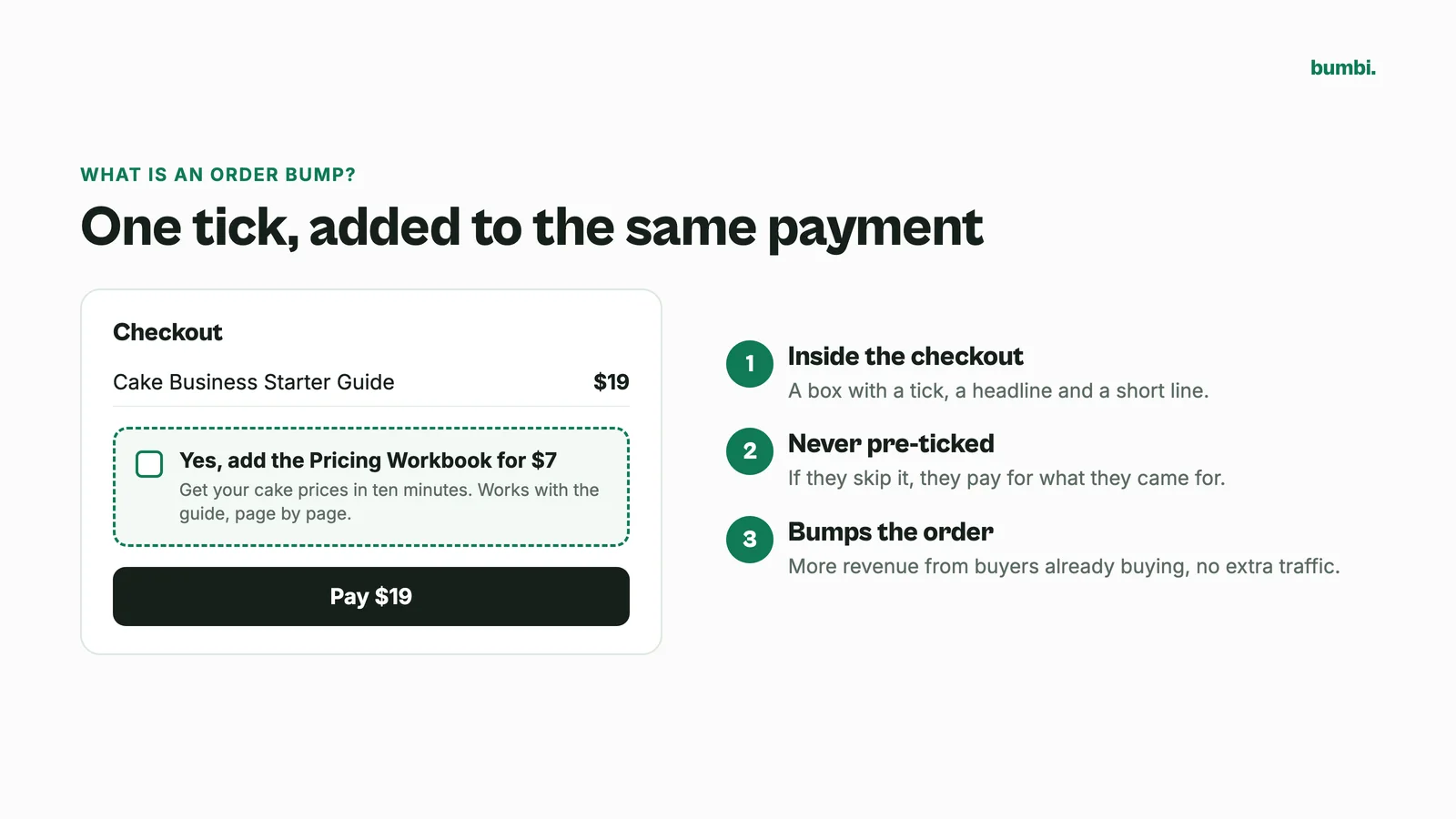
The name comes from what it does to your average order: it "bumps" it up. Sellers use order bumps because they add revenue from buyers who are already buying, without any extra traffic.
Order bump vs upsell: what is the difference?
| Order bump | Upsell | |
|---|---|---|
| When it shows | On the checkout, before payment | After the first purchase |
| How the buyer adds it | Ticks a box, pays once | Accepts a separate offer |
| Typical price | Small compared with the main product | Often bigger than the main product |
| Best for | Add-ons that complete the purchase | The next step up |
An order bump is the lighter touch. It does not interrupt the buyer or send them anywhere. It sits there, they read one line, and they decide.
What makes a good order bump
- It fits the main product. Someone buying a budgeting ebook wants the budget spreadsheet. They do not want your photography presets.
- It is smaller than the main product. A bump priced well under the main item feels like a small yes. A bump bigger than the main product is a second sale, and it needs more explaining.
- It saves time or gets a faster result. Templates, checklists, swipe files and done-for-you versions work well.
- The headline says exactly what it is. "Add the 30 ready-made captions for $5" beats "Special offer!".
- It is never ticked for the buyer. A pre-ticked box tricks people, and tricked buyers ask for refunds.
Order bump examples
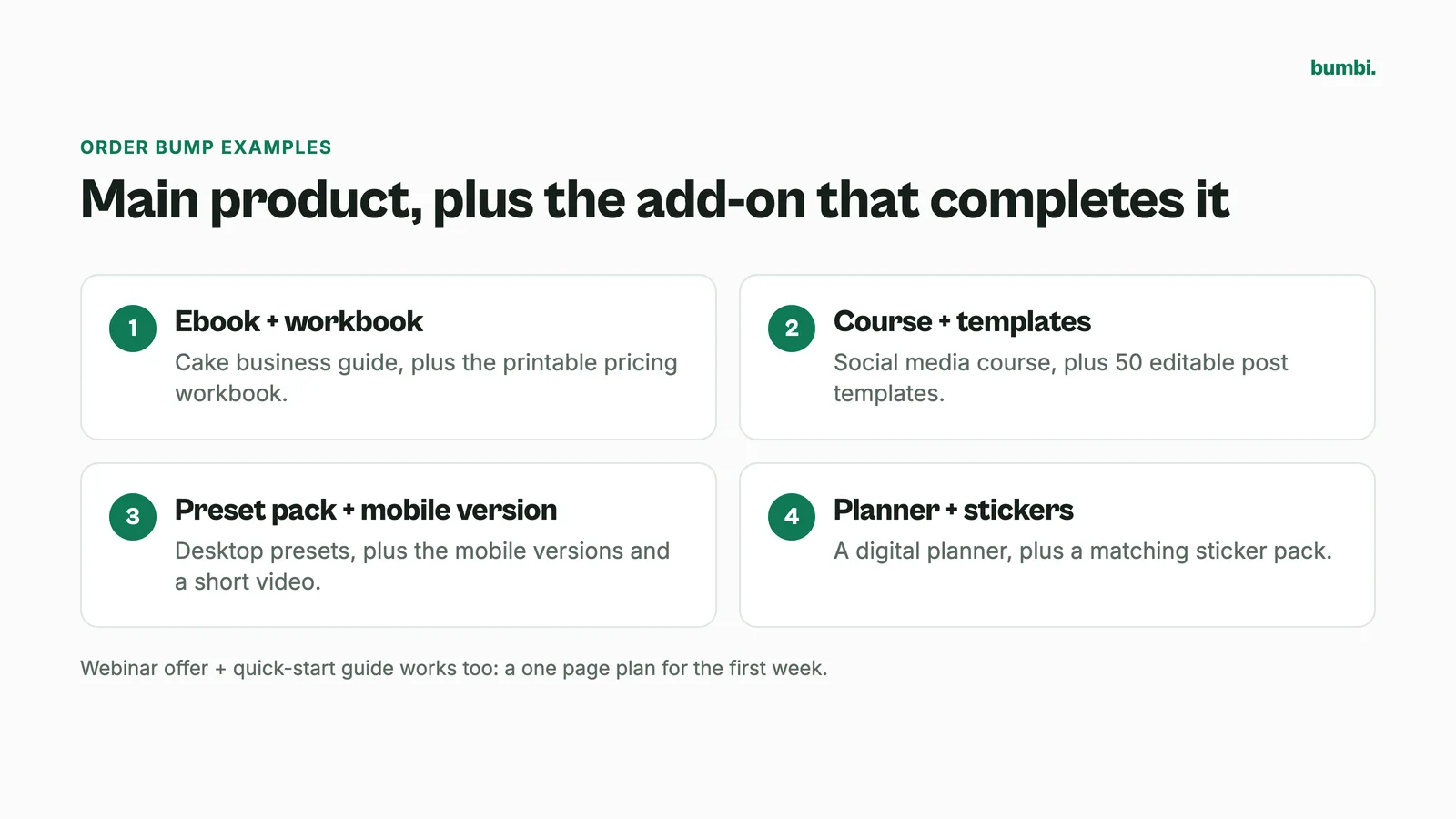
- Ebook + workbook. Main product: a 60 page guide to starting a cake business. Bump: the printable pricing workbook, at a fraction of the guide's price.
- Course + templates. Main product: a social media course. Bump: 50 editable post templates that go with the lessons.
- Preset pack + mobile version. Main product: desktop Lightroom presets. Bump: the mobile versions and a short video on using them.
- Planner + stickers. Main product: a digital planner. Bump: a matching sticker pack.
- Webinar offer + quick-start guide. Main product: the program you pitched in your webinar. Bump: a one page action plan for the first week.
How to write the order bump copy
You have a headline and two or three sentences. Use them like this:
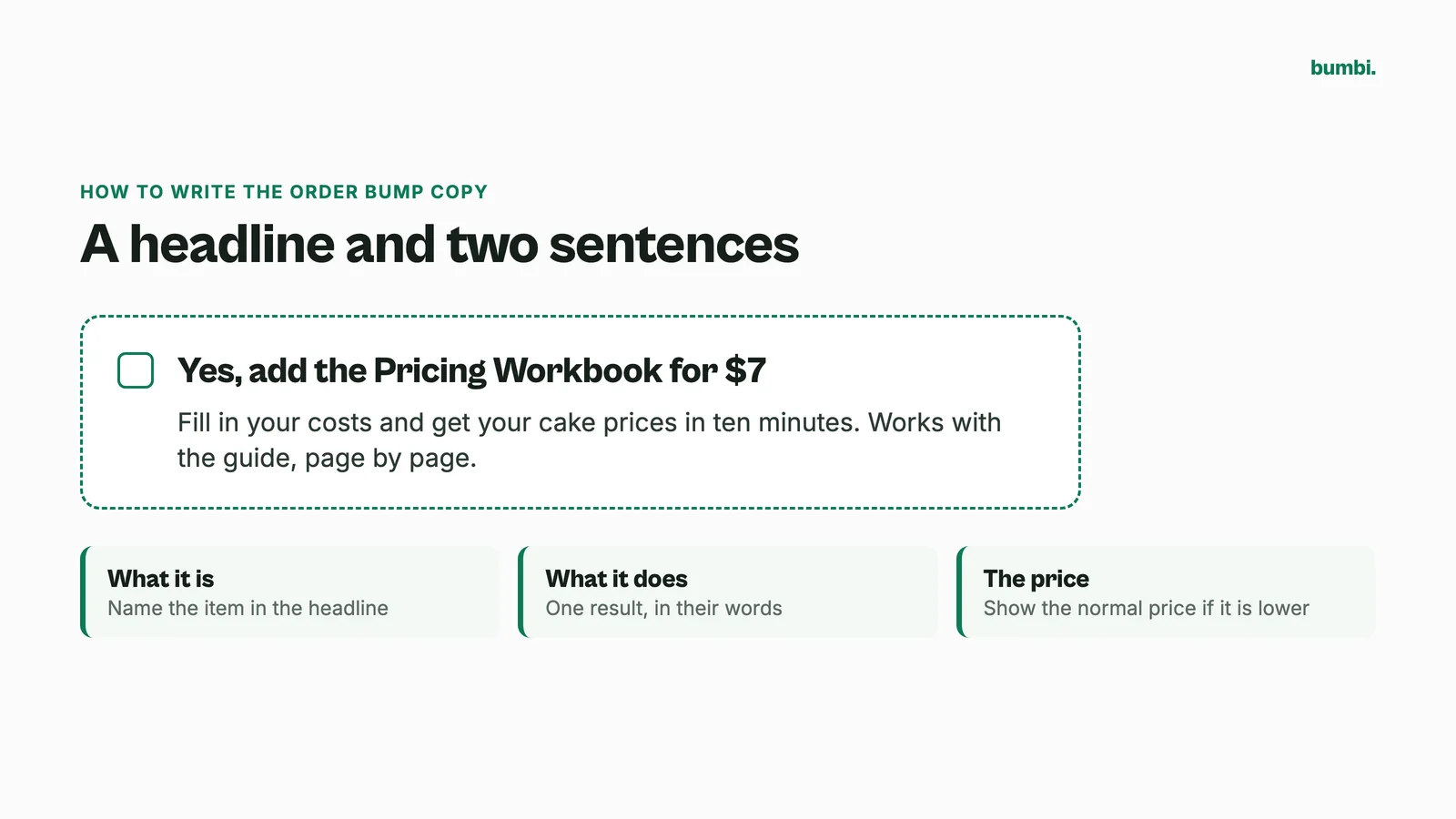
Headline: Yes, add the Pricing Workbook for $7
Pitch: Fill in your costs and get your cake prices in ten minutes. Works with the guide, page by page.
Say what it is, what it does for them, and the price. That is all. If the bump is cheaper than its normal price, showing the normal price helps the buyer see the value.
How to add an order bump on Bumbi
Order bumps are on for every Bumbi seller. Here is how they work:
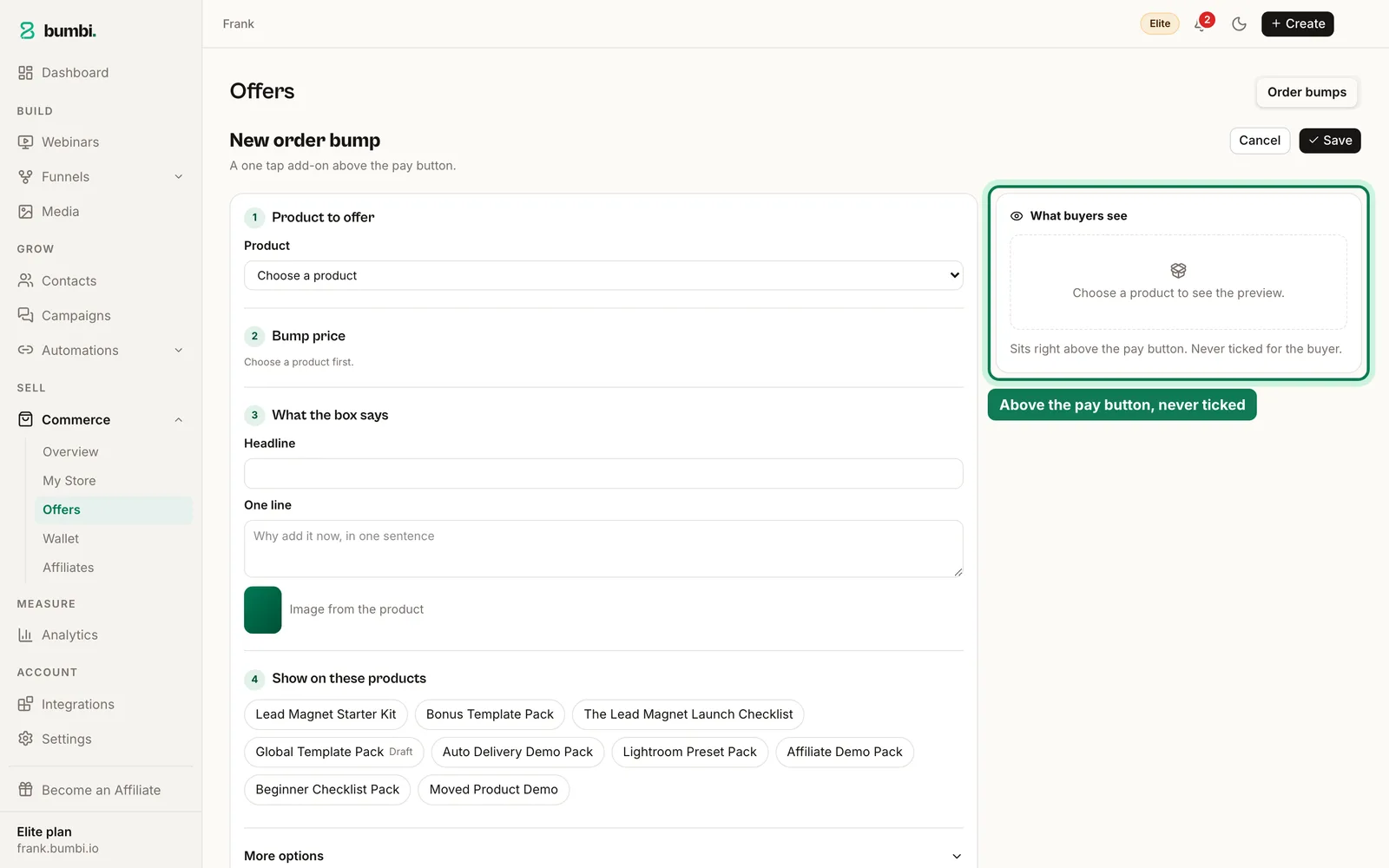
- Create the bump product like any other product, with its file, if it does not exist yet.
- Create the order bump and choose that product as the item.
- Set the bump price. If it is below the product's normal price, the checkout shows the normal price beside it.
- Write the headline and a short pitch, and choose whether to show the product image.
- Attach it to the product it should appear on. Each product shows one bump, so pick the best match.
- Choose whether to hide it from buyers who already own the bump product.
On the checkout, the box sits right above the pay button and is never ticked for the buyer. If they tick it, the bump is added to the same payment, shown in the buyer's own currency, and both products are delivered after payment. Membership and subscription products are sold on their own and cannot be used as a bump. See the order bumps feature page for more.
Order bump mistakes to avoid
- An unrelated bump. If it does not fit, it is noise at the worst possible moment.
- Too many words. The buyer is about to pay. Keep it short.
- Pre-ticking the box. Never. It is a fast way to lose trust and get refund requests.
- A bump that costs more than the product. It turns a quick yes into a hard decision.
- Never testing it. Try a different bump or price after a few weeks and see which one more buyers add.
Where order bumps fit in your funnel
An order bump raises what each buyer spends. It works alongside the other parts of a sales system: a good sales page brings people to checkout, checkout reminders bring back the ones who stopped, and a webinar or video sales letter warms people up before they get there. Your storefront shows everything else you sell.
Add a little more to every sale. Start selling on Bumbi and set up your first order bump in minutes.
Frequently asked questions
- What is an order bump?
- An order bump is an optional add-on shown on the checkout page right before payment. The buyer ticks a box to add it to the same payment, or ignores it and pays for the main product.
- What is the difference between an order bump and an upsell?
- An order bump appears on the checkout before payment and is added with one tick. An upsell is a separate offer made after the first purchase, often for a bigger product.
- How much should an order bump cost?
- Less than the main product, so adding it feels like a small yes. Price it fairly for what it saves the buyer.
- Should the order bump box be pre-ticked?
- No. A pre-ticked box tricks buyers and leads to refunds. On Bumbi the box is never ticked for the buyer.
- Can I add an order bump on Bumbi?
- Yes. Order bumps are on for every Bumbi seller. Choose one of your products as the order bump, set its price, headline and pitch, and attach it to the product it should appear on.
- What is Bumbi?
- Bumbi is a platform for creators who sell digital products: ebooks, courses, templates and presets. Its checkout includes order bumps, so buyers can add a fitting extra before they pay.

Written by
Ava Milestone
Ava writes the Bumbi guides on selling digital products.
Start Doing More With Bumbi Funnels
Now you can simply build better pages, create better funnels and make more sales online
Related
Video Sales Letter: What a VSL Is, a Script and an Example
A video sales letter sells in the order you choose. Here is the 7 part script, a worked example and how to publish a VSL page that converts.
Bulk WhatsApp Messages: How to Send Safely to Your Own Buyers
What WhatsApp allows, why bulk senders get numbers blocked, and how sellers reach every buyer safely from their own number.
How to Build a Membership Website Without Code
What a membership site is, the types that work for creators, how to price it, and how to build one with renewals and access handled for you.