 Bumbi
Bulk WhatsApp Messages: How to Send Safely to Your Own Buyers
What WhatsApp allows, why bulk senders get numbers blocked, and how sellers reach every buyer safely from their own number.
Quick answer: You can send bulk WhatsApp messages safely only to people who agreed to hear from you, at a steady pace, with an easy way to stop. Blasting thousands of strangers with a "bulk WhatsApp sender" is how numbers get suspended. If you sell online, the safer path is automated follow up to your own opted-in buyers and subscribers, sent from your own number.
Search for a WhatsApp bulk message sender and you will find dozens of tools promising "unlimited messages, no ban". Some of them are built for spam: upload a list of numbers you scraped from groups, press send, hope for the best. That usually ends with a blocked number and a list of people who now associate your name with junk.
This guide is for sellers who want to message a lot of people for good reasons: buyers, subscribers, class members and webinar registrants. It covers what WhatsApp allows, your options, how to send without getting blocked, and how to automate it.
Can you send bulk messages on WhatsApp?
Yes, within limits. What WhatsApp cares about is whether the messages are wanted and whether the sending looks like abuse. Its messaging guidelines prohibit using unofficial clients, bulk messaging, auto-messaging, auto-dialing or automation to harm WhatsApp or its users, and they treat repeated unwanted contact as spam. Accounts that break the rules can be warned or suspended, temporarily or permanently. WhatsApp's Help Center also has a page on unauthorized use of automated or bulk messaging.
In practice, the line is consent and behaviour. Messaging 500 buyers who asked for updates is not the same as messaging 500 strangers from a list you bought.
Your options for sending to many people
| Option | Good for | Watch out for |
|---|---|---|
| Broadcast lists on your phone | Small lists of people who saved your number | A cap per list, and people who did not save your number do not receive it |
| Groups | Classes, communities, buyer groups | Everyone sees replies; group size limits |
| Official business API (via a provider) | Large companies | Business verification, message templates, and Meta charges per delivered template message |
| Automation from your own number | Sellers following up with opted-in buyers and subscribers | Only safe with consent and paced sending |
| Unauthorized "bulk senders" blasting cold lists | Nothing worth the risk | Spam reports and suspended numbers |
For the phone-only route, see our guide to WhatsApp broadcast.
How to send bulk WhatsApp messages without getting blocked
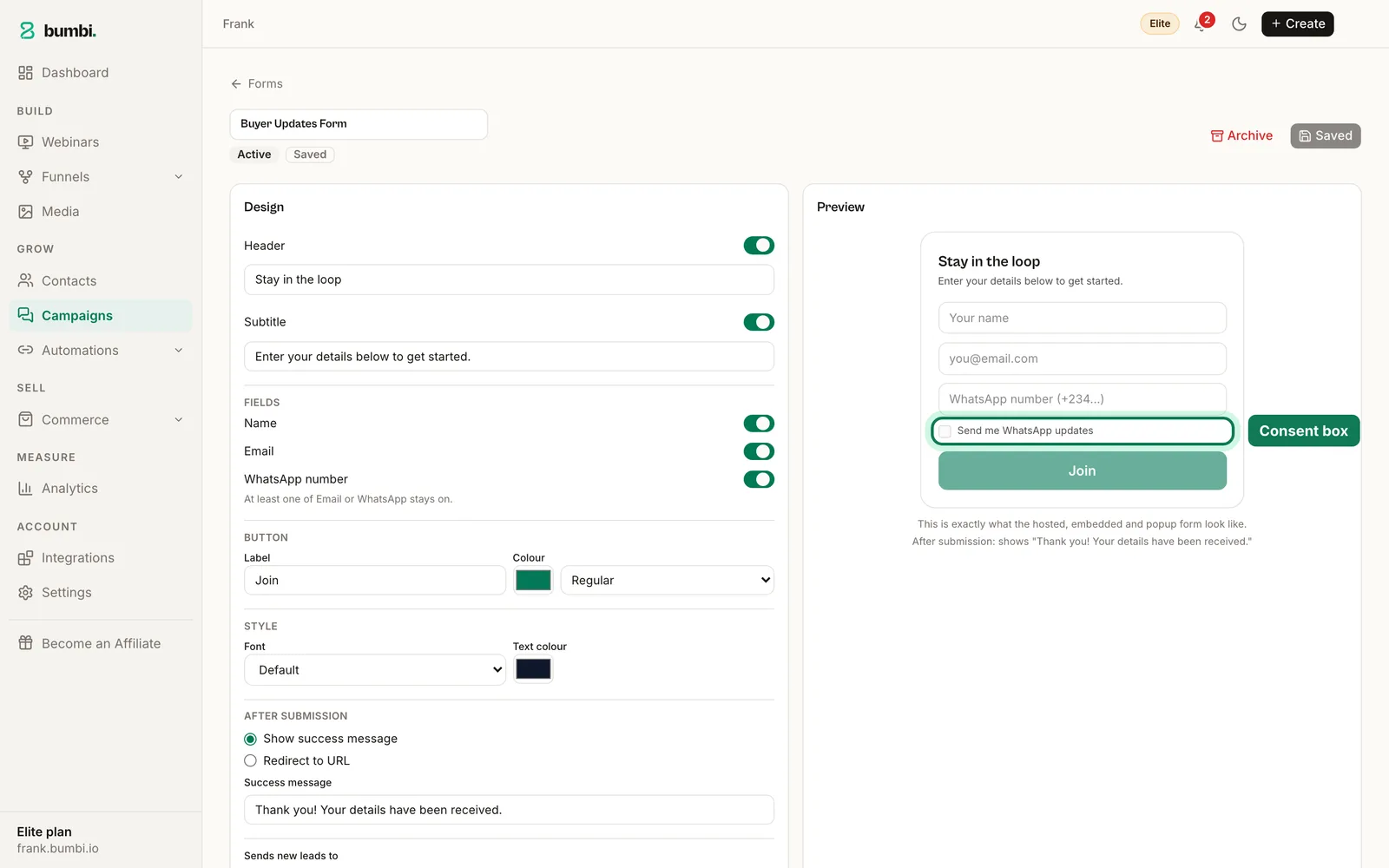
- Only message people who opted in. A form with a WhatsApp number field and a consent box gives you a clear record of who said yes.
- Tell them what to expect. "I'll send you a tip every few days and let you know when the class opens." Surprises get reported.
- Make it easy to stop, and respect it forever. One unsubscribe should mean no more messages.
- Pace the sending. A steady flow from your number looks like a person. Hundreds of identical messages in one minute does not.
- Write like a person. Use their name, keep it short, and give them a reason to reply. Replies are a good sign; blocks are a bad one.
- Send at sensible hours in your buyers' time zones.
- Never buy or scrape numbers. No exceptions.
How to send 1,000 messages on WhatsApp the right way
The question usually comes from someone with a real list: 1,000 buyers, students or registrants. The right approach is not "send 1,000 at once". It is:
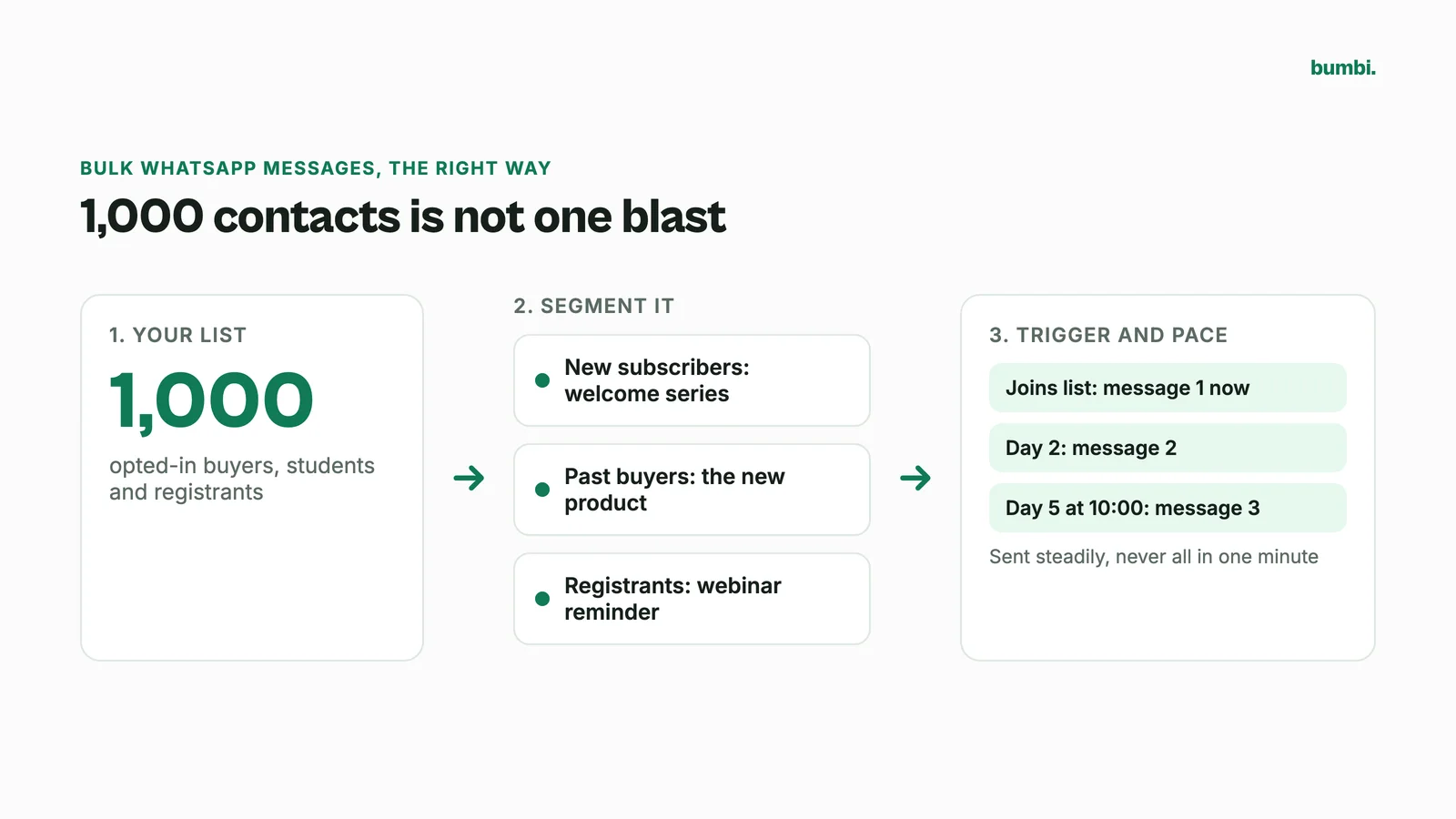
- Segment the list. New subscribers get the welcome series. Past buyers get the new product. Registrants get the webinar reminder.
- Automate by trigger, not by blast. When someone joins a list, they start a timed series. Nobody is sent everything on the same afternoon.
- Use groups for group things. If 1,000 people are in a class, post once to their groups instead of 1,000 private messages.
Is there a free bulk WhatsApp sender?
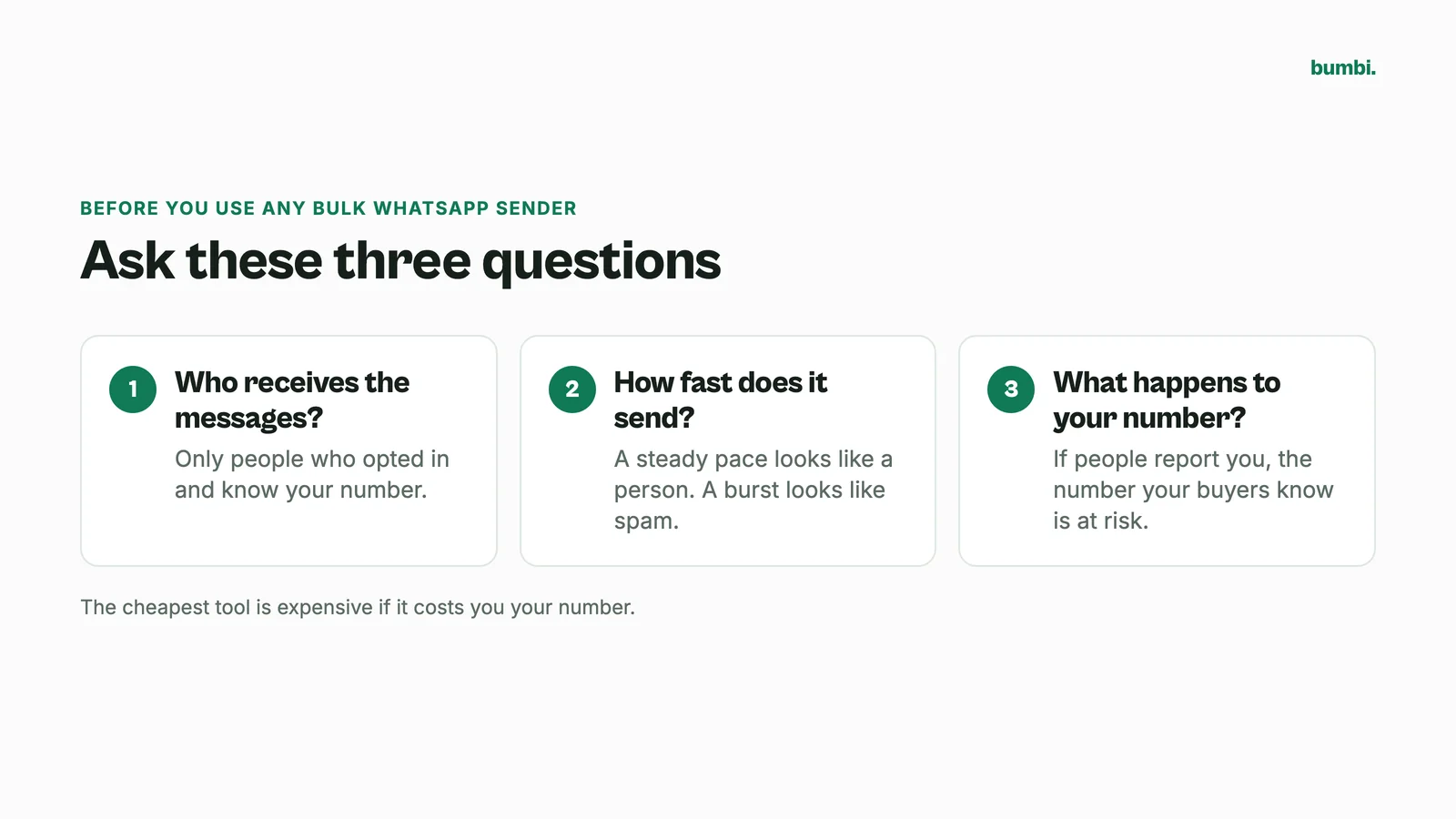
Plenty of tools call themselves free, and many browser extensions or apps that automate WhatsApp Web are not official WhatsApp products. Before you use any tool, ask three questions: who receives the messages (only opted-in people?), how fast does it send, and what happens to your number if people report you. The cheapest tool is expensive if it costs you the number your buyers know.
How sellers message every buyer with Bumbi
Bumbi is not a cold-list blaster. It is built for creators who sell digital products and want their follow up to reach their own buyers and subscribers. Its WhatsApp automation sends from your own number, with no API account and no template approval.
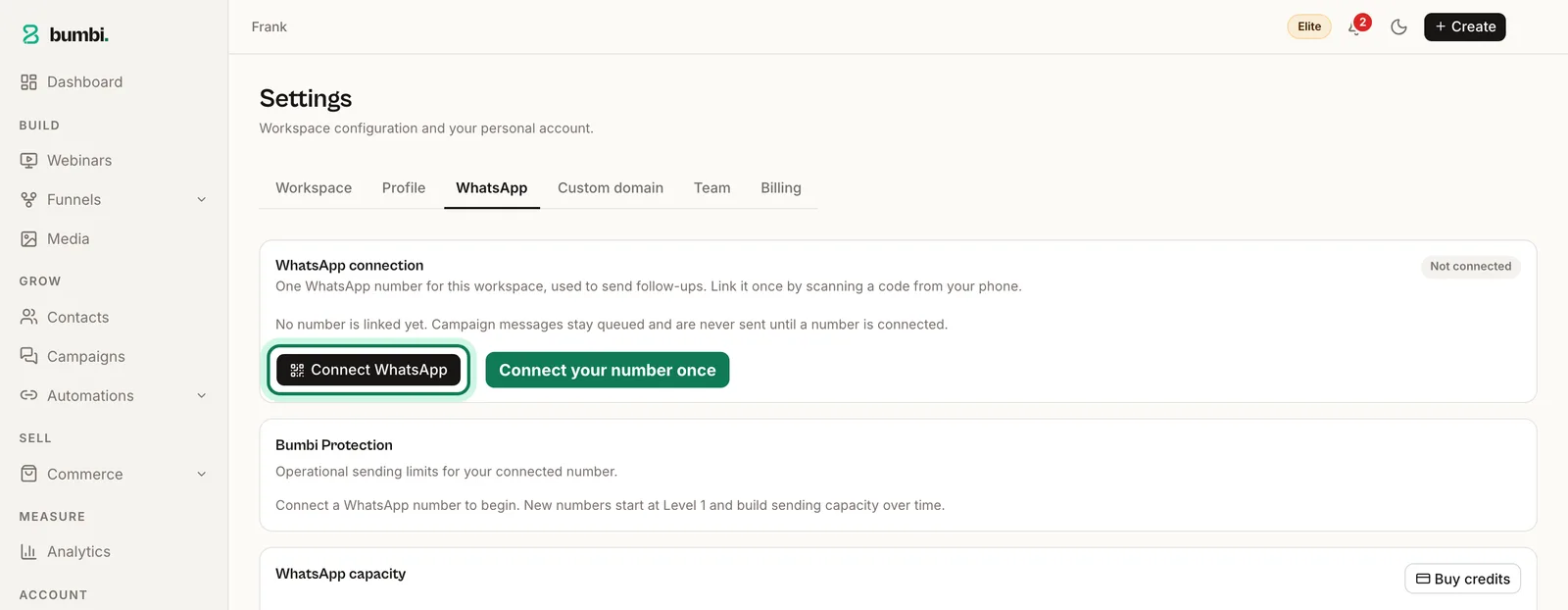
- Connect your number once in Settings.
- Collect numbers with consent. Bumbi forms ask for a WhatsApp number with a consent box. Only people who ticked it get list messages, and anyone who unsubscribes is never messaged again.
- Set up a WhatsApp automation. Messages go immediately, after a number of days, or on day N at a set time. Every person who joins the list gets the series at their own pace.
- Message all your groups at once. Write one message, pick several groups, and send now or schedule it.
- Let built-in protection pace sending from your number, so a big list goes out steadily rather than in one burst.
WhatsApp list messages come with the Starter, Growth and Elite plans, with 50, 200 and 500 messages a month included, and you can buy more. The Free plan includes 50 WhatsApp messages in total, so you can try it before you upgrade. See pricing. For the full strategy, read our WhatsApp marketing guide.
Mistakes that get numbers blocked
- Messaging people who never gave you their number. Group members are not your list.
- Sending the same long message to everyone at once. Pace it and personalise it.
- Ignoring "stop". One reply asking to be removed is a promise to keep.
- Using a number you cannot afford to lose on a tool that blasts cold lists.
Reach every buyer without risking your number. Start on Bumbi and let opted-in follow up run from your own WhatsApp.
Frequently asked questions
- Can you send bulk messages on WhatsApp?
- Yes, to people who agreed to hear from you and at a steady pace. WhatsApp's guidelines prohibit harmful bulk or automated messaging and repeated unwanted contact, so bulk WhatsApp messages to cold lists put your number at risk.
- Is WhatsApp bulk messaging legal?
- Messaging opted-in contacts is normal marketing. Sending unwanted bulk messages breaks WhatsApp's rules and can break local marketing and privacy laws, which differ by country.
- How can I send bulk WhatsApp messages without getting blocked?
- Message only people who opted in, tell them what to expect, make it easy to stop, pace your sending, write like a person and never buy or scrape numbers.
- How do I send 1,000 messages at once on WhatsApp?
- Avoid sending 1,000 at once. Segment the list, trigger timed series when people join, and use group messages for classes and communities. That reaches everyone with far less risk.
- Is there a free bulk sender for WhatsApp?
- Many tools claim to be free, and many are not official WhatsApp products. Check who receives the messages, how fast they are sent, and what happens to your number if people report you.
- How many WhatsApp messages can I send per day without getting banned?
- We know of no official safe daily number for regular accounts, and tools that promise one are guessing. What matters is consent, pacing and whether people block or report you.
- What is Bumbi?
- Bumbi is a platform for creators who sell digital products: ebooks, courses, templates and presets. Its WhatsApp automation follows up with opted-in buyers from your own number, with built-in pacing.

Written by
Ava Milestone
Ava writes the Bumbi guides on selling digital products.
Start Doing More With Bumbi Funnels
Now you can simply build better pages, create better funnels and make more sales online
Related
Video Sales Letter: What a VSL Is, a Script and an Example
A video sales letter sells in the order you choose. Here is the 7 part script, a worked example and how to publish a VSL page that converts.
How to Build a Membership Website Without Code
What a membership site is, the types that work for creators, how to price it, and how to build one with renewals and access handled for you.
How to Create an Ebook to Sell: From Outline to First Sale
Write, design and export a short ebook people will pay for, then put it on sale with automatic delivery.