 Bumbi
How to Build a Membership Website Without Code
What a membership site is, the types that work for creators, how to price it, and how to build one with renewals and access handled for you.
Quick answer: A membership website is a site where people pay a recurring fee (monthly, quarterly or yearly) for ongoing access to content, a community, courses or live sessions. To build a membership website without code, decide what members get each month, set one or more price tiers, and use a membership tool that handles sign up, renewals, access and cancellations for you.
One-off products are great until you notice the pattern: every month starts at zero. A membership changes that. The people who joined last month are still paying this month, and every new member adds to the total instead of replacing last month's sales.
This guide explains what a membership site is, the types that work for creators, what to put in it, how to price it, and how to build one on Bumbi without touching code.
What is a membership site?
A membership site gives paying members access to something that keeps going: new lessons every month, a private community, a library of templates, monthly live calls. Members pay on a schedule, and they keep access as long as they keep paying.
People also search for a "subscription website". The two overlap. A membership usually means access to a members area and a community. A subscription often means something delivered on a schedule, like a new file pack every month. Many creators run both.
Types of membership websites that work for creators
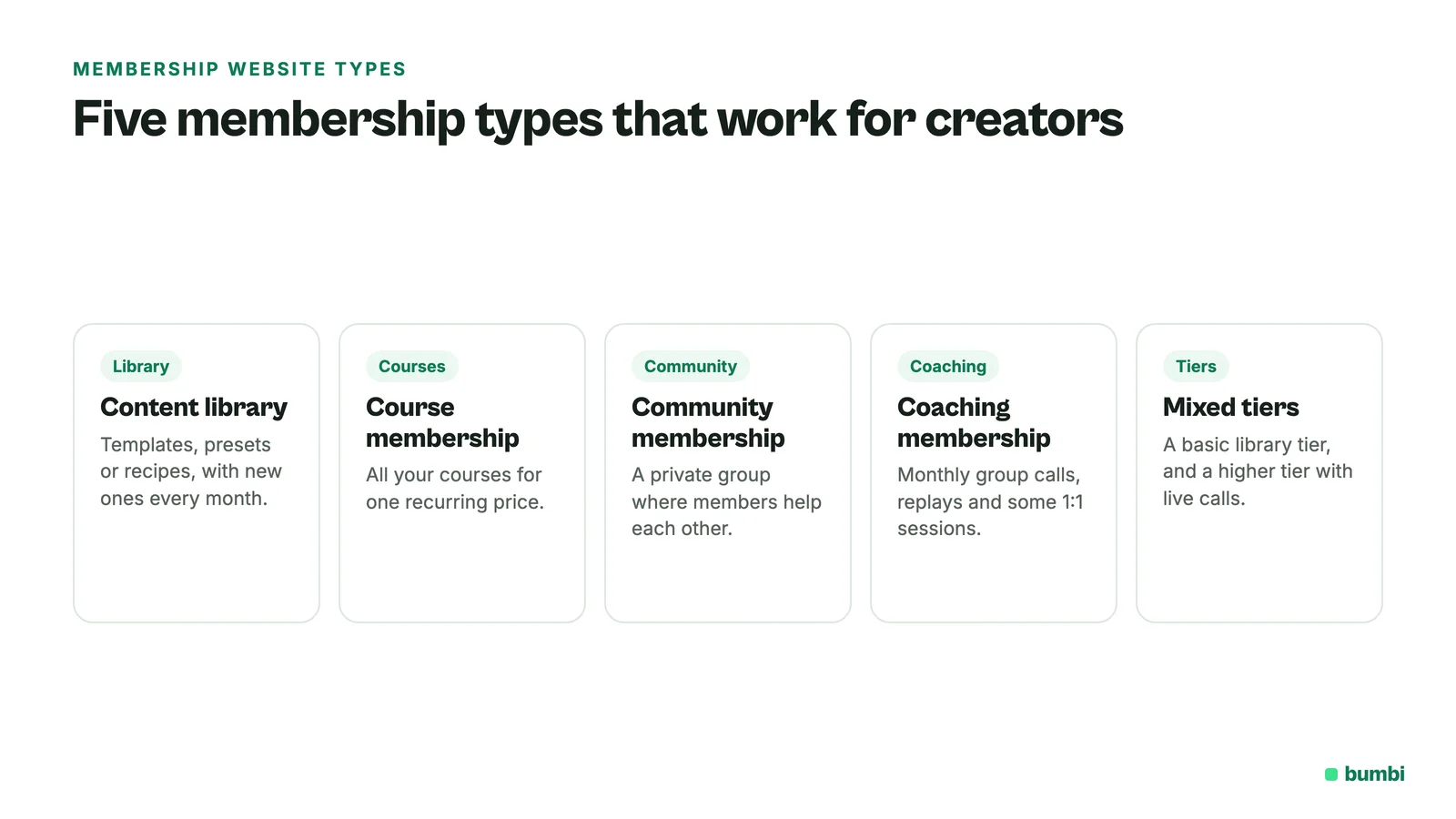
- Content library: a growing collection of templates, presets, recipes or guides, with new ones added monthly.
- Course membership: access to all your courses for one recurring price, instead of selling each separately.
- Community membership: a private group where members ask questions and help each other, plus your input.
- Coaching membership: monthly group calls, replays and a set number of one to one sessions.
- Mixed tiers: a basic tier with the library, and a higher tier that adds live calls or coaching.
Examples: a fitness coach selling monthly workout plans plus a weekly live session; a designer with a template club that adds 10 new Canva templates each month; a teacher with an exam prep membership that includes all courses and a Q&A replay every week.
What to put in your membership
The question members ask every month is "is this still worth it?". Make the answer obvious.
- A core promise. "A new set of 20 meal plans every month" is clearer than "exclusive content".
- A rhythm. Members should know when new things arrive: first Monday of the month, every Thursday.
- A quick win for new members. Something useful in the first ten minutes after joining.
- A reason to stay connected: a community link, a live call, or replies to their questions.
How to price a membership
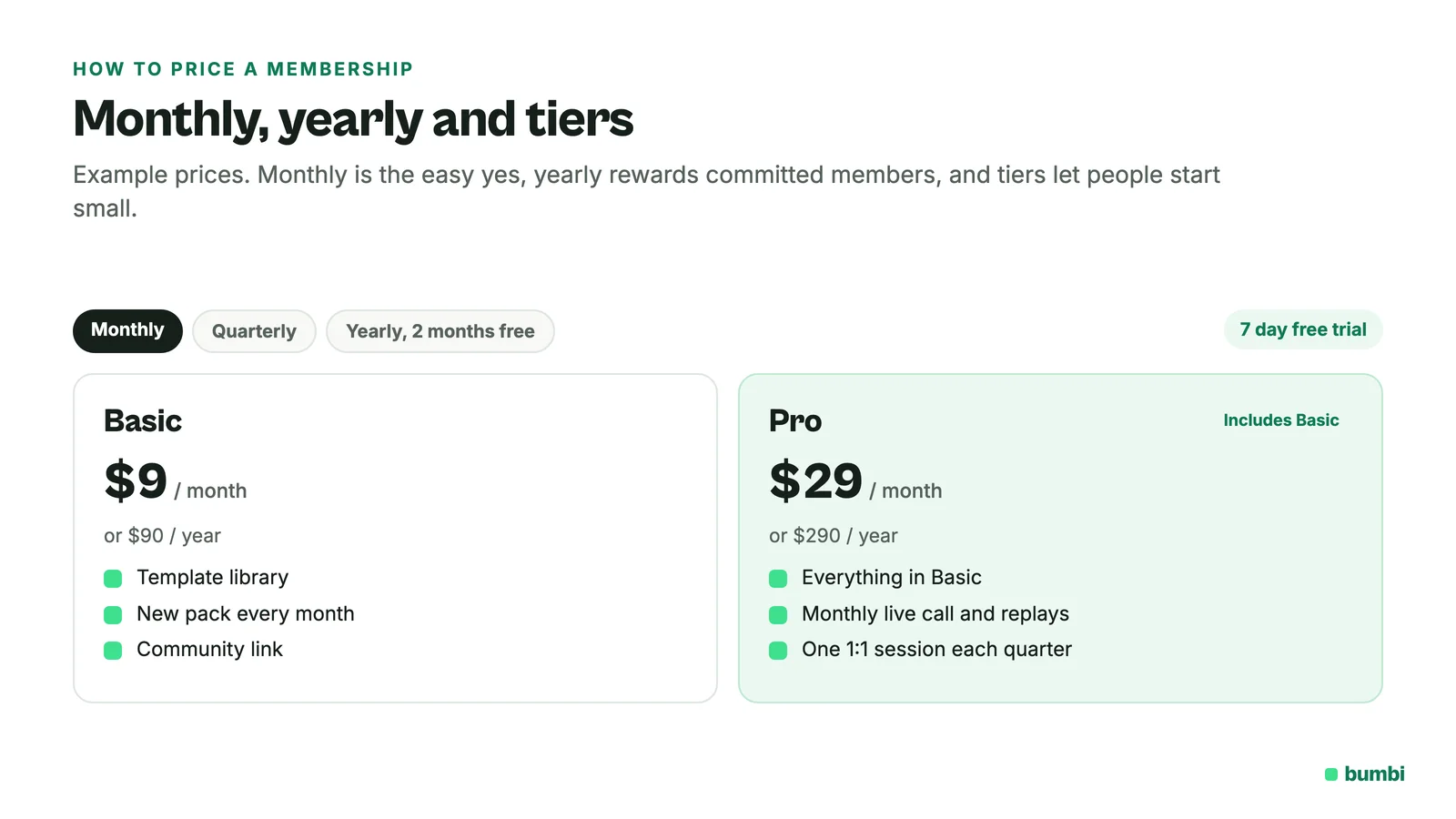
- Monthly is the easiest yes. Start here if your audience is new to you.
- Yearly at a discount rewards committed members and reduces cancellations.
- Tiers let people start small and upgrade. A higher tier that adds live calls or coaching earns more from your most engaged members.
- A free trial lowers the barrier, as long as the first week shows real value.
How to build a membership website without code
You do not need to build a website from scratch, install plugins or hire a developer. Here is how it works on Bumbi, where memberships are part of your store.
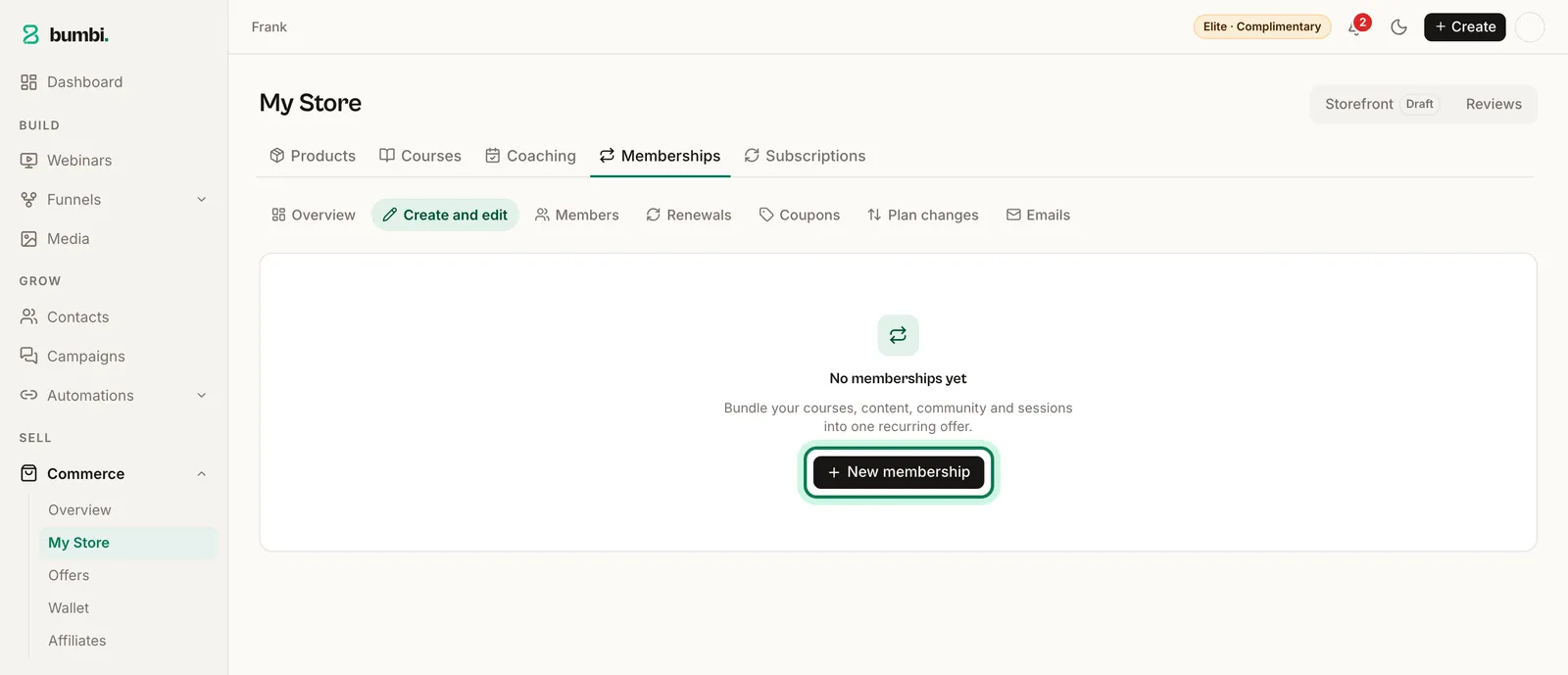
- Create the membership with a name, a short tagline and a cover.
- Add tiers, for example Basic and Pro, ranked so higher tiers include everything below them.
- Set prices for monthly, quarterly or yearly billing. Buyers in other countries see and pay in their own currency where supported.
- Add benefits to each tier: courses from Bumbi Courses, posts and guides, downloads, webinar replays and live sessions, bookable coaching sessions, and a community link (such as a WhatsApp group) that only active members can see.
- Choose the extras: a free trial (3, 7, 14 or 30 days), whether members can pause, and the emails members receive.
- Publish and share the checkout link.
What happens after someone joins
The admin is where most membership sites get painful. On Bumbi it is handled for you:
- Welcome and receipts go out automatically.
- Renewal reminders go out before each renewal, and members whose payment fails get follow ups and a grace period before access ends.
- Upgrades can take effect straight away, and downgrades at the next renewal.
- Members can pause for a month or two instead of cancelling, if you allow it.
- Cancellations run to the end of the paid period, so nobody loses access they paid for.
- Access follows status. When a membership ends, the community link and member content stop showing.
Prefer a simpler subscription, like a monthly file drop? Bumbi can also make an existing product recurring.
How to get your first members
- Offer it to past buyers first. People who bought your ebook or course already trust you.
- Open with a founding member price for the first group, then raise it for new members.
- Run a free live session or an automated webinar that shows what members get, then invite people in.
- Follow up on WhatsApp. With WhatsApp automation, people who opt in get a short series from your number leading to the membership.
- Let affiliates promote it, with each sale tracked to them.
Mistakes that make members cancel
- No rhythm. If members cannot tell when new things arrive, they assume nothing will.
- Too much at once. A huge library with no starting point overwhelms new members. Give them a "start here".
- Ignoring failed payments. Many cancellations are just expired cards. Reminders and a grace period save them.
- Never asking why people leave. A one-line question at cancellation tells you what to fix.
Thinking about courses inside your membership? See how to sell courses online.
Stop starting every month at zero. Start your membership on Bumbi and let renewals and access run themselves.
Frequently asked questions
- What is a membership website?
- A membership website gives paying members ongoing access to content, courses, a community or live sessions, in return for a monthly, quarterly or yearly payment. Access lasts as long as the membership is active.
- How do I start a membership website?
- Decide the core promise and rhythm, set one or two tiers with prices, add the benefits members get, and use a membership tool that handles sign up, renewals and access. Offer it to past buyers first.
- What is an example of a membership website?
- A template club that adds new Canva templates every month, a fitness membership with monthly plans and weekly live sessions, or an exam prep membership with all courses and weekly Q&A replays.
- What is the difference between a membership and a subscription website?
- A membership usually gives access to a members area and community. A subscription often delivers something on a schedule, like a monthly file pack. Many creators combine both.
- Can I offer a free trial?
- Yes. On Bumbi, a membership can include a free trial of 3, 7, 14 or 30 days.
- Do I need to code to build a membership site?
- No. On Bumbi you set up tiers, prices and benefits in the editor, and sign up, renewals and access are handled for you.
- What is Bumbi?
- Bumbi is a platform for creators who sell digital products: ebooks, courses, templates and presets. Its memberships add tiers, trials, renewals and member-only benefits to the same store.

Written by
Ava Milestone
Ava writes the Bumbi guides on selling digital products.
Start Doing More With Bumbi Funnels
Now you can simply build better pages, create better funnels and make more sales online
Related
Video Sales Letter: What a VSL Is, a Script and an Example
A video sales letter sells in the order you choose. Here is the 7 part script, a worked example and how to publish a VSL page that converts.
Bulk WhatsApp Messages: How to Send Safely to Your Own Buyers
What WhatsApp allows, why bulk senders get numbers blocked, and how sellers reach every buyer safely from their own number.
How to Create an Ebook to Sell: From Outline to First Sale
Write, design and export a short ebook people will pay for, then put it on sale with automatic delivery.