 Bumbi
How to Create Digital Products That People Pay For
A step by step way to go from an idea to a finished ebook, template or course, with real examples and the selling part included.
Quick answer: Here is how to create digital products: pick one problem you can solve, confirm people want it before you build, make the smallest version that solves it (a guide, a template, a short course), and export it in a format buyers can open on a phone. Most first products take a weekend, not a month.
Most people who want to sell online never get past the idea stage. They wait for the perfect topic, then plan a 200 page book, then quietly give up. The creators who make money do the opposite: they make something small and useful, sell it, and improve it.
This guide shows you how to create digital products step by step, with real examples, the tools you need, and the selling part at the end so the product does not sit on your laptop.
Step 1: Pick a problem, not a topic
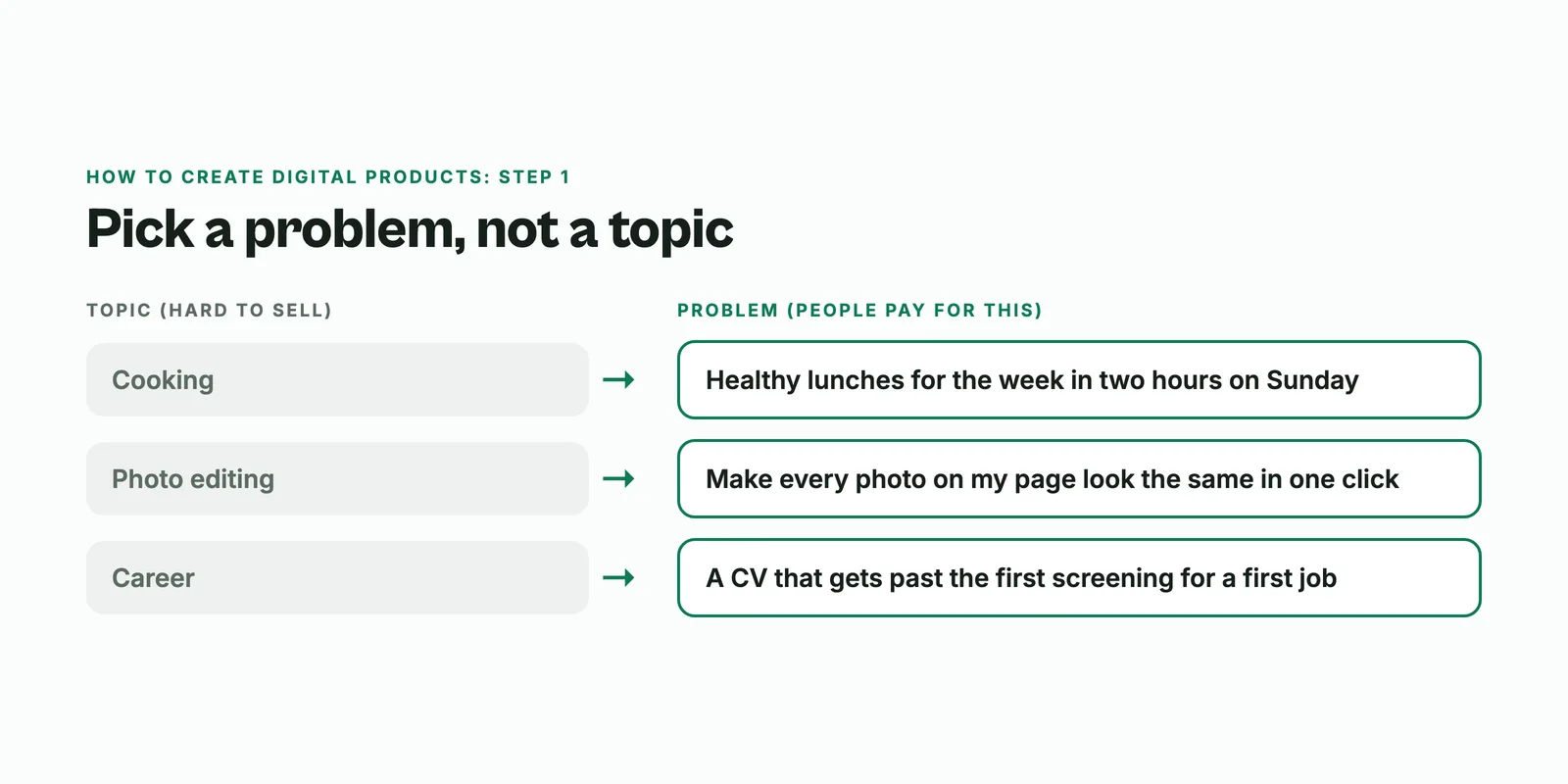
A topic is "cooking". A problem is "I want to cook healthy lunches for the week in two hours on Sunday". People pay to solve problems. They rarely pay for topics.
Good places to find the problem:
- Questions people ask you more than twice. Screenshot them. That is your product list.
- Things you do that others find hard. Editing photos fast, writing a CV, setting up a budget, passing a certain exam.
- Things you wish existed when you started. You are the best customer for the product you needed a year ago.
Need more starting points? Our list of digital product ideas groups them by skill.
Step 2: Check that people will pay
Ten minutes of testing can save you weeks of building. Try one of these:
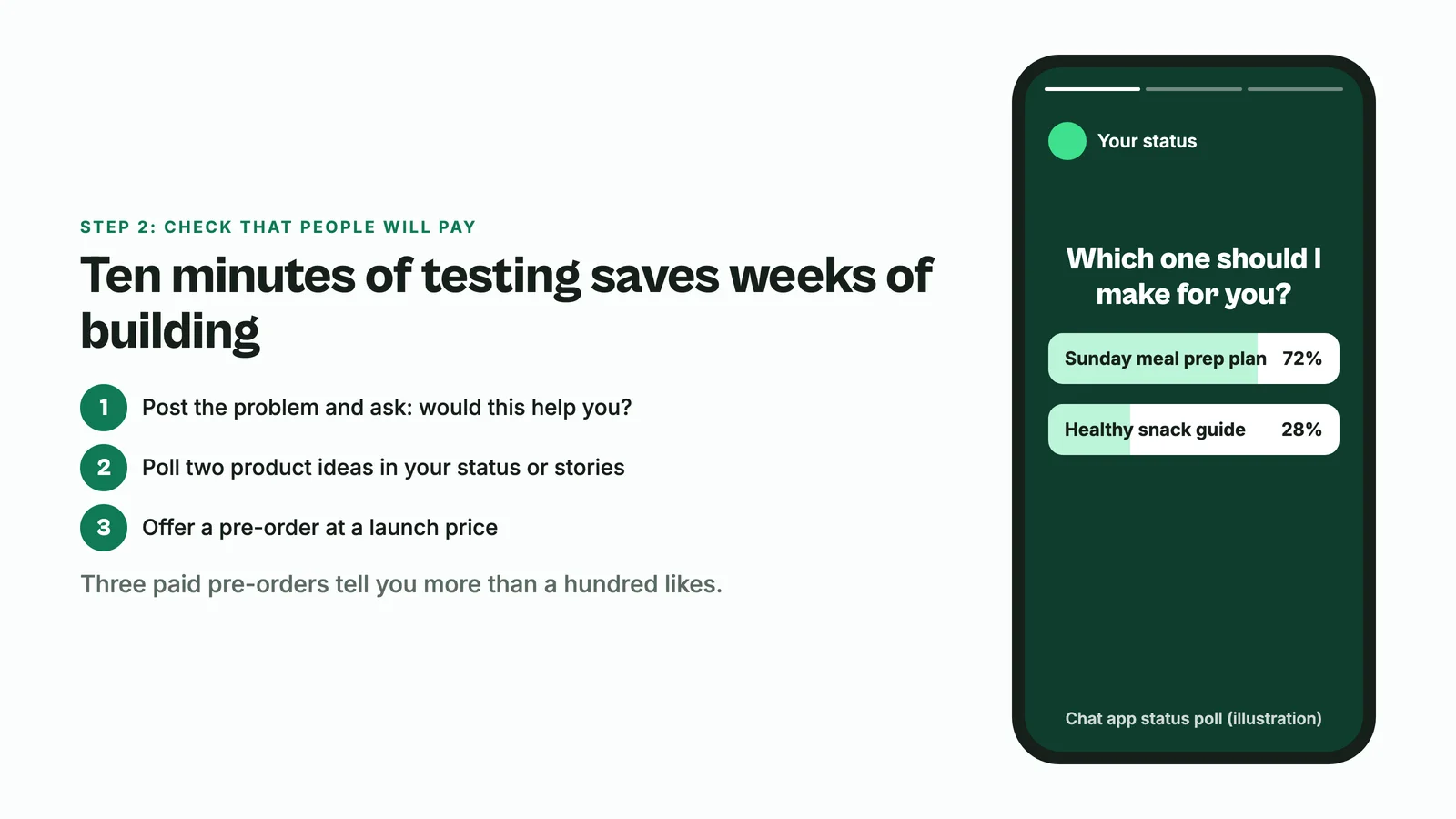
- Post the problem and your solution in one line, and ask "would this help you?" Count the replies that ask how to get it.
- Run a poll in your WhatsApp status or Instagram stories with two product ideas. Build the winner.
- Offer it for pre-order at a launch price. Even three paid pre-orders tell you more than a hundred likes.
Step 3: Choose the format
Match the format to how the buyer will use it.
| If the buyer needs to... | Make a... | Example |
|---|---|---|
| Understand something | Ebook or guide (PDF) | "How to price your photography, with a rate calculator" |
| Do something faster | Template or spreadsheet | A content calendar, a budget sheet, a CV layout |
| Get a certain look | Presets or design files | A Lightroom preset pack, a Canva post set |
| Learn a skill over time | Course | A 6 lesson course on bookkeeping for small shops |
| Get personal help | Coaching session | A 45 minute CV review call |
| Keep getting something new | Membership | Monthly recipe packs with a live Q&A |
If you are unsure, start with a short PDF guide or a template. They are the fastest to make and the easiest to explain.
Step 4: How to make digital products (the actual build)
You do not need special software. Here is how to make the common types with tools you probably already use.
An ebook or guide
- Write a one page outline: the problem, the 5 to 8 steps that solve it, and what the reader should do next.
- Write each step in plain words, with your own examples and screenshots. Your experience is what makes it worth paying for.
- Design it in a document tool or a design tool like Canva, then export as PDF.
The full walkthrough is in how to create an ebook to sell.
A template
- Start from the template you already use yourself.
- Remove your private details and replace them with clear example content.
- Add a one page "how to use this" guide. Buyers who understand a template keep using it, and leave better reviews.
A short course
- List the 5 to 10 steps a student needs, one lesson each.
- Record each lesson on your phone or screen, 5 to 15 minutes, and upload it to a video host such as YouTube (unlisted) or Vimeo.
- Add a worksheet or quiz to each lesson so students actually do the work.
More on that in how to create an online course.
Using AI to create digital products
AI tools like ChatGPT or Claude are useful for an outline, a first draft of a checklist, or ideas for chapter titles. Treat what they write as a starting point. The part buyers pay for is what only you know: your examples, your mistakes, your shortcuts. A product that reads like generic AI text gets refunds and bad reviews.
Step 5: Package it so it sells
- Give it a name that says the result. "The 2 Hour Sunday Meal Prep Plan" beats "Healthy Eating Guide".
- Make a cover and two or three preview images. Show the inside: a page, a filled template, a before and after.
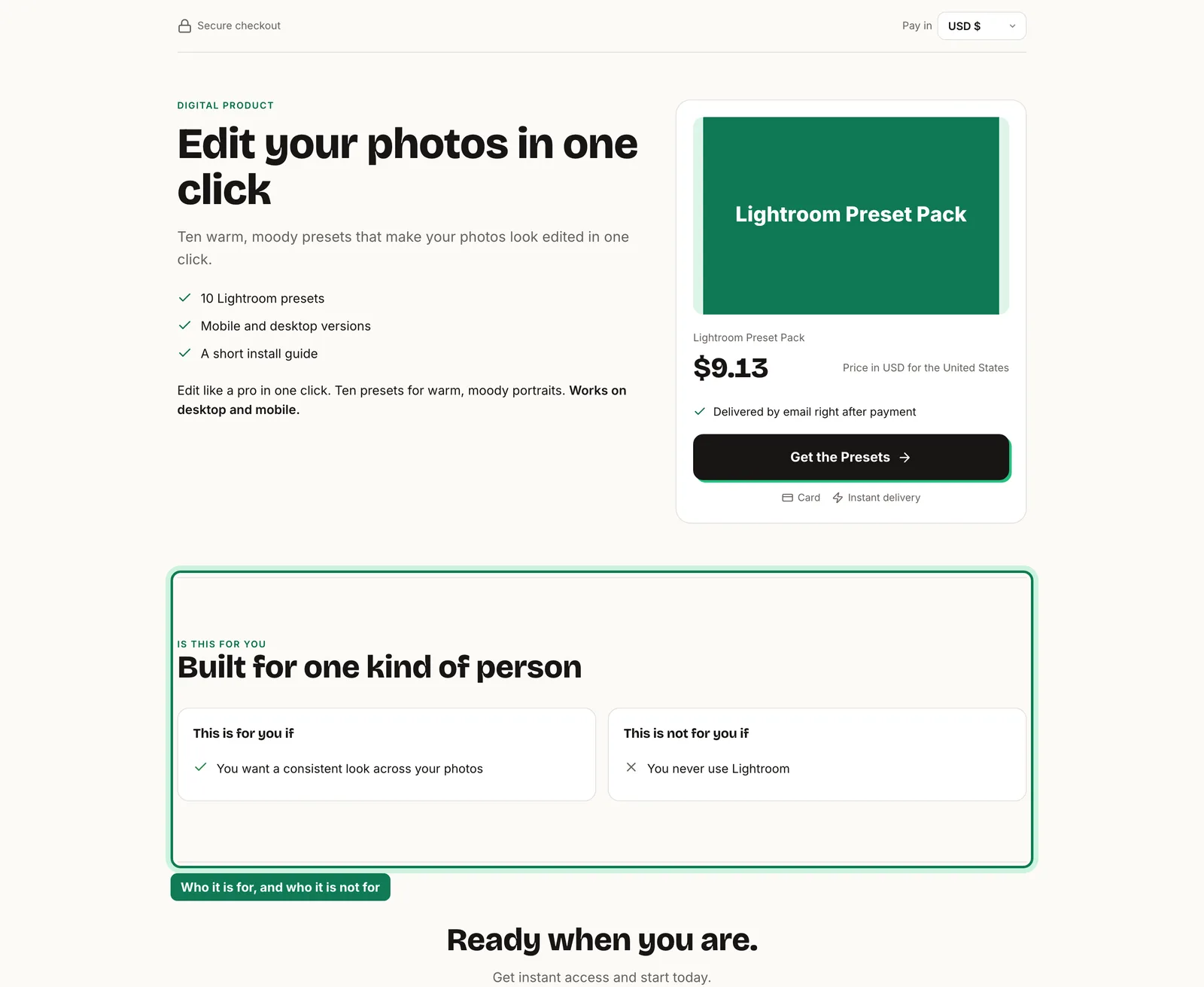
- Write who it is for, and who it is not for. It builds trust and cuts refunds.
- Check it on a phone. Most of your buyers will open it there first.
How to create and sell digital products: the selling part
A finished product needs three things to make money: a checkout link, automatic delivery, and somewhere to be seen. This is where Bumbi comes in.
- Add your product on Bumbi and upload the file. PDF, EPUB, Word, Excel, PowerPoint, CSV and text files up to 20 MB are delivered straight from Bumbi. For other files, such as preset packs or design files, give buyers a download link or a page after payment.
- Set your price once. Buyers in other countries see and pay in their own currency where supported.
- Share one checkout link. After payment the buyer gets the product right away and can find it again in their library at bumbi.io/access.
- Follow up. Bumbi sends checkout reminders to people who did not finish paying, and WhatsApp automation sends timed messages from your own number to people who opted in.
If your product is a course, Bumbi Courses gives you lessons, a curriculum, quizzes and certificates, sold through the same checkout. For the full selling playbook, read how to sell digital products.
How to create digital products without the usual mistakes
- Building for months before selling once. Sell the small version first.
- Making it for everyone. A product for "anyone who wants to grow" helps nobody in particular.
- Skipping the instructions. A template without a "how to use" page creates support messages.
- Never updating it. Fix what buyers ask about, then tell them about the new version.
Made something useful this weekend? Start selling it on Bumbi and let checkout and delivery handle themselves.
Frequently asked questions
- How do I create digital products as a beginner?
- The simplest way to learn how to create digital products is to start with one problem you can solve, test the idea with a post or a poll, then make the smallest useful version, usually a short PDF guide or a template. You can improve it after the first sales.
- What digital product is easiest to create?
- A short PDF guide or a template you already use yourself. Both can be made in a weekend with a document tool or Canva and are easy to explain to buyers.
- Can I use ChatGPT to create digital products?
- Yes, for outlines and first drafts. But add your own examples, steps and experience, because that is what buyers pay for. Products that read like generic AI text tend to get poor reviews.
- How long does it take to create a digital product?
- A focused guide or template often takes a weekend. A short course takes longer because of recording, so many creators sell a guide first and build the course once they know what buyers ask.
- How to create digital products and sell them?
- To create digital products that sell, solve one clear problem, package it with a strong name and preview images, then give it a checkout link with automatic delivery and share that link where your audience already is.
- What is Bumbi?
- Bumbi is a platform for creators who sell digital products: ebooks, courses, templates and presets. Once your product is made, Bumbi gives it a checkout link, delivers it after payment and helps you follow up.

Written by
Ava Milestone
Ava writes the Bumbi guides on selling digital products.
Start Doing More With Bumbi Funnels
Now you can simply build better pages, create better funnels and make more sales online
Related
Video Sales Letter: What a VSL Is, a Script and an Example
A video sales letter sells in the order you choose. Here is the 7 part script, a worked example and how to publish a VSL page that converts.
Bulk WhatsApp Messages: How to Send Safely to Your Own Buyers
What WhatsApp allows, why bulk senders get numbers blocked, and how sellers reach every buyer safely from their own number.
How to Build a Membership Website Without Code
What a membership site is, the types that work for creators, how to price it, and how to build one with renewals and access handled for you.