 Bumbi
Course Creator Guide: Build and Sell Your Course in One Place
Turn what you already explain in DMs into a course people pay for. Plan it, build it with the right course creator software, and sell it from the same place.
Quick answer: A course creator is either a person who builds and sells online courses, or the software they use to do it. The right course creator software lets you organize lessons, add video, quizzes and files, take payment, and give students a clean place to learn. On Bumbi you build the course, turn it into a product with one click, and every buyer is enrolled automatically after paying.
You know your subject. You have probably explained it a hundred times in DMs, voice notes and WhatsApp groups. Turning that into a course people pay for is less about filming and more about structure: what goes in, in what order, and how students get from lesson one to the result.
This guide covers what a course creator does, what to look for in online course creation software, how to plan and build a course step by step, and how to sell it without bolting five tools together.
What is a course creator?
The phrase means two things, and both matter here:
- The person. A course creator packages what they know into lessons that take a student from a problem to a result, then sells access. Coaches, designers, bakers, accountants, fitness trainers: anyone with a skill people want.
- The software. A course creator tool is where you build the curriculum, upload or link lessons, and give students a place to learn and track progress.
How to become a course creator: start with the result
Before you open any software, answer one question: what will a student be able to do at the end that they cannot do now? "Understand social media" is vague. "Plan and schedule a month of Instagram posts in one afternoon" is a course.
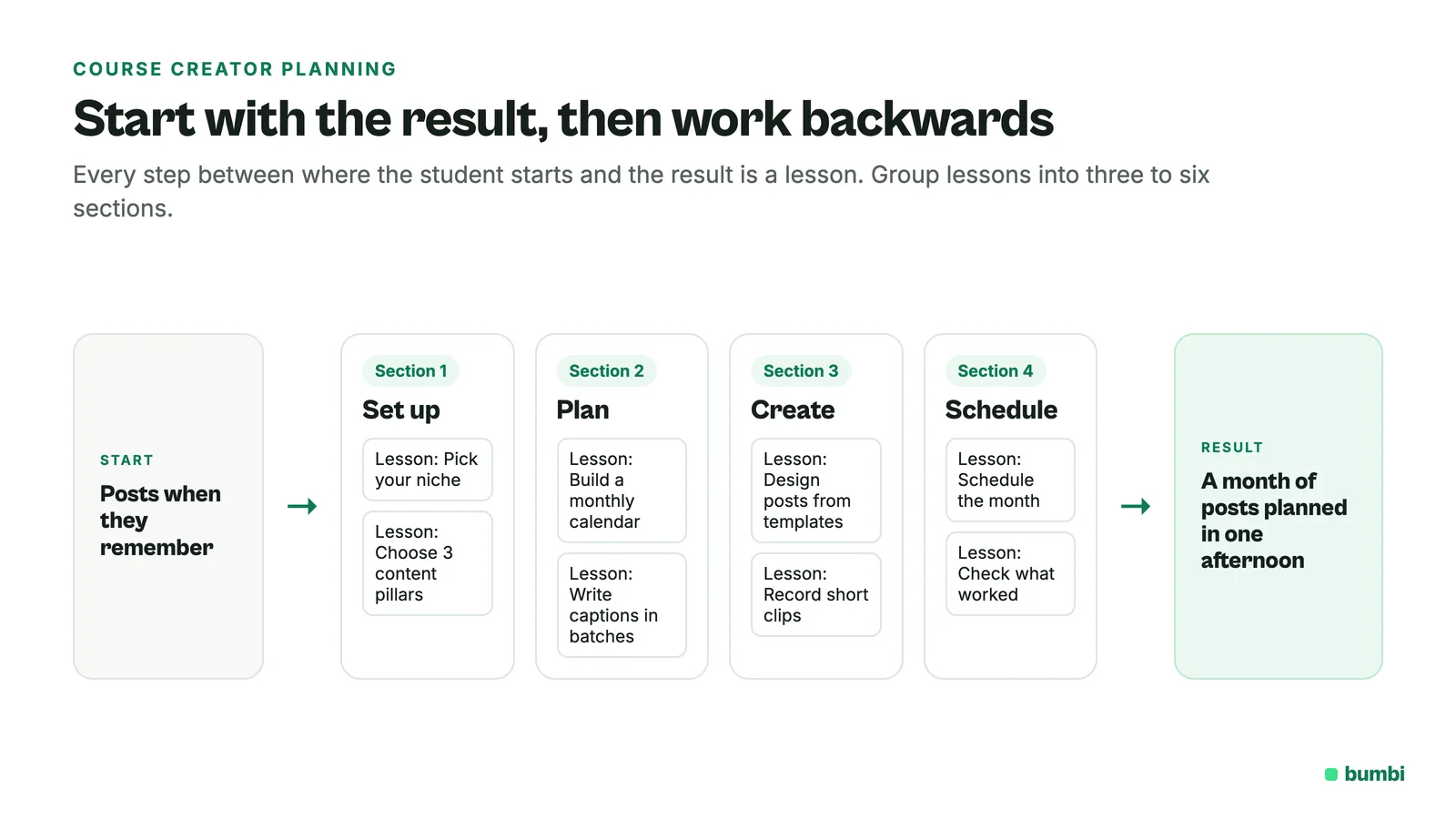
Then work backwards. List every step between where your student starts and that result. Each step is a lesson. Group the lessons into three to six sections. That list is your curriculum.
Online course creation software: what to look for
- Sections and lessons you can reorder easily.
- Video from where it already lives. Many creators keep video on YouTube, Vimeo or a video host. Your course tool should play it without re-uploading.
- More than video. Text lessons, downloadable files and quizzes keep students active.
- Lesson order and drip. The option to open lessons in order, or over time.
- Progress and completion. Students like seeing how far they are. A certificate at the end is a nice finish.
- A built-in way to sell. If the course tool cannot take payment, you need a second tool and a way to connect them.
- Payment from buyers anywhere. If your audience is global, the checkout needs to show prices in their currency.
How to create a course step by step
- Write the promise. One sentence: who it is for and what they will be able to do.
- Outline the curriculum. Sections, then lessons. Keep lessons short and focused on one thing.
- Record a test lesson. Check sound, light and length before you record the rest. Sound matters more than picture.
- Record the rest in batches. One section at a time is easier than one long day.
- Add the extras. Worksheets, templates, checklists, a short quiz at the end of each section.
- Build it in your course tool and preview it as a student would.
- Price it and sell it. Then improve it with feedback from your first students.
How to build and sell your course on Bumbi
Bumbi is a platform for selling digital products, and Courses are part of it. The course and the checkout live in the same place.
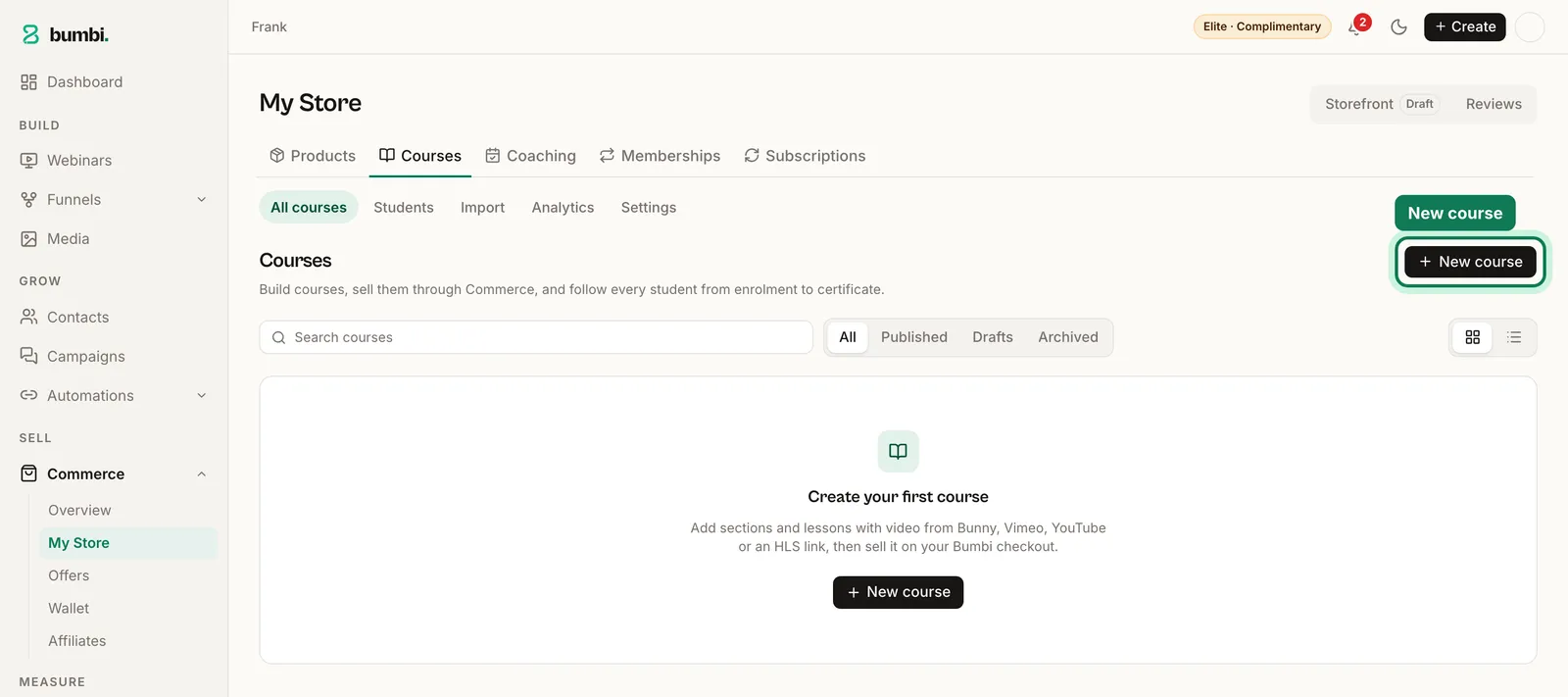
- Create the course and add your sections and lessons.
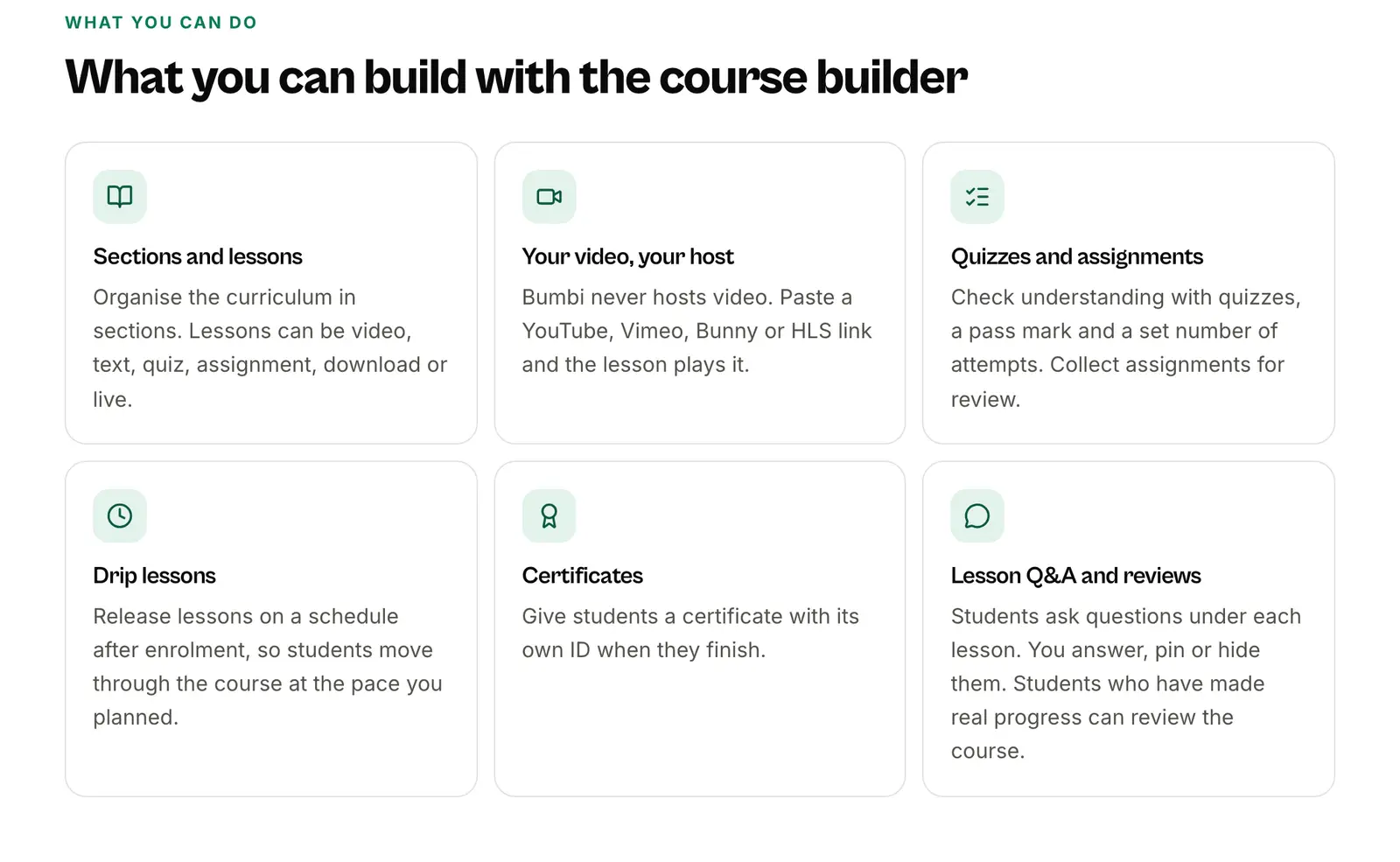
- Add lesson content. Paste video links from YouTube, Vimeo, Bunny or HLS (Bumbi never hosts video), write text lessons, and attach files.
- Add quizzes with a pass mark, and assignments where students hand in work.
- Choose how lessons open: all at once, in order, or dripped over time. When a dripped lesson opens, students get an email so they come back.
- Turn on certificates for students who complete the course.
- Click "Create product from this course". Bumbi makes a draft product with your title, summary and cover, linked to the course. Set the price and publish.
- Share the checkout link. When someone pays, they are enrolled automatically.
A few extras help students finish: a Q&A space for questions on lessons, notes, and reviews once a student is part of the way through. You can also bundle several courses into one product, or include a course in a membership so members get it while they subscribe. See the Courses feature page for more.
How to price your course
Price by the result, not by the hours of video. A two hour course that saves a small business owner a week every month is worth more than a ten hour course nobody finishes. Look at what the result is worth to your student, check what similar courses charge, and start where you can honestly explain the value. You can raise the price as reviews come in. A fitting order bump, like a template pack, can lift what each buyer spends.
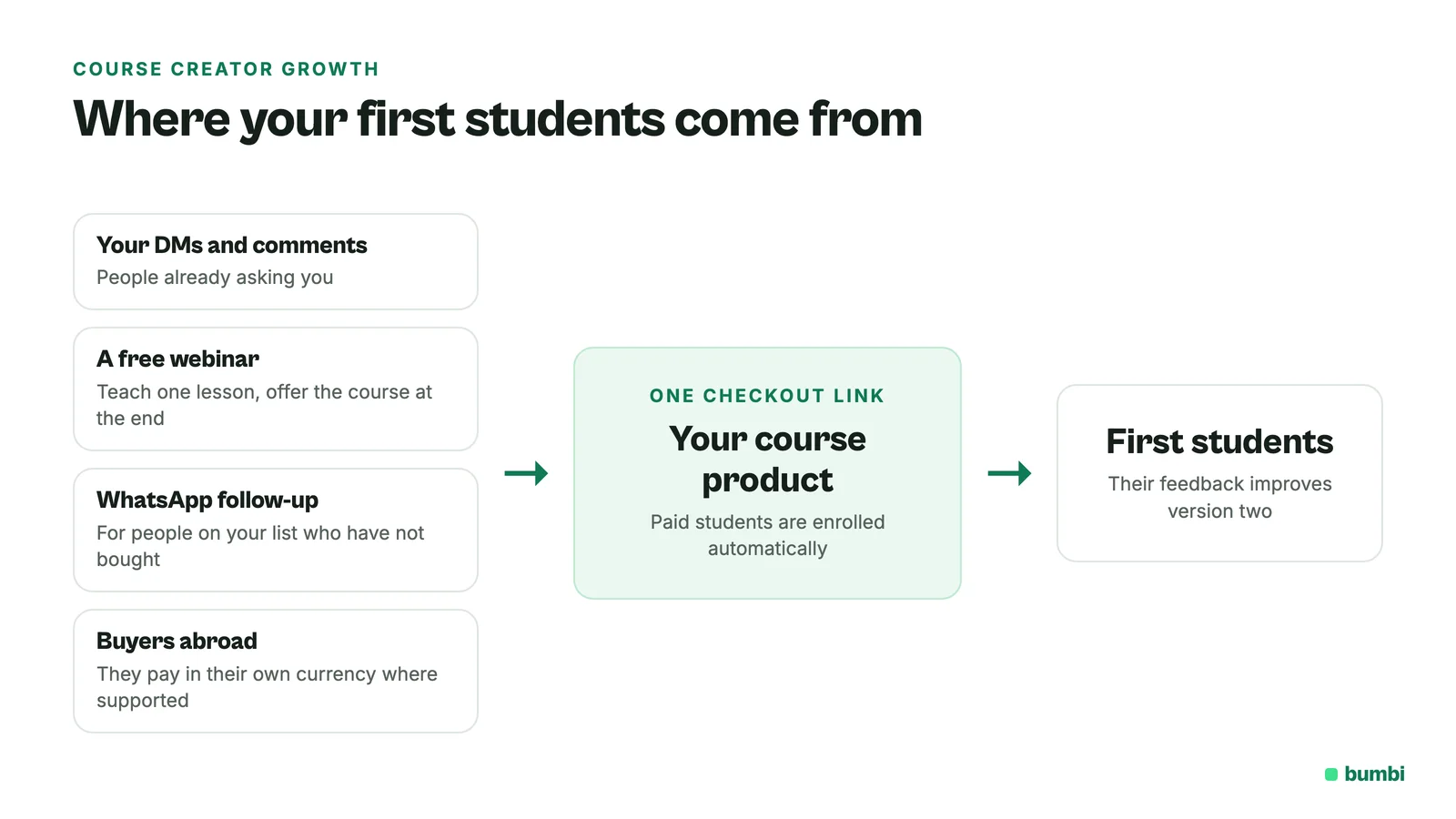
Where course creators find their first students
- The people already asking you. Your DMs and comments are your first list.
- A free webinar that teaches one lesson and offers the course at the end. What is a webinar funnel shows how.
- WhatsApp follow-up for people who joined your list but have not bought yet.
- Buyers abroad. One checkout link works for buyers in other countries. Here is how.
Mistakes new course creators make
- Making it too long. Students want the result, not hours of content. Cut anything that does not move them forward.
- Recording before outlining. You will re-record half of it.
- Waiting for perfect video. Clear sound and a clear explanation beat a studio.
- No way to check progress. Quizzes and small tasks keep students moving and show you where they get stuck.
- Building it and hoping. Sell it to a small group first, then improve it with what they tell you.
Want the full sales side? Read how to sell courses online.
Build your course and sell it from one place. Start free on Bumbi and publish your first course.
Frequently asked questions
- What is a course creator?
- A course creator is a person who packages what they know into lessons and sells access, or the software used to build and deliver those lessons.
- What should online course creation software include?
- Sections and lessons, video from where it already lives, text lessons and files, quizzes, lesson order or drip, progress tracking, and a built-in way to take payment.
- Is there a free course creator?
- Some platforms have free plans. Bumbi has a Free plan; see bumbi.io/pricing for what each plan includes for Courses.
- Do I need to upload my videos to a course creator tool?
- Not on Bumbi. Bumbi never hosts video. You paste links from YouTube, Vimeo, Bunny or HLS into each lesson.
- How do students get access after they pay?
- On Bumbi a course is sold through a product. When someone pays for that product, they are enrolled in the course automatically.
- How long should my first course be?
- As short as it can be while still getting the student to the result. Many good first courses are a few hours of focused lessons, not a library of content.
- What is Bumbi?
- Bumbi is a platform for creators who sell digital products: ebooks, courses, templates and presets. As a course creator you build lessons, quizzes and certificates in Bumbi Courses and sell them with the same checkout.

Written by
Ava Milestone
Ava writes the Bumbi guides on selling digital products.
Start Doing More With Bumbi Funnels
Now you can simply build better pages, create better funnels and make more sales online
Related
Video Sales Letter: What a VSL Is, a Script and an Example
A video sales letter sells in the order you choose. Here is the 7 part script, a worked example and how to publish a VSL page that converts.
Bulk WhatsApp Messages: How to Send Safely to Your Own Buyers
What WhatsApp allows, why bulk senders get numbers blocked, and how sellers reach every buyer safely from their own number.
How to Build a Membership Website Without Code
What a membership site is, the types that work for creators, how to price it, and how to build one with renewals and access handled for you.