 Bumbi
WhatsApp Broadcast for Business: Reach Every Buyer at Once
How WhatsApp broadcasts work, what they cost, where they fall short for sellers, and how to message every buyer automatically.
Quick answer: A WhatsApp broadcast sends one message to many people at once, and each person receives it as a private chat from you. A broadcast list holds up to 256 contacts, and only people who saved your number receive it. If you sell digital products, connect your number to Bumbi and every new subscriber gets your messages automatically, while one message can go to all your groups at once.
You have a new ebook, a class starting Friday, or a price going up at midnight. The people who need to hear it are already in your WhatsApp. Typing the same message to each of them would take all evening, and a group chat turns into noise the moment someone replies.
That is the job a WhatsApp broadcast does. This guide shows you how to send one, what WhatsApp limits you to, what it costs, and how sellers stop doing it by hand.
What is a WhatsApp broadcast?
A WhatsApp broadcast is one message sent to a saved list of contacts, delivered to each of them as a private one-to-one chat. Nobody on the list can see who else received it. When someone replies, the reply comes only to you, as an ordinary chat.
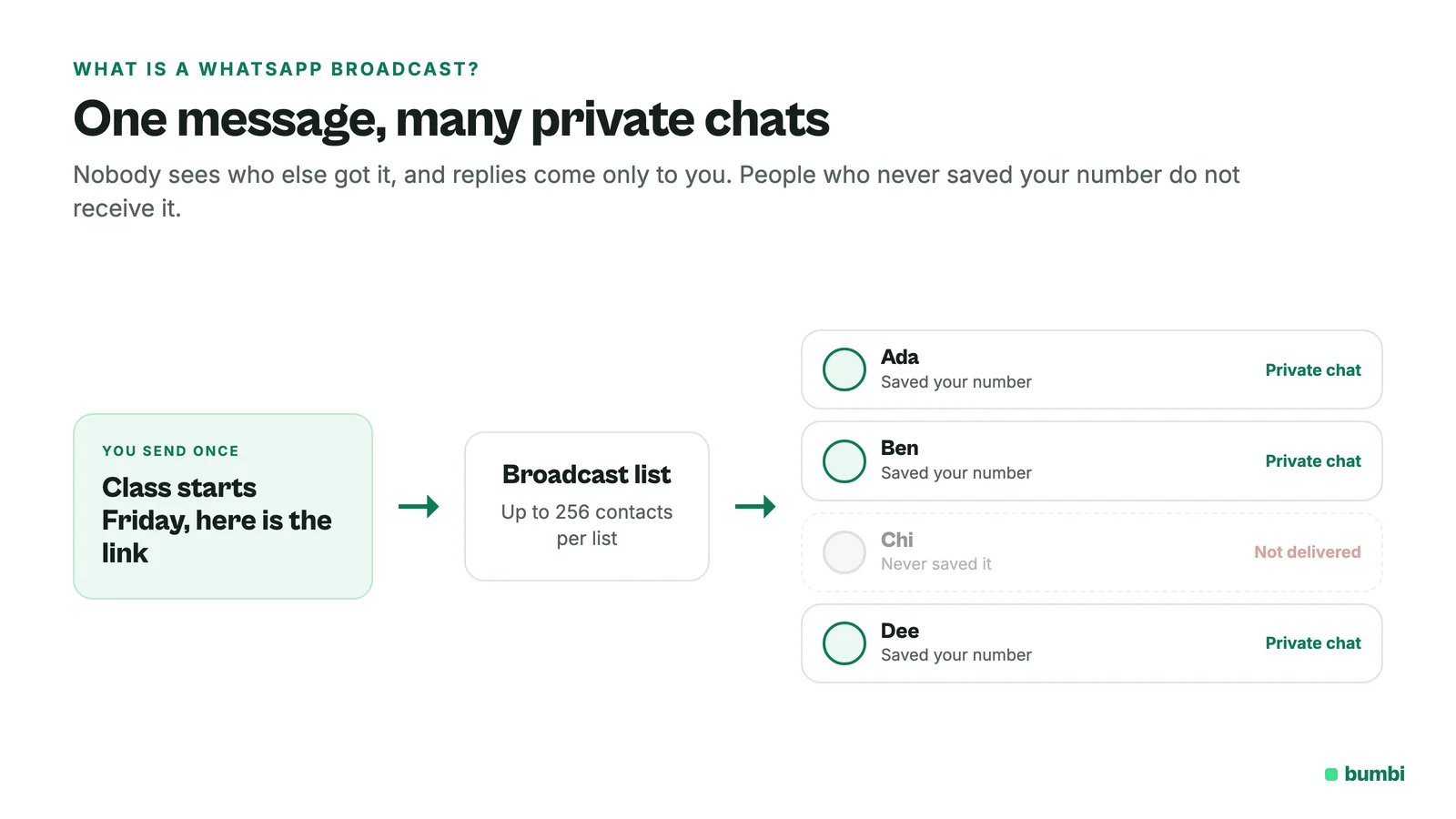
A few rules from WhatsApp itself are worth knowing before you start:
- Each broadcast list can hold up to 256 contacts, and you can create as many lists as you like.
- Only people who saved your number in their phone's contacts receive your broadcast. Everyone else simply never gets it.
- Broadcast lists work in the phone app. They are not supported on Windows, Mac or WhatsApp Web.
How to send a broadcast message on WhatsApp
It takes about a minute the first time, and after that the list is saved for every message you send.
- Open WhatsApp on your phone and go to Chats.
- Open the menu and choose Broadcast lists, then start a new list.
- Pick your contacts, up to 256 per list, and confirm.
- Type your message and send. Each person gets it as a private chat from you.
Before you rely on a list, ask your buyers to save your number. A simple line in your thank-you message, "Save this number so you don't miss class updates", saves you from wondering why half your list went quiet.
WhatsApp broadcast vs group: which one do you need?
They look similar, but they do opposite jobs.
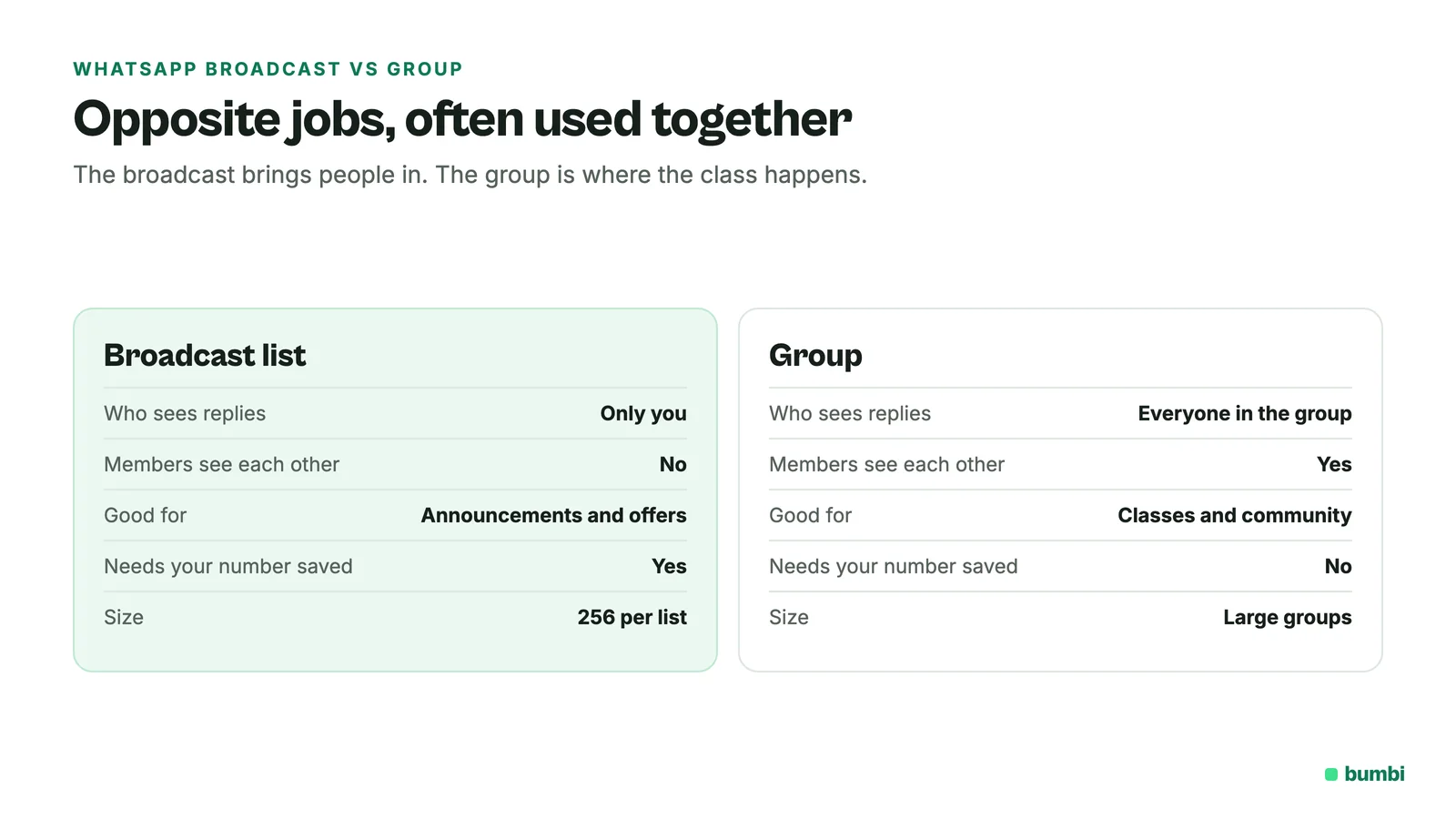
| Broadcast list | Group | |
|---|---|---|
| Who sees the message | Each person, privately | Everyone in the group |
| Can members see each other | No | Yes |
| Where replies go | Only to you | To the whole group |
| Best for | Offers, reminders, personal updates | Classes, communities, live discussion |
Many sellers use both. The broadcast brings people in ("the class starts Friday, here is the link"), and the group is where the class happens.
Is WhatsApp broadcast free?
Broadcast lists are part of the WhatsApp app. In some countries, WhatsApp is gradually rolling out a monthly limit, and where it applies you can send up to 35 free broadcast messages a month. You can check yours under Settings, then Broadcasts.
For more reach, the WhatsApp Business app has business broadcasts (in some countries this used to be called marketing messages). They can reach customers who have not saved your number, add a button to call you, reply, open a website or view your catalog, and be scheduled. Two things to know: Meta reviews each business broadcast before it goes out, and you are charged when you send or schedule it. The price is shown before you confirm.
Where broadcasts fall short when you sell online
Broadcasts are great for a quick note to people you know. They get painful once you are selling every day:
- You add every buyer by hand. Each new customer means opening WhatsApp, finding the number and adding it to the right list.
- The saved number rule leaks sales. Anyone who never saved your number misses the message, and you can't tell who.
- Timing depends on you. The day-3 follow-up only goes out if you remember to send it on day 3.
- 256 per list. Past that, you are splitting buyers across lists and sending everything several times.
How sellers message every buyer automatically with Bumbi
Bumbi is built for people who sell digital products, and its WhatsApp tools take the repeat work off your phone. Messages go out from your own WhatsApp number, with no API account and no template approval to wait for.
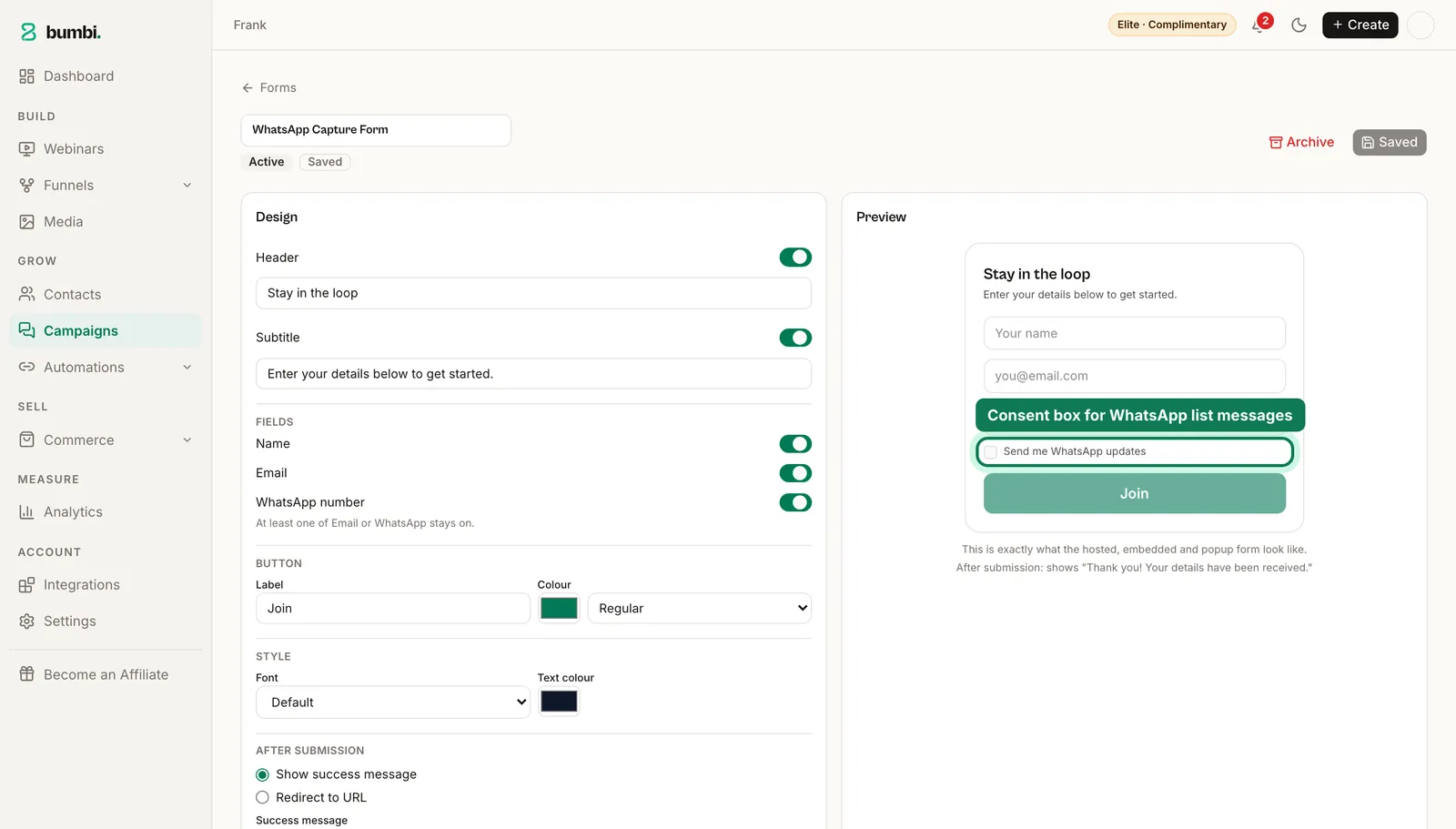
- Connect your number in Bumbi's Settings, once.
- Let people join your list on their own. Your Bumbi forms collect a WhatsApp number with a consent box. Only people who ticked it receive list messages, and anyone who unsubscribes is never messaged again.
- Write the messages once as a WhatsApp automation. Send the first one immediately, the next after a few days, or on a set day and time. Everyone who joins the list gets the same series from your number, at their own pace, without you touching your phone.
- Message all your groups at once. Write one message, pick every group it should go to, and send now or schedule it. If you run paid classes, this pairs with how to run a paid WhatsApp class.
Bumbi also paces your sending with its built-in protection, so a big list goes out steadily from your number instead of all in one burst. WhatsApp list messages come with the Starter, Growth and Elite plans, with 50, 200 and 500 messages a month included, and you can add more whenever you need them. See pricing for the details.
Mistakes that make WhatsApp broadcasts fail
- Messaging people who never saved your number on a broadcast list. They don't receive it, and nothing tells you.
- Messaging people who never asked to hear from you. They are the ones who block you. Build your list from people who opted in.
- Only ever sending offers. Mix in useful things: a tip, a free lesson, a behind-the-scenes note. People read the next message when the last one was worth reading.
- Sending everything at once. A welcome message, a helpful follow-up and then the offer will usually beat one long message with everything in it.
Stop adding buyers to broadcast lists by hand. Start selling on Bumbi and let your WhatsApp follow-up run itself.
Frequently asked questions
- What is a WhatsApp broadcast?
- A WhatsApp broadcast is one message sent to a saved list of contacts, delivered to each person as a private one-to-one chat. Recipients can't see each other, and replies come only to you.
- How does broadcast work on WhatsApp?
- You create a broadcast list on your phone, add up to 256 contacts, and send a message. WhatsApp delivers it to each contact as an individual chat, but only to people who have saved your number in their contacts.
- Is WhatsApp broadcast paid or free?
- Broadcast lists are part of the WhatsApp app. Where WhatsApp's monthly limit has rolled out, you can send up to 35 free broadcast messages a month. Business broadcasts in the WhatsApp Business app are paid: you are charged when you send or schedule one.
- What's the difference between a WhatsApp group and a broadcast?
- In a group, everyone sees every message and every reply. In a broadcast, each person gets your message privately, can't see who else received it, and replies only to you.
- Can WhatsApp broadcast members see each other?
- No. Each person receives your message as a separate private chat, so the list stays hidden.
- How many people can I send a WhatsApp broadcast to?
- Up to 256 contacts per broadcast list. You can create as many lists as you like.
- Why are some people not getting my broadcast?
- Only people who saved your number in their phone's contacts receive broadcast messages. Ask them to save your number, then send again.
- What is Bumbi?
- Bumbi is a platform for creators who sell digital products: ebooks, courses, templates and presets. It handles checkout, delivery and follow-up, including WhatsApp messages from your own number.

Written by
Ava Milestone
Ava writes the Bumbi guides on selling digital products.
Start Doing More With Bumbi Funnels
Now you can simply build better pages, create better funnels and make more sales online
Related
Video Sales Letter: What a VSL Is, a Script and an Example
A video sales letter sells in the order you choose. Here is the 7 part script, a worked example and how to publish a VSL page that converts.
Bulk WhatsApp Messages: How to Send Safely to Your Own Buyers
What WhatsApp allows, why bulk senders get numbers blocked, and how sellers reach every buyer safely from their own number.
How to Build a Membership Website Without Code
What a membership site is, the types that work for creators, how to price it, and how to build one with renewals and access handled for you.