 Bumbi
How to Sell Digital Art: Files, Licences, Prices and One Link
For illustrators and digital artists: what to sell, how to prepare the files, which licence to offer and how to take payment with one link.
Quick answer: To sell digital art, decide what the buyer gets (a printable, a download pack, or a licence to use your art), export the files in the sizes they need, write a simple licence, and sell it through your own store with a checkout link that delivers automatically. Your audience on Instagram, TikTok or Pinterest becomes your shop window.
You post your art and the comments say "I would buy this". Then nothing happens, because there is no easy way to buy it. Or you sell a few pieces by DM, send files over chat, and spend more time on admin than on drawing.
This guide covers how illustrators and digital artists sell digital artwork properly: what to sell, the files, licences, pricing, and one link that takes payment and delivers.
What kind of digital art sells?
Digital art sells in a few clear shapes. Pick the one that fits how your fans want to use your work.
- Digital prints (printables): wall art the buyer prints at home or at a print shop.
- Phone and desktop wallpapers: low price, high volume, great for fans.
- Sticker and planner packs for digital planners and journaling apps.
- Brushes, textures and assets for other artists.
- Clip art, icons and characters with a commercial use licence, for small businesses and creators.
- Commissions and portrait slots, sold upfront as a paid booking.
- Courses on your process, once people keep asking how you do it.
How to sell digital prints
Printables are the most common way to sell digital art, and the most common source of complaints when the files are wrong. Get these right:
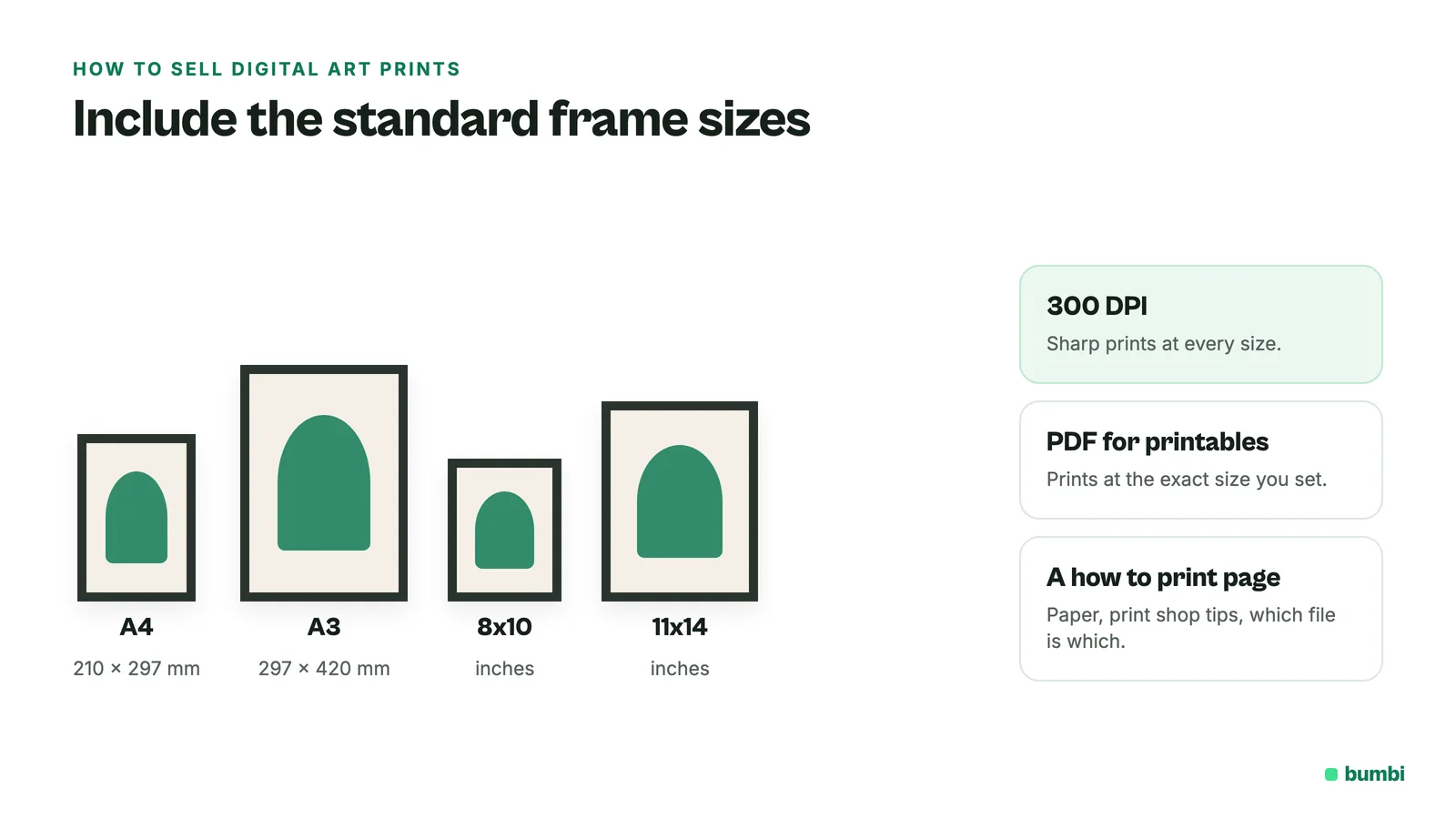
- Export at print resolution. 300 DPI is the usual standard for sharp prints.
- Include standard frame sizes (for example A4, A3, 8x10 and 11x14 inches) so buyers in different countries can print at the size they need.
- Use PDF for printables. It prints at the exact size you set, on any printer.
- Add a one page "how to print" note: paper type, print shop tips, and which file is which size.
Licences: what the buyer is allowed to do
This is the part most artists skip, and it decides your price. Write it in plain words and include it with every sale.
| Licence | What the buyer can do | Typical use |
|---|---|---|
| Personal use | Print and display it, use it as a wallpaper. Not resell or use in products. | Prints, wallpapers, fans |
| Commercial use | Use it in their own marketing or products, within limits you set | Clip art, icons, assets |
| Exclusive or custom | A piece made for them, often with rights you agree in writing | Logos, commissions |
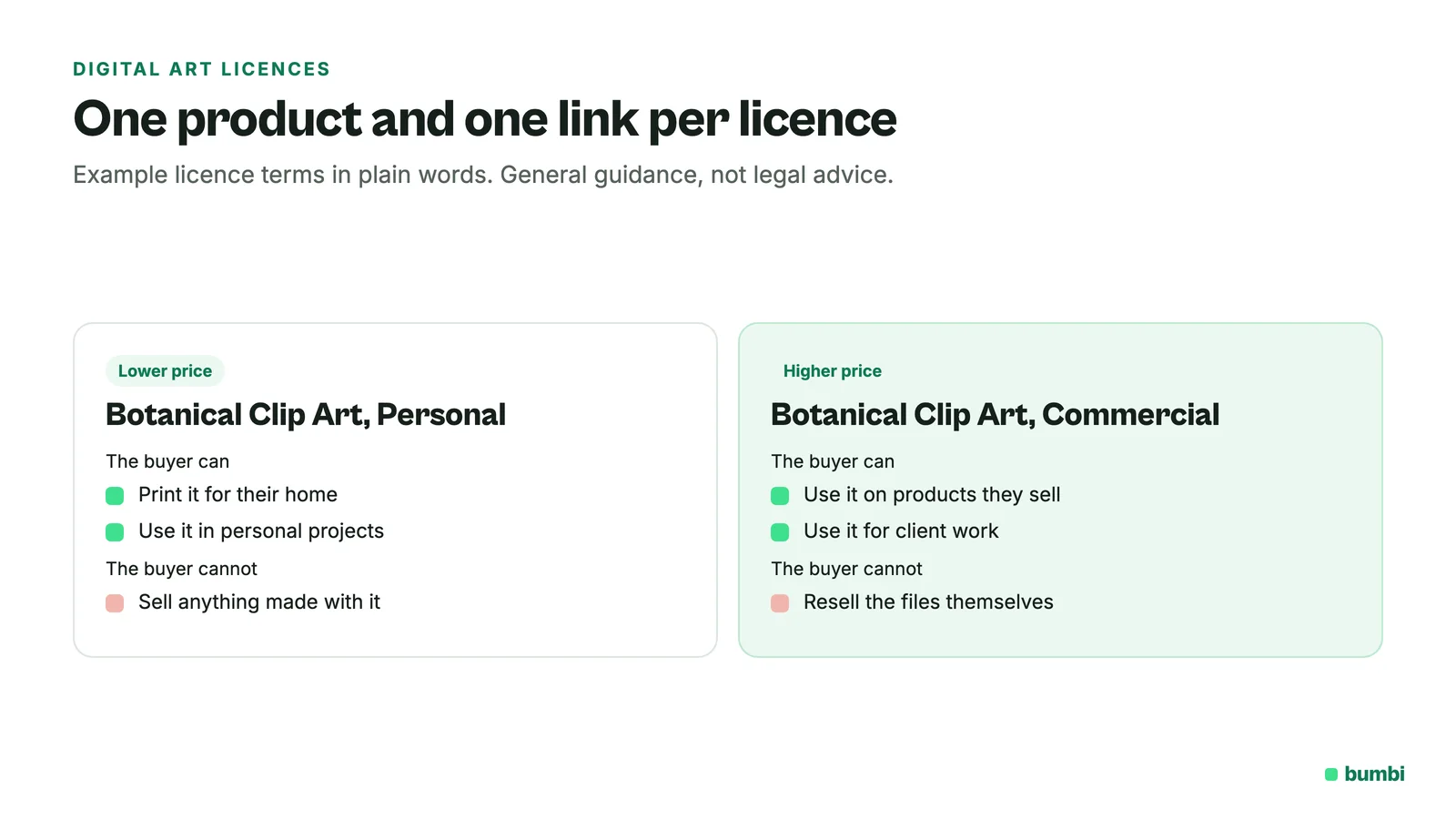
If you offer more than one licence, list them as separate products (for example "Botanical Clip Art, Personal" and "Botanical Clip Art, Commercial"), each with its own price and link. This is general guidance, not legal advice; for big commercial deals, get the terms checked where you live.
How much should you sell digital art for?
- Wallpapers and single printables: keep them low so fans buy without thinking.
- Packs and bundles: five or ten pieces together, priced below the cost of buying each one.
- Commercial licences: clearly above personal use, because the buyer earns from your work.
- Commissions: by the hour you spend, plus your experience. Raise prices when your slots fill fast.
Test, then adjust. If a piece sells out of every post, the price is too low.
Where can you sell digital artwork?
You can list on art marketplaces and print-on-demand sites, which can bring some discovery but put you next to thousands of similar listings. Check each site for its current terms. Or you can sell from your own store, where your followers buy directly from you and you keep their contact for the next drop. Many artists do both: a marketplace for discovery, their own store for fans.
How to sell digital art with Bumbi
- Create a product for each piece, pack or licence, with a cover and preview images (watermarked previews are fine).
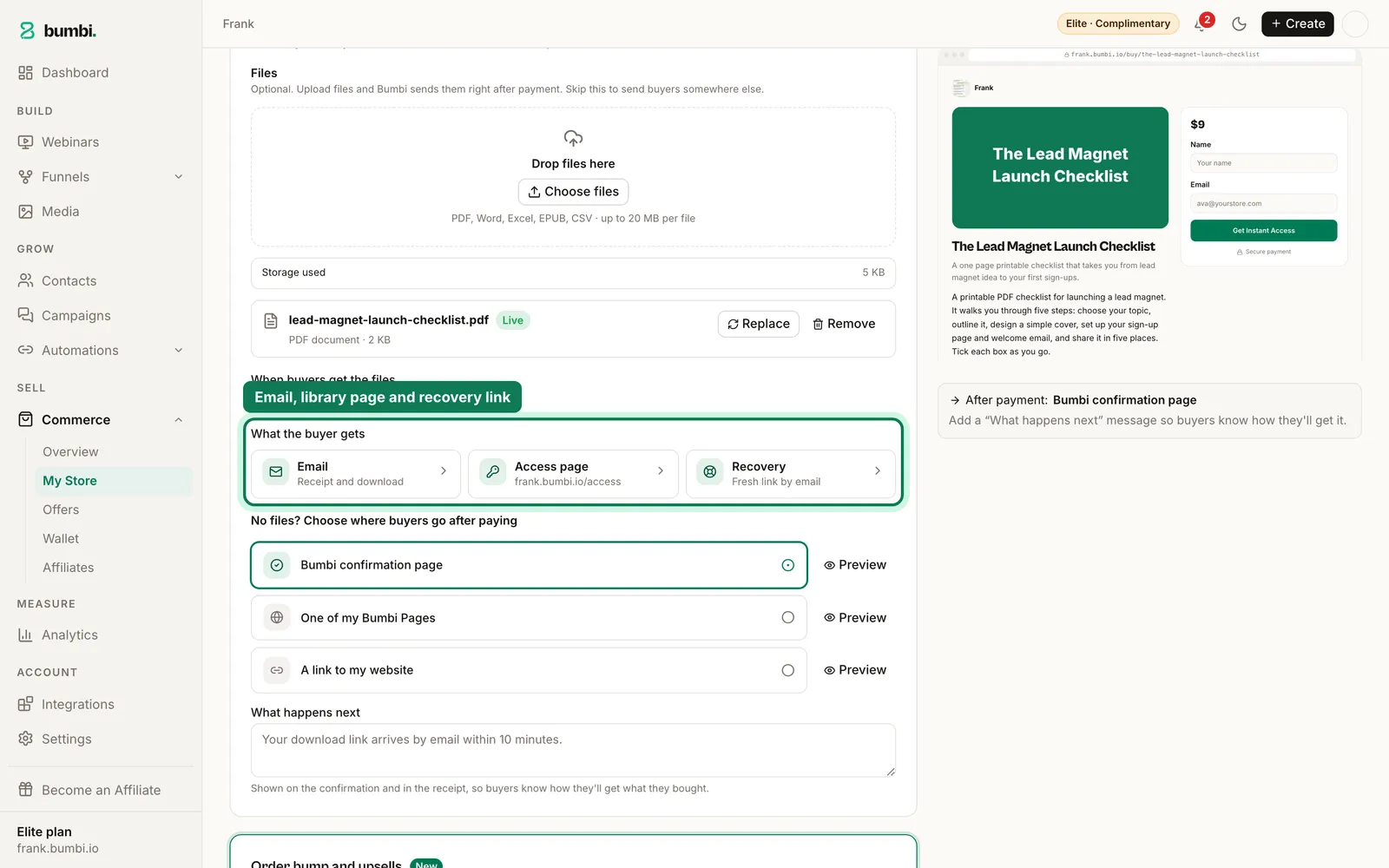
- Deliver the files. Bumbi delivers PDF files directly (up to 20 MB), which suits printables. For image packs, brushes or ZIP files, upload a PDF that holds your licence and the download link to your files, or send buyers to your own page after payment. Either way, delivery happens the moment they pay.
- Set the price once. Buyers in other countries see and pay in their own currency where supported, which matters when your fans are all over the world.
- Share the checkout link in your bio, captions and stories. Every purchase is kept in the buyer's library at bumbi.io/access.
- Put everything on your storefront with verified reviews, and add a matching wallpaper as an order bump at checkout.
- Sell commissions as bookings. With booking pages, clients pick a slot and pay upfront.
Mistakes artists make
- Low resolution files. A blurry print means a refund and a bad review.
- No licence. Buyers guess, and some guess wrong.
- Selling only by DM. Every "how do I pay?" message is a sale at risk.
- One drop, then silence. Fans buy when you show the work again. Collect contacts and follow up with WhatsApp automation from your own number for people who opted in.
Selling templates or presets as well? See how to sell templates online.
Your followers already want your art. Start selling on Bumbi and give them one link to buy it.
Frequently asked questions
- How do I sell digital art online?
- Decide what the buyer gets (a printable, a pack or a licence), export the files at the right sizes, write a plain licence, and sell digital art through a store with a checkout link that delivers automatically. Share that link wherever you post your work.
- How much should I sell my digital art for?
- Keep wallpapers and single printables low, price packs below the cost of the pieces bought one by one, and charge clearly more for commercial licences. If a piece sells out every time, raise the price.
- What kind of digital art sells the most?
- Printable wall art, wallpapers, sticker packs, brushes and clip art with a commercial licence are common sellers. What sells for you depends on your style and who follows you.
- Where can you sell digital artwork?
- On art marketplaces and print-on-demand sites, or from your own store. Your own store keeps your fans' contact so you can tell them about the next drop. Check each marketplace's current terms on its site.
- What resolution should digital prints be?
- 300 DPI at the final print size is the usual standard. Include common frame sizes so buyers can print at the size they want.
- Is selling digital art worth it?
- It can be, because you make each piece once and sell it many times. It works best when you already post your art and have people asking to buy it.
- What is Bumbi?
- Bumbi is a platform for creators who sell digital products: ebooks, courses, templates and presets. Artists use it to sell prints, packs and commission bookings from one storefront.

Written by
Ava Milestone
Ava writes the Bumbi guides on selling digital products.
Start Doing More With Bumbi Funnels
Now you can simply build better pages, create better funnels and make more sales online
Related
Video Sales Letter: What a VSL Is, a Script and an Example
A video sales letter sells in the order you choose. Here is the 7 part script, a worked example and how to publish a VSL page that converts.
Bulk WhatsApp Messages: How to Send Safely to Your Own Buyers
What WhatsApp allows, why bulk senders get numbers blocked, and how sellers reach every buyer safely from their own number.
How to Build a Membership Website Without Code
What a membership site is, the types that work for creators, how to price it, and how to build one with renewals and access handled for you.