 Bumbi
How to Create a Digital Planner to Sell (Step by Step)
From blank page to paid download: plan, design, hyperlink and test a digital planner, then sell it with automatic delivery.
Quick answer: Here is how to create a digital planner to sell: pick a specific buyer and purpose, plan the pages (cover, index, yearly, monthly, weekly, daily, notes), design them in a tool like Canva, link the tabs so buyers can tap between pages, export a PDF that keeps the links, then test it on a tablet. Upload the PDF to a checkout with automatic delivery, set a price, and share one link.
A digital planner is one of the most approachable products to make: no printing, no shipping, and once it is finished, every copy costs you nothing to deliver. The hard part is not the design. It is making a planner someone specific would rather use than the free ones online.
This guide walks you through the whole process: choosing your niche, planning the pages, designing and hyperlinking in Canva, exporting correctly, testing, pricing, and selling with automatic delivery.
How to create a digital planner to sell, in 7 steps
Each step below builds on the one before. Plan an afternoon for steps 1 and 2, a weekend for the design, and an hour for testing and listing.
Step 1: Choose who the planner is for
"A 2027 planner" competes with thousands of others. "A planner for wedding photographers to track shoots, edits and payments" competes with very few. Pick one person and one job:
- Students: timetable, assignments, exam countdown.
- Small business owners: sales tracker, content calendar, monthly goals.
- Fitness: workout log, meal plan, habit tracker.
- Faith: devotional notes, prayer list, reading plan.
- New parents: feeding and sleep log, appointments, milestones.
The more specific the planner, the easier it is to explain why someone should buy it.
Step 2: Plan the pages
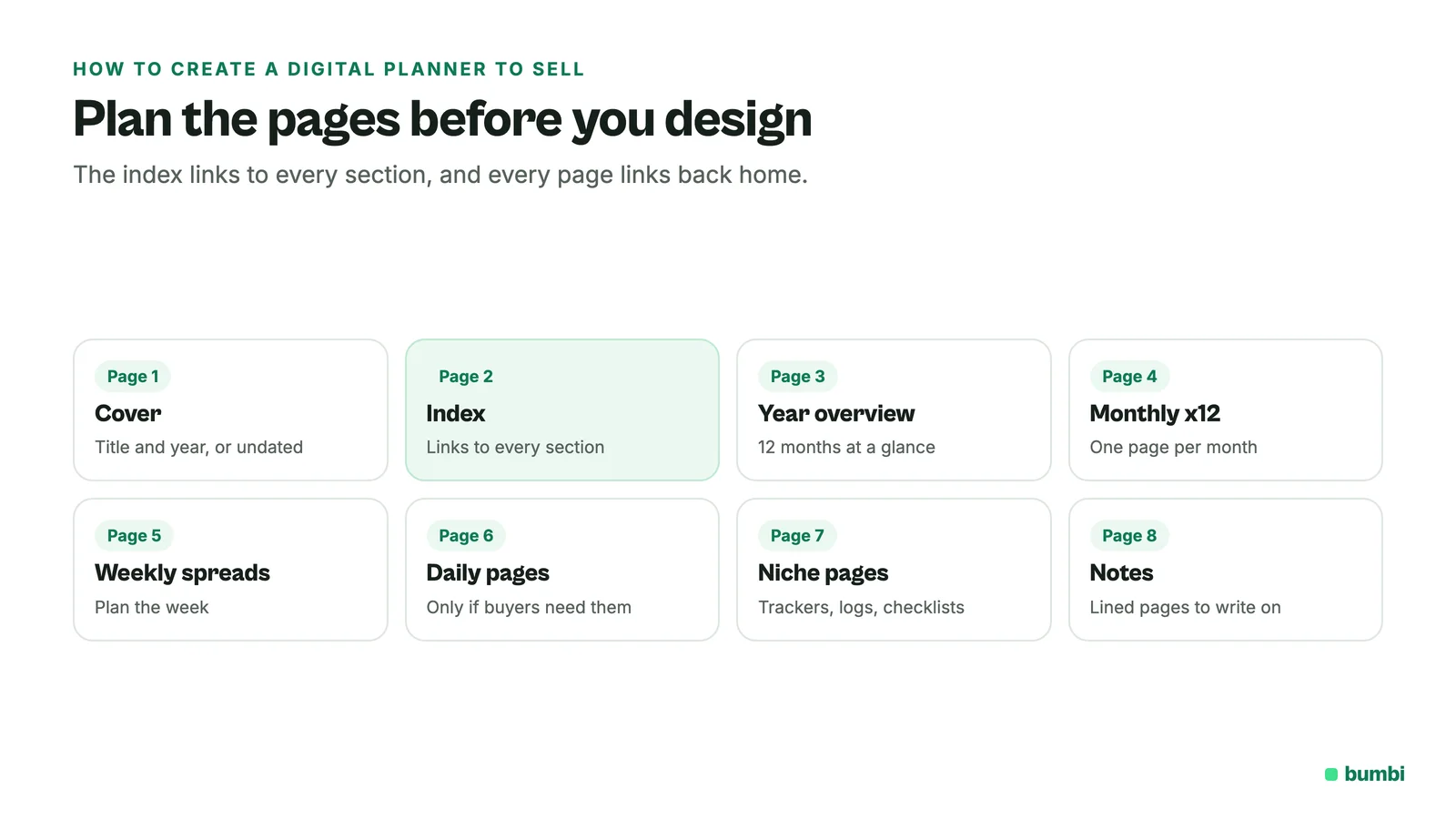
Sketch the structure before you design anything. Most digital planners use some version of this:
- Cover with the title and year (or "undated" if it works any year).
- Index or home page with links to every section.
- Year overview.
- Monthly pages, twelve of them.
- Weekly spreads.
- Daily pages, if your buyer needs that much detail.
- Special pages for your niche: trackers, logs, checklists.
- Notes pages.
An undated planner is easier to keep selling, because it never goes out of date. A dated planner can sell well near the start of a year.
Step 3: Design the planner (Canva works well)
Canva is the most common tool for this because it is free to start and easy to use. A few tips:
- Use a landscape or tablet-sized page so it fills the screen nicely on a tablet.
- Design one page of each type first, then duplicate it. Consistency looks professional.
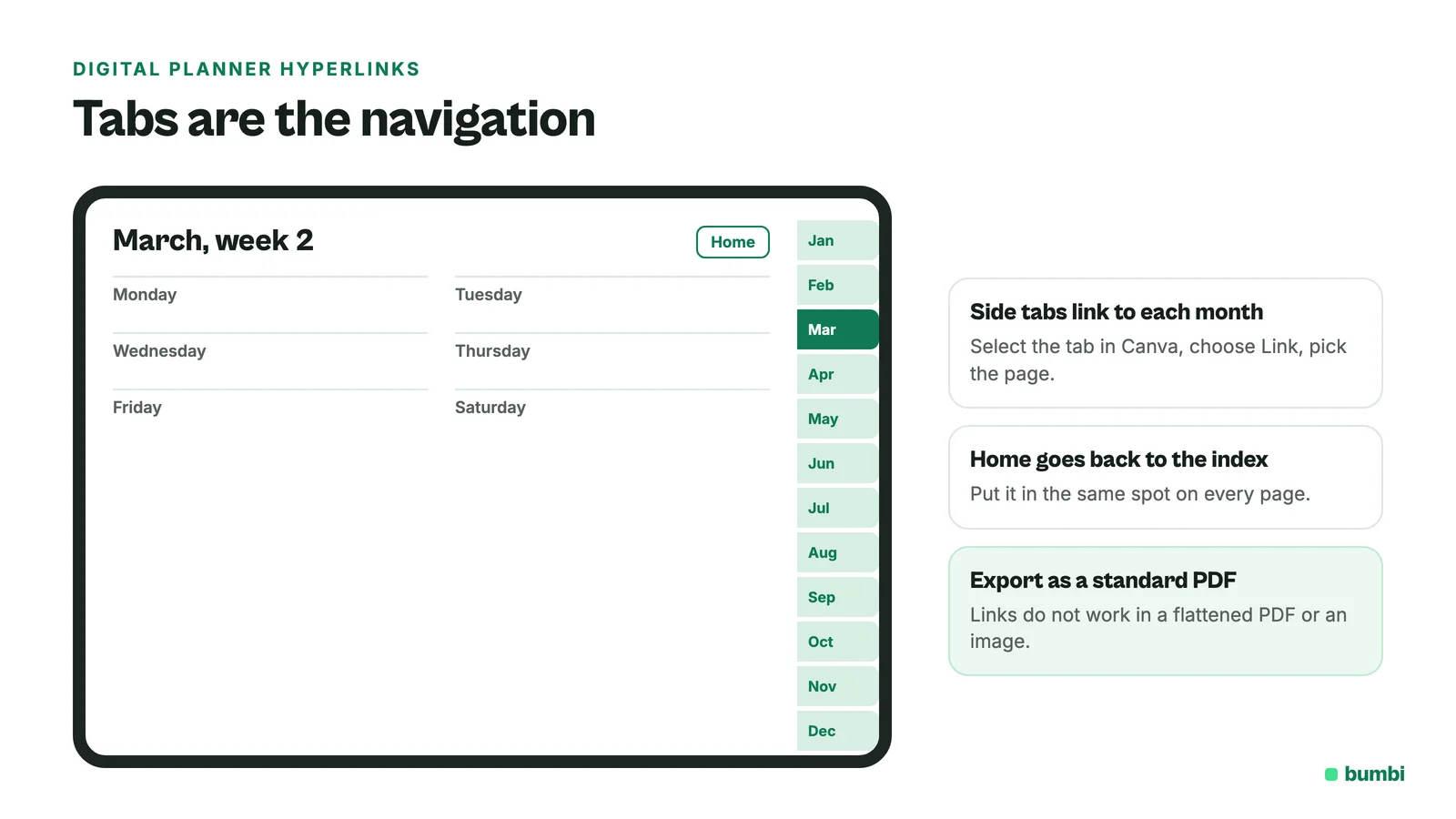
- Add side tabs for months or sections. They become your navigation.
- Keep colors and fonts few. Two fonts and a small palette read better than ten.
- Leave room to write. Buyers will use a stylus. Lines need space.
If you start from a Canva template, read Canva's content license to make sure you are allowed to sell what you make from it. Designing your own layout avoids the question.
Step 4: Add the hyperlinks
Links are what make it a digital planner instead of a PDF of pages. In Canva, select an element (a tab, a button, a word), open the More menu on the toolbar, choose Link, and pick a page from your design. Repeat for every tab, every month on the year page, and a "home" button on each page.
Two Canva details to know: links only work when you download the design as a PDF (not as an image), and they do not work in a flattened PDF. Canva also notes that links on text with some effects, like Neon or Lift, do not work in downloaded PDFs, so keep linked text plain.
Step 5: Export and test
- Download as a standard PDF, not flattened.
- Open it on a tablet in the note-taking apps your buyers are likely to use, such as Goodnotes.
- Tap every link. Every tab, every month, every home button. One broken link is the review you do not want.
- Check the file size. Large images make big files. Compress images before export if the planner is heavy.
Step 6: Price your digital planner
Price by how much it helps and how specific it is. A general planner sits in a crowded, low-price market. A niche planner that saves a professional time each week can charge more. Look at what similar planners sell for, price where you can explain the value, and raise it once reviews come in. Bundles help too: a planner plus a sticker pack or a printable version is an easy step up.
Step 7: Sell your digital planner with automatic delivery
Here is how to sell your planner on Bumbi, a platform for creators who sell digital products:
- Add a product with a clear name, a short description of who it is for, and preview images of a few pages.
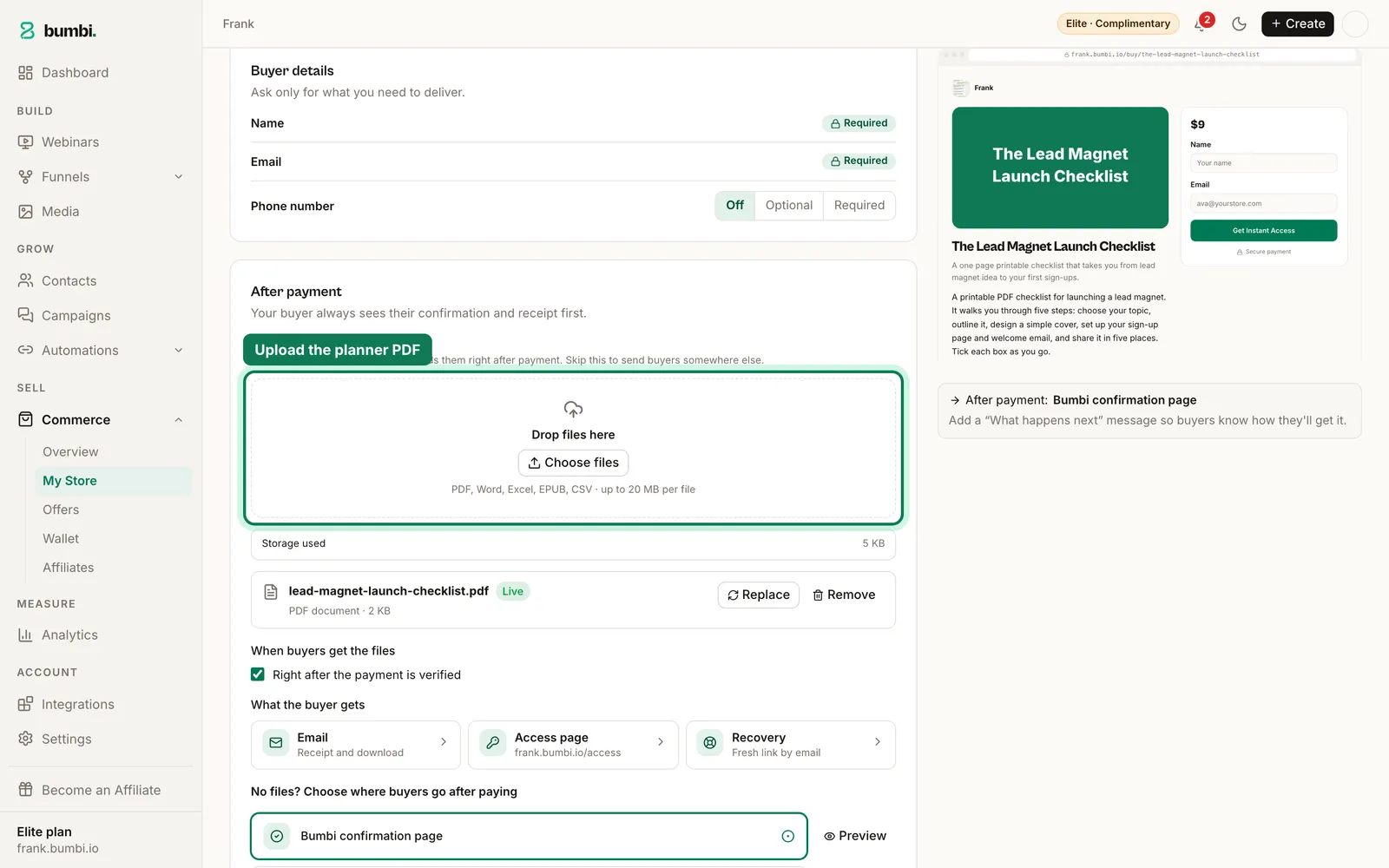
- Upload the PDF. Bumbi takes PDF files up to 20 MB each.
- Set the price in your currency. Buyers in other countries see it in theirs where supported.
- Publish and share the checkout link in your bio, posts, Pinterest pins and WhatsApp status.
Buyers get the planner automatically after paying, and it stays in their library at bumbi.io/access so they can download it again on a new tablet. Add a sticker pack as an order bump on the checkout, and put all your planners on one storefront with verified reviews.
Selling templates too? How to sell Lightroom presets and Canva templates covers that side, and how to sell a PDF online covers PDFs in general.
Mistakes that cost planner sales
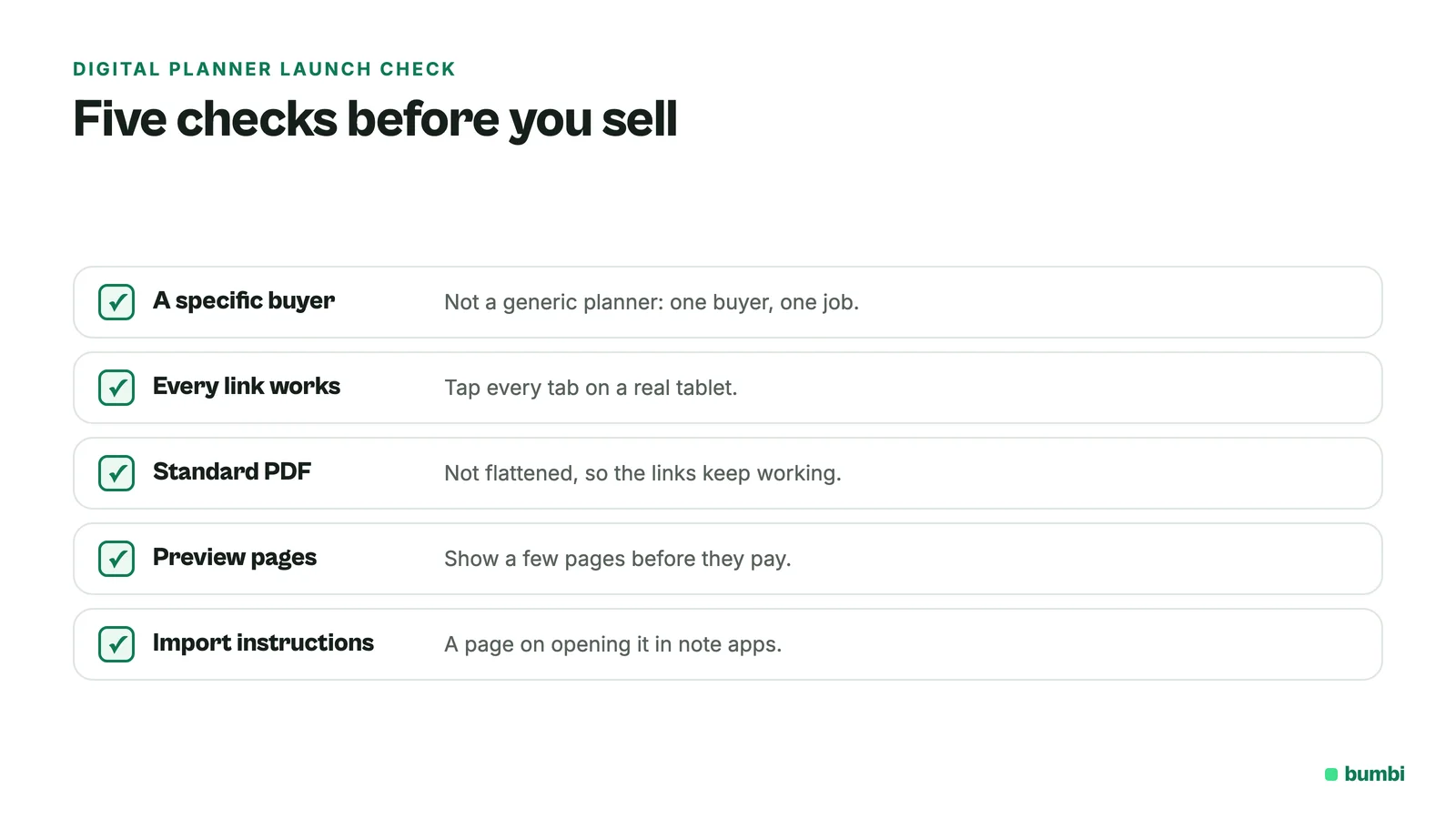
- Too generic. If it looks like every free planner, it will not sell.
- Broken links. Test every one on a real tablet before you sell.
- Flattened PDF export. It kills all the links.
- No previews. Buyers want to see the pages before they pay.
- No instructions. Add a page explaining how to import the planner into common apps.
Finished your planner? Start selling on Bumbi and let every copy deliver itself.
Frequently asked questions
- How do I create a digital planner to sell?
- Choose a specific buyer, plan the pages, design them in a tool like Canva, add links between pages, export a standard PDF, test every link on a tablet, then upload it to a checkout with automatic delivery. That is how to create a digital planner to sell.
- What is the best program to create a digital planner?
- Canva is the most common choice because it is free to start, easy to use, and keeps page links working when you download a standard PDF.
- How do I add hyperlinks to a planner in Canva?
- Select the tab or button, open the More menu on the toolbar, choose Link and pick a page from your design. Links only work in a downloaded PDF that is not flattened.
- Can I sell a planner I made on Canva?
- Many people do, but if you start from a Canva template, read Canva's content license first to check what you may sell. Designing your own layout avoids the question.
- How much should I sell a digital planner for?
- It depends on how specific and useful it is. Generic planners sit in a crowded low-price market; niche planners for a clear audience can charge more. Check similar planners and raise your price as reviews come in.
- Where can I sell digital planners?
- Anywhere you can share a checkout link. On Bumbi, buyers get the PDF automatically after paying and keep it in their library.
- What is Bumbi?
- Bumbi is a platform for creators who sell digital products: ebooks, courses, templates and presets. You can sell a digital planner PDF with one checkout link and automatic delivery.

Written by
Ava Milestone
Ava writes the Bumbi guides on selling digital products.
Start Doing More With Bumbi Funnels
Now you can simply build better pages, create better funnels and make more sales online
Related
Video Sales Letter: What a VSL Is, a Script and an Example
A video sales letter sells in the order you choose. Here is the 7 part script, a worked example and how to publish a VSL page that converts.
Bulk WhatsApp Messages: How to Send Safely to Your Own Buyers
What WhatsApp allows, why bulk senders get numbers blocked, and how sellers reach every buyer safely from their own number.
How to Build a Membership Website Without Code
What a membership site is, the types that work for creators, how to price it, and how to build one with renewals and access handled for you.